From ICP Pain Points to ‘Problem Paths’: Using AI to Design Blog Series That Guide Buyers to Your Product


Most teams can list their ICP’s pain points.
Far fewer can show you a clear path of content that walks a buyer from those pains to a confident “Yes, this is the product we need.”
That gap is expensive.
Recent B2B research keeps landing on the same theme: buyers complete the majority of their journey on their own, consuming content, asking AI tools for help, and comparing vendors long before they talk to sales. Many studies now estimate 70–80% of the decision is made before a form fill or demo request ever happens.
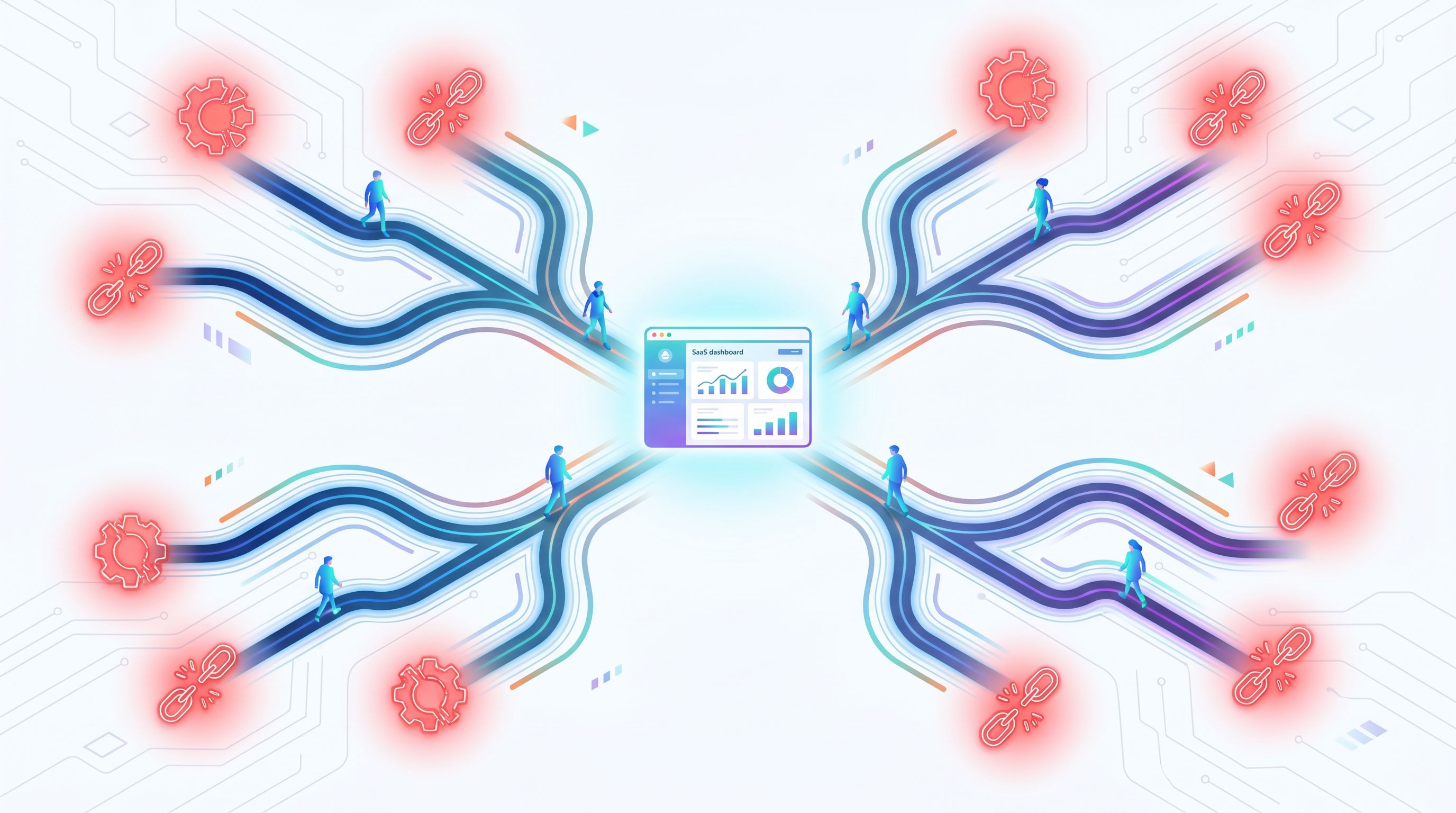
If your blog is just a pile of isolated posts, you’re forcing buyers to stitch together their own journey. If, instead, your blog is organized around problem paths—sequenced series of posts that start at a pain point and end at your solution—you make it easy for them to move forward with you.
This is exactly where AI (and a platform like Blogg) becomes a force multiplier: not just for writing more content, but for designing and maintaining these paths at scale.
What Is a “Problem Path” and Why It Beats a Generic Funnel
A problem path is a structured sequence of content that starts from a specific, felt pain and leads a buyer, step by step, to:
- Naming the problem accurately
- Understanding the cost of not solving it
- Exploring solution approaches
- Seeing how your product fits that solution
- Getting answers to the last-mile objections that block action
Instead of publishing random posts like:
- “10 Tips for Better Sales Enablement”
- “Why Content Matters for SaaS”
- “How to Choose a CMS”
…you publish connected mini-series tied to one pain and one ICP, for example:
“Our sales team keeps answering the same questions over and over; we’re drowning in repetitive support and onboarding.”
A problem path for that pain might look like:
- “Why Your Support Inbox Is Full of Questions Your Blog Should Have Answered”
- “Mapping Support Tickets into a Self-Service Content Plan”
- “How to Turn Support Answers into SEO Content Without Burning Out Your Team”
- “A Step-by-Step Example: Turning One FAQ Into a Search-Optimized Help Hub”
- “Tooling the System: How Blogg Automates the Support-to-Content Loop”
Each post stands alone, but together they:
- Match the real sequence of questions a buyer asks
- Keep the buyer anchored in their own pain
- Make your product feel like the natural next step, not a bolt-on pitch
When you design problem paths for every major ICP pain point, your blog becomes less like a magazine and more like a set of guided trails through your problem space.
Step 1: Start with ICP Pain Points, Not Keywords
Most content calendars still start from keywords or product features. Problem paths start from specific, high-friction moments in your ICP’s week.
Identify “moment-level” pains
You’re looking for pains that sound like this:
- “Our CSMs spend half their week rewriting the same explanation emails.”
- “We can’t prove the blog drives pipeline, so it’s always first to get cut.”
- “Our product is great, but nobody understands it from the website.”
Use these sources to surface them:
- Sales and CS calls – Gong, Chorus, or Zoom transcripts
- Support tickets and live chat logs – Intercom, Zendesk, HubSpot
- Internal Slack or email threads where people vent about customers getting stuck
If you haven’t done this kind of mining yet, our post on The ‘Source Stack’ Audit walks through how to systematically map every tool and doc your AI blog should be learning from.
Use AI to cluster pains into themes
Once you’ve collected raw pain statements, drop them into an AI workspace and ask it to:
- Cluster by similarity (e.g., “onboarding confusion,” “analytics blind spots,” “content bottlenecks”)
- Label each cluster with a short, human phrase
- Extract representative quotes from real customers
From there, choose 3–5 priority pain themes for your core ICP. Each one will become a problem path.
Step 2: Turn Pain Themes into “Problem Paths”
For each pain theme, you’re going to design a content journey that mirrors how a buyer naturally thinks through the problem.
A simple scaffold:
- Awareness: “What’s going on?”
- Impact: “Is this actually a big deal?”
- Options: “What are the ways people solve this?”
- Fit: “Is your approach right for us?”
- Proof & Detail: “Will this really work here?”
Example: “Our blog is active but not generating pipeline”
Let’s say you sell a platform like Blogg that automates SEO content and ties it to outcomes.
A problem path might be:
-
Awareness – “Why Your Blog Is Busy but Your Pipeline Is Quiet”
Expose the symptoms: traffic that doesn’t convert, posts that never get referenced in sales calls. -
Impact – “The Hidden Cost of Treating the Blog as ‘Just Brand’”
Quantify wasted effort and opportunity cost. -
Options – “Three Content Models: Volume-First, Campaign-First, and Problem-Path-First”
Compare approaches; show why problem paths win for revenue. -
Fit – “How AI-Powered Blogging Connects Topics, Search, and Sales Conversations”
Introduce how a system like Blogg handles ideation, drafting, and scheduling around problem paths. -
Proof & Detail – “Metrics That Actually Matter for an AI-Powered Blog”
Here you might reference our post Metrics That Actually Matter: A Simple Analytics Scorecard for Measuring AI Blog ROI, giving buyers a concrete way to measure success.
Each post answers a different question on the same journey, and every post points to the next step.
Use AI to draft the map before you draft posts
Before you brief a single article, ask AI to:
- Generate 10–15 questions a buyer with this pain might ask
- Group those questions into the five stages above
- Propose post titles that directly answer those questions
This is where a platform like Blogg shines: you can define a problem theme, feed in your ICP notes and sales transcripts, and let it propose a multi-post series with outlines and internal links baked in.
Step 3: Map Each Path to Buyer Roles and Stages
Problem paths become even more powerful when you align them with who is reading and where they are in their process.
Research on B2B buying shows that a typical purchase involves multiple stakeholders—often 6–10 people—each doing their own research, often in parallel. Many of them will consume a dozen or more content touches before sales ever hears from them.
So instead of one generic path, think in layers:
- Champion layer: deep dives, how-tos, ROI breakdowns
- Executive layer: concise overviews, risk framing, business cases
- Technical layer: integrations, security, implementation details
For each step in your path, ask:
- Who is most likely to be reading this?
- What do they need to feel safe moving forward?
Then design:
- A primary post (for the champion) and
- 1–2 supporting posts (for execs or technical stakeholders) that can be linked or shared internally.
Example for a “support tickets are out of control” path:
- Champion: “How to Turn Support Tickets into a Self-Service Content Engine”
- Exec: “The ROI of Deflecting 20% of Tickets with Searchable Content”
- Technical: “How to Connect Your Help Desk, Knowledge Base, and AI Blog Without Breaking Anything”
Our article The Silent Funnel Fix: Using AI Blog Posts to Preempt Support Tickets and Onboarding Friction is a good reference example of how to write for both the champion and the broader team.

Step 4: Design Internal Links as “Trail Markers”
Internal links are how you turn individual posts into a guided path instead of a maze.
For each problem path:
-
Define the canonical starting point.
This is your “hub” post—the best entry for someone who just realized they have the problem. -
Add forward links at natural decision points.
At the end of a section about cost, link to your “Impact” post. After you introduce solution types, link to the “Options” comparison. -
Add sideways links for role-specific spinoffs.
“If you’re the one owning implementation, you’ll want this technical guide next.” -
Add down-funnel links to product pages, demos, or case studies only when they’re contextually earned.
For example: “If you’d rather not build this workflow manually, here’s how Blogg automates it.”
A helpful mental model: your internal links should feel like trail signs in a park—clear, reassuring, and always pointing to the next best step.
If you want a deeper dive on structuring clusters around a core topic, our post The ‘Question Cloud’ Technique: Using AI to Map Every Related Query Around One Keyword and Turn It into a Content Cluster pairs nicely with the problem-path approach.
Step 5: Use AI to Draft, Personalize, and Refresh at Scale
Once your paths are mapped, AI lets you do three things that are hard to sustain manually:
1. Generate consistent, on-message drafts
Instead of briefing every post from scratch, you:
- Feed AI your path map, ICP notes, and brand voice
- Provide a single source of truth doc for positioning
- Ask it to draft posts that:
- Open with the pain in the buyer’s words
- Reuse key phrases and metaphors across the series
- Maintain a consistent narrative arc
This is exactly the workflow we explored in The ‘Single Source of Truth’ Prompt: Training Blogg on One Master Doc So Every Post Stays On-Message.
With Blogg, you can set these inputs once and have every series post inherit the same spine—no matter who on your team is clicking “generate.”
2. Personalize by segment without rewriting from scratch
AI makes it realistic to create variations of the same path for different verticals or company sizes.
Example:
- Base path: “From Support Tickets to Self-Service Content”
- Variants: “for Healthcare SaaS,” “for Fintech Compliance Teams,” “for Field Service Businesses”
You keep the same structure but adapt:
- Examples and stories
- Regulatory concerns
- Tool stack references
3. Keep paths evergreen with light-touch refreshes
Buyer needs and search behavior shift. Your product evolves. Instead of letting paths decay, use AI to:
- Re-scan each series quarterly
- Flag outdated screenshots, feature names, or metrics
- Suggest new internal links to fresh posts
A system like Blogg can automatically propose refreshes and even draft updated sections, so you’re maintaining living paths, not static archives.
For a deeper system on this, see The ‘Evergreen Refresh’ Loop: Using AI to Continuously Update Old Posts Without Breaking Your Rankings.
Step 6: Instrument and Optimize the Paths, Not Just the Posts
The final step is shifting how you measure success.
Instead of asking, “Did this post perform?” start asking:
“Did this path move buyers closer to a decision?”
Practical ways to do that:
-
Path-level analytics: Group posts by problem path in your analytics tool. Track:
- Entry posts
- Path depth (how many posts per session)
- Assisted conversions (demos, trials, contact requests)
-
Journey-based CTAs: Instead of generic banners, use CTAs that match the stage:
- Early: “See 5 examples of companies fixing this problem.”
- Mid: “Download the checklist we use with customers.”
- Late: “Walk through your situation with our team.”
-
Qualitative feedback: Ask new customers, “Which posts helped you decide?” and tag their answers by path.
When you see a path underperforming, use AI to:
- Propose alternative titles that better match search intent
- Suggest missing posts between big conceptual jumps
- Rewrite intros to anchor more clearly in the buyer’s pain
Over time, you’ll see a pattern: a few problem paths will drive a disproportionate share of pipeline. That’s your cue to double down on those pains—more depth, more formats, more proof.
Bringing It All Together
If your ICP pain points are just bullets on a persona slide, you’re leaving money on the table.
When you turn them into problem paths—and use AI to design, write, and maintain those paths—you get a blog that:
- Meets buyers at the exact moment they feel a problem
- Walks them through the real questions they ask on the way to a decision
- Introduces your product as a natural, credible answer
- Scales across segments, roles, and stages without burning out your team
Platforms like Blogg make this not only possible but practical. You define the pains and the path logic; the AI handles ideation, drafting, internal linking, and refreshing so your paths stay alive and aligned with how people actually buy.
Your Next Step
You don’t need to redesign your entire content strategy this week.
Start with one high-impact pain for your best-fit ICP.:
- Write down 10 real quotes from customers about that pain.
- Use AI to cluster their questions into a 5-step path.
- Map 4–6 posts along that path.
- Use an engine like Blogg to draft and schedule the series, with internal links that guide readers from one post to the next.
By this time next quarter, you could have multiple live problem paths quietly guiding buyers from “Something’s not working” to “We know exactly why this product is the answer.”
Take the first step: pick your highest-stakes pain point, and sketch the journey your best customers took to solve it. Then let AI help you turn that journey into a path your next customers can follow.