AI Blogging for Launch Weeks: Orchestrating Blogg Posts, Emails, and Social So Every Feature Release Lands


Product launches shouldn’t feel like you’re duct‑taping a campaign together in a Slack channel the night before.
You’ve got:
- A product team shipping features on a clear roadmap
- A sales team begging for better stories and proof points
- A marketing team trying to line up blogs, emails, and social posts without burning out
And then the launch week hits—and half the work happens in a scramble.
This is exactly where AI‑powered blogging shines. When you use an engine like Blogg as the backbone of your launch communication, you stop writing “one‑off announcements” and start running a repeatable system that:
- Warms up search demand weeks before the release
- Gives sales and success links they can send the minute questions pop up
- Keeps your email and social channels in sync with your blog—without triple the effort
Let’s walk through how to orchestrate blog posts, emails, and social content so every feature release actually lands.
Why Launch Weeks Deserve Their Own Content System
Most teams treat launches as exceptions: special, stressful weeks where the normal rules don’t apply. That’s exactly why they’re chaotic.
A better approach: treat launches as a content pattern you can templatize and automate.
When you do, you get:
- Predictable visibility – Search‑optimized posts go live before and during launch, so buyers who are researching the problem space actually find you.
- Aligned messaging – Blog, email, and social aren’t three different stories; they’re three angles on the same narrative.
- Reusable assets – Each launch adds durable SEO content, not just a one‑day spike.
- Less stress – AI handles the drafting and repurposing work so your team can focus on strategy, QA, and enablement.
If you’ve already mapped your roadmap into content (see: From Product Roadmap to Editorial Roadmap: Turning Upcoming Releases into a Year of SEO Content with Blogg), launch weeks become execution, not improvisation.
Start with the Launch Story, Not the Blog Post
Before you touch a CMS or email tool, get clear on the story of the release. AI can help you draft it, but you need the core ingredients.
For each feature or release, define:
-
Who is this for?
- Existing customers? New buyers? A specific segment (e.g., admins, ops leaders, power users)?
-
What problem does it solve?
- Phrase this as a before/after: “Previously, teams had to… Now they can…”
-
What behavior do you want to see?
- Book a demo? Try the feature in‑app? Upgrade a plan? Share with their team?
-
What proof do you have?
- Beta results, customer quotes, screenshots, performance numbers, or internal benchmarks.
Feed this into your AI engine as a short brief. With Blogg, this kind of structured input pairs beautifully with a master messaging doc (see the approach in The ‘Single Source of Truth’ Prompt: Training Blogg on One Master Doc So Every Post Stays On-Message).
From that one story, you’ll spin out:
- 2–4 SEO‑oriented blog posts
- 2–3 launch emails
- A set of social snippets for different channels
Design a Simple Launch Content Blueprint
Think of your launch as a mini content arc spread over 2–4 weeks.
Here’s a blueprint you can reuse for most feature releases (adjust the scale for bigger launches):
T‑14 to T‑7 days (Warm‑up & problem education)
- Publish problem‑focused, SEO posts that set context for the feature.
- Examples:
- “Why Implementation Timelines Slip for Data Integrations (and How to Fix Them)”
- “The Hidden Costs of Manual Reporting for RevOps Teams”
- Goal: capture search demand and frame the problem your feature solves.
T‑3 to T‑1 days (Pre‑launch & teaser)
- Publish a “coming soon” or preview post that hints at the solution without getting lost in UI details.
- Send a teaser email to relevant segments.
- Share social posts that focus on the pain and hint at what’s changing.
Launch day (T‑0)
- Publish the hero launch post:
- Clear headline
- Story of the problem
- What’s new
- Who it’s for
- How to turn it on / try it
- Send the primary launch email linking to the hero post.
- Share multiple social posts throughout the day (product tour, quote, short video, GIF).
T+3 to T+14 days (Follow‑through)
- Publish how‑to and use‑case posts that go deeper for specific personas.
- Send a “getting value from X” email to active users.
- Share customer stories, tips, and short clips on social.
Once you have this pattern, Blogg can be configured to:
- Generate topic ideas for each phase
- Draft posts from your brief
- Suggest internal links to older posts (including evergreen ones you’ve refreshed with a process like the one in The ‘Evergreen Refresh’ Loop: Using AI to Continuously Update Old Posts Without Breaking Your Rankings)
- Schedule content to align with your launch calendar

Let Blog Posts Lead, Then Spin Them Into Email and Social
Most teams start with email copy and then scramble to find a blog link that “kind of fits.” Flip that.
1. Draft the Hero Launch Post First
Your hero post is the single source of truth for the release. It should:
- Tell the story in depth (problem → solution → proof → next step)
- Include screenshots or GIFs
- Answer common questions (pricing, availability, limitations)
- Link to docs, support, or knowledge base articles
With an engine like Blogg, you can:
- Feed in your launch brief and product notes
- Ask for a long‑form post optimized around a target keyword cluster
- Specify tone, structure, and CTAs
Once you approve this post, everything else becomes a condensed version of the same narrative.
2. Use AI to Derive Email Sequences from the Post
From the hero post, you can generate:
-
Announcement email (Launch day)
- Subject idea: “Now live: [Feature] for [Persona/Use Case]”
- 2–3 short paragraphs + 1–2 bullets
- Primary CTA: “See what’s new” (links to hero post)
-
Adoption email (T+3 to T+7)
- Subject idea: “3 ways to get value from [Feature] this week”
- Short intro + 3 use cases, each linking to a more detailed blog or help doc
-
Upgrade or expansion email (for eligible segments)
- Focused on ROI and social proof
- CTA: “Talk to sales” or “See pricing options”
You don’t need to write these from scratch. Use the hero post as input and have AI summarize and restructure it for email.
3. Slice the Same Story into Social Content
From the same hero post + supporting posts, have AI generate:
- Short problem statements for LinkedIn or X
- Carousel outlines (e.g., “5 problems this feature solves”)
- Quote cards from your PM or customer quotes
- Short scripts for 30–60 second videos or Looms
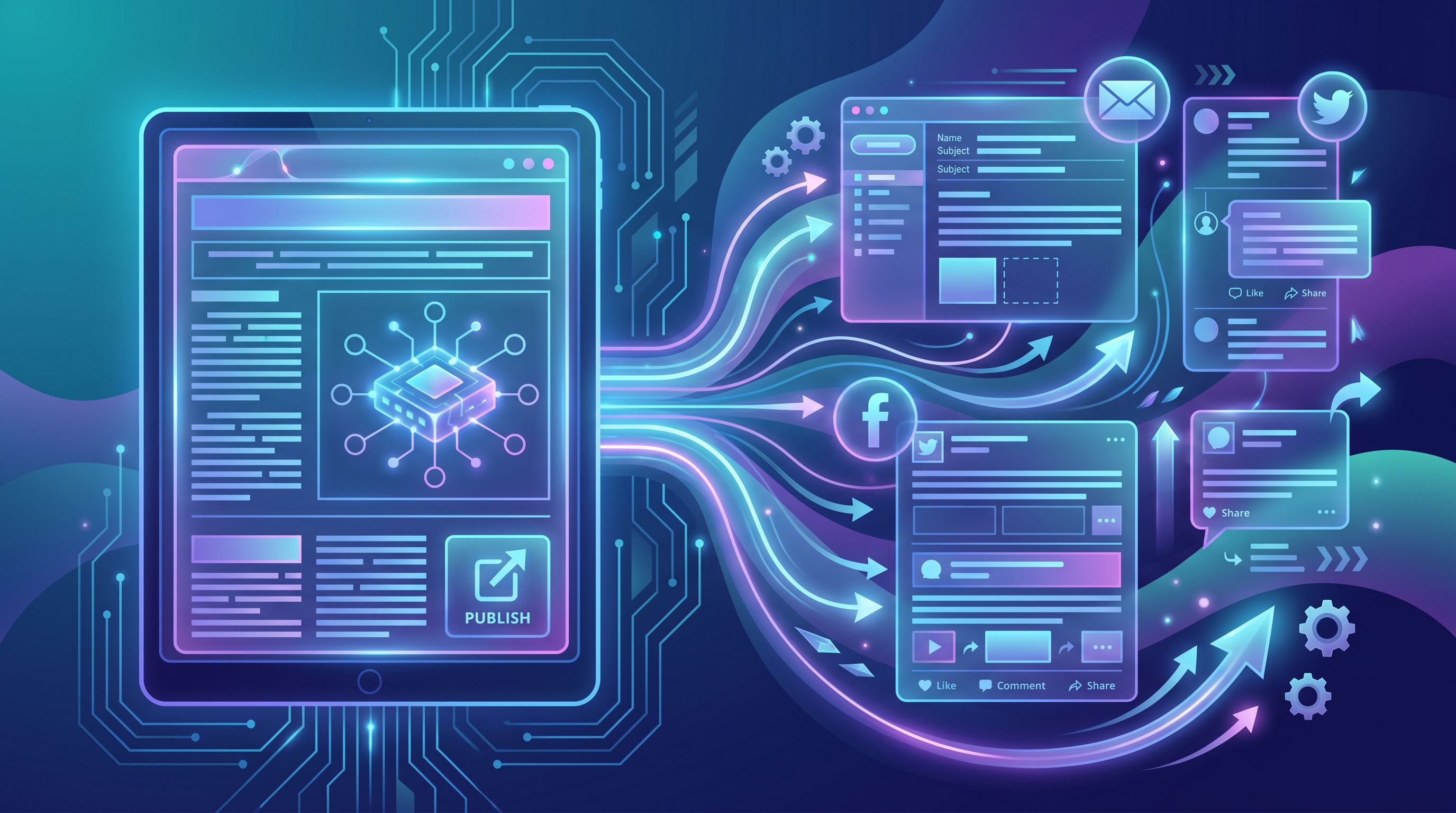
A platform like Blogg can automate much of this “spin‑down” work. If you want a deeper dive into this kind of repurposing, check out Beyond the Blog: Using AI to Spin Every Blogg Draft into Social, Email, and Sales Enablement Assets.
The key principle: one canonical narrative, many channel‑specific executions.
Map Launch Content to Buyer and Customer Journeys
A launch isn’t just for net‑new leads. Different audiences need different angles:
- Prospects – care about outcomes, differentiation, and risk.
- Active customers – care about setup, workflows, and “will this break anything?”
- Internal teams (sales, CS, partners) – care about talking points and objections.
Use AI to generate variants of each asset for these groups.
For Prospects
- Blog: problem and solution framing, competitive context, ROI stories
- Email: short, benefit‑led announcements and nurture follow‑ups
- Social: thought‑leadership angles, comparisons, and use‑case threads
For Existing Customers
- Blog: how‑to guides, “getting started” posts, and troubleshooting tips
- Email: targeted onboarding sequences for the new feature
- Social: quick tips, mini demos, and customer wins
For Internal Teams
- Internal blog or enablement doc: FAQs, talk tracks, objection handling
- Email/Slack summaries: “What’s shipping, who it’s for, when to use it”
- Links to public posts they can send directly to customers
Because Blogg can be trained on your internal docs, support logs, and roadmap notes, it’s well‑positioned to generate both external and internal launch assets from the same underlying knowledge.
Build a “Launch Content Kit” Template
To make this repeatable, create a Launch Content Kit that you clone for every release.
At minimum, your kit should include:
-
Brief template
- Audience
- Problem
- Solution summary
- Key proof points
- Target keywords / queries
- Primary CTA(s)
-
Content checklist (per launch)
- [ ] Hero launch post
- [ ] 1–2 warm‑up SEO posts
- [ ] 1–2 follow‑up how‑to posts
- [ ] Announcement email
- [ ] Adoption email
- [ ] Upgrade/expansion email (if relevant)
- [ ] 6–12 social snippets (per channel)
- [ ] Internal enablement doc or post
-
AI prompt library
- Prompts to turn the brief into a hero post
- Prompts to turn the hero post into email sequences
- Prompts to turn the hero post into social content
If you’re already doing a Source Stack audit, you can plug those sources (call transcripts, support tickets, roadmap notes) straight into this kit so every launch pulls from real customer language.
With Blogg, much of this can be baked into the platform:
- Custom templates for “Launch Hero Post,” “Launch How‑To,” and “Launch FAQ”
- Saved prompts for email and social derivatives
- Scheduling rules tied to your roadmap milestones
Coordinate Timing Across Blogg, Email, and Social
Even with great content, poor timing can blunt your launch.
A few practical rules:
-
Blog goes first.
- Warm‑up posts should publish at least 7–10 days before launch for non‑brand keywords.
- Hero post should be live before your first big email or social push, so there’s somewhere substantial to send people.
-
Email drives depth, social drives breadth.
- Use email to send people to the hero post and key how‑tos.
- Use social to surface one insight or story at a time, always with a soft CTA back to the blog or product page.
-
Stagger, don’t stack.
- Instead of blasting everything at 9am on launch day, stagger:
- 9am: Hero post live
- 10am: Primary launch email
- Afternoon: First social thread
- Next day: Follow‑up social with a customer quote or mini demo
- Instead of blasting everything at 9am on launch day, stagger:
-
Re‑surface content as the feature matures.
- A month after launch, update the hero post with early results or quotes.
- Use an Evergreen Refresh‑style process to keep the post accurate over time.
Because Blogg handles scheduling, you can set this cadence once and reuse it for every launch—tweaking only where needed.
Measure What Matters During and After Launch
Launch weeks create a lot of noise in your analytics. Focus on a short list of metrics tied to behavior, not vanity.
For example:
-
Blog metrics
- Views and time on page for hero + warm‑up posts
- Click‑throughs from blog to product pages or app
- Assisted conversions (demo requests, trials) involving launch posts
-
Email metrics
- Open and click‑through rates for launch and adoption emails
- Clicks to hero post vs. direct to app/product
-
Social metrics
- Engagement on launch‑related posts
- Traffic to hero post from social UTM links
-
Product metrics
- Feature adoption rate among eligible accounts
- Time to first value for the new feature
If you want a simple way to tie this back to ROI, the scorecard in Metrics That Actually Matter: A Simple Analytics Scorecard for Measuring AI Blog ROI is a good starting point. You can add a “launch” view that tracks:
- Launch‑related content sessions → trials/demos
- Launch‑related content sessions → feature adoption
With Blogg, you can tag posts and campaigns by launch to make this analysis easier.
Putting It All Together
When you zoom out, orchestrating AI blogging for launch weeks comes down to a few core shifts:
-
From one‑off announcements → reusable launch blueprint
You’re not reinventing the wheel every time; you’re following a proven pattern. -
From channel silos → one master narrative
Blog, email, and social all tell the same story in formats that fit their strengths. -
From manual drafting → AI‑assisted orchestration
You focus on the brief, the strategy, and the QA. An engine like Blogg handles ideation, drafting, and scheduling. -
From launch day spikes → compounding assets
Each release leaves behind search‑optimized posts that keep working long after the campaign ends.
Quick recap
- Define a clear launch story: audience, problem, solution, proof, and desired behavior.
- Use a launch blueprint that covers warm‑up, launch day, and follow‑through content.
- Let your hero blog post lead, then derive email and social from it with AI.
- Map content variations to prospects, customers, and internal teams.
- Build a reusable Launch Content Kit with briefs, checklists, and prompts.
- Coordinate timing so blog, email, and social reinforce each other instead of competing.
- Measure impact with a short, behavior‑focused metric set.
Take the First Step
You don’t need a massive launch to start building this muscle.
Pick one upcoming feature, even a small one, and:
- Draft a simple launch brief (audience, problem, solution, proof, CTA).
- Use Blogg to generate:
- One hero launch post
- One warm‑up post
- One follow‑up how‑to
- Spin that hero post into:
- One announcement email
- 3–5 social posts
- Schedule everything relative to your launch date.
Run this as a mini experiment. Once you see how much smoother the week feels—and how much more durable the content is—you can scale the same system to your bigger, flagship releases.
Your product roadmap is already full of stories. An AI‑powered engine like Blogg just makes sure those stories actually get told—on your blog, in inboxes, and across social—every time you ship.