The ‘Single Source of Truth’ Prompt: Training Blogg on One Master Doc So Every Post Stays On-Message


If you’ve experimented with AI for blogging, you’ve probably seen both sides of it:
- One draft sounds exactly like your brand.
- The next feels like it was written by a polite alien who skimmed your homepage once.
When you start publishing at AI speed, message drift becomes one of your biggest risks. You don’t just need more content—you need content that reliably sounds like you, sells like you, and teaches like you.
That’s where a single source of truth prompt comes in: one master document that trains your AI engine—especially a platform like Blogg—to stay on-message across every post, no matter who’s prompting it or how often you publish.
This post is a practical guide to building that master doc, wiring it into your workflows, and keeping it updated as your product and positioning evolve.
Why a Single Source of Truth Prompt Matters
Think of your AI blog engine as a new content hire. If you just say, “Write about our product and SEO,” you’ll get something… but it won’t be consistent, and it won’t be strategic.
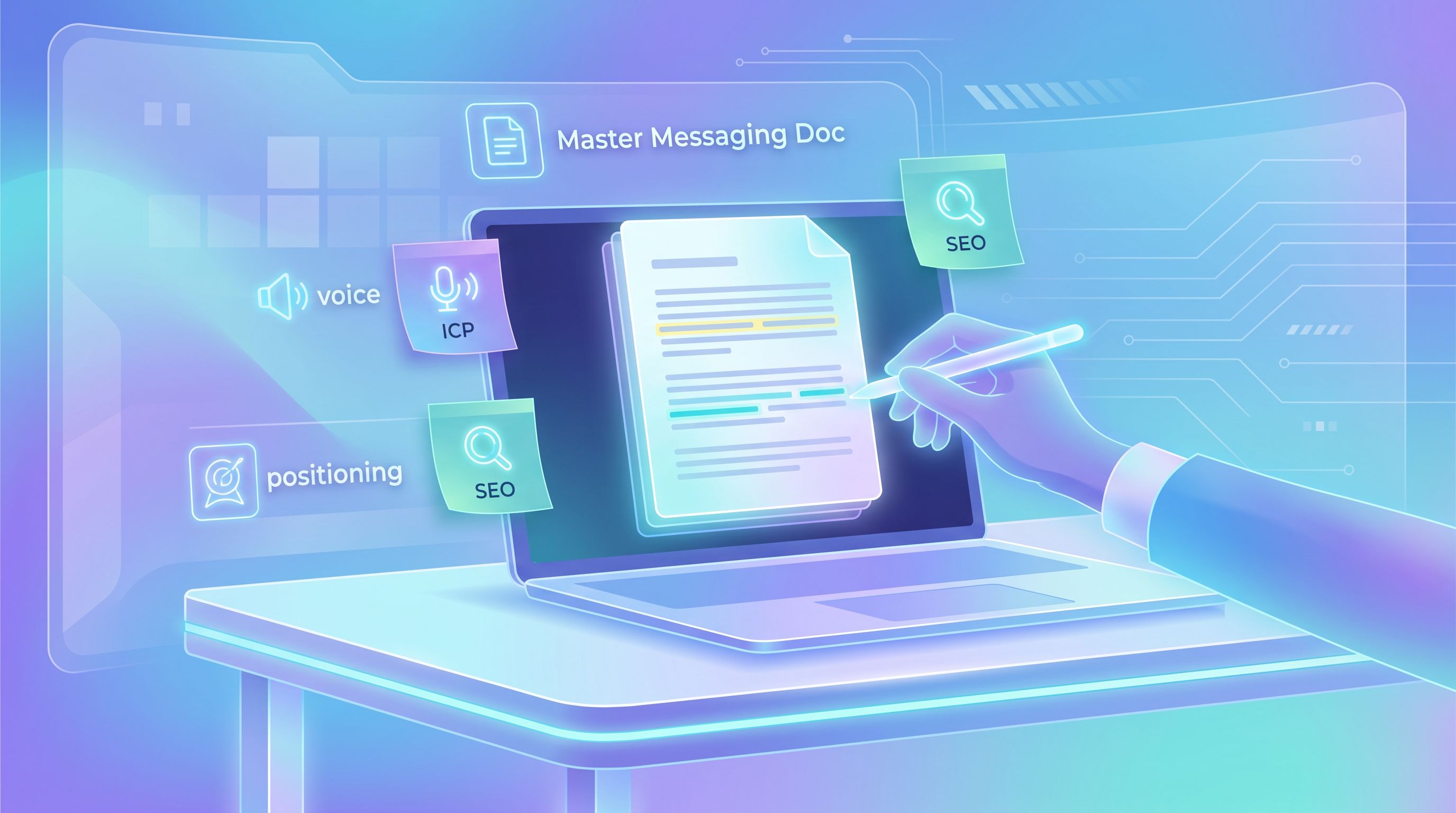
A single source of truth prompt turns that vague direction into a living playbook your AI can follow every time it writes:
- Consistent positioning – Your product is framed the same way in every post: same core promise, same differentiators, same examples.
- On-brand voice – Whether it’s a how‑to, a case study, or a thought piece, it sounds like your company, not generic AI.
- Faster approvals – Fewer rewrites and redlines because the AI already knows your non‑negotiables.
- Safer scaling – Multiple teams (sales, product, CS, leadership) can safely use AI without creating editorial chaos.
If you’ve already experimented with “AI guardrails,” you’ve seen a version of this. Our post on designing simple rules for multi‑team publishing, From Editorial Chaos to ‘AI Guardrails’, is essentially about the same problem: the more people and prompts you have, the more you need a shared source of truth.
The single source of truth prompt is how you encode those rules into one master doc and plug it directly into Blogg.
What Belongs in Your Master Doc (and What Doesn’t)
Your master doc is not a brand bible, a 40‑page style guide, or a full content strategy. It’s a lean, opinionated reference that answers one question:
“What does our AI need to know to write accurate, on‑message blog posts that move our buyers forward?”
At a minimum, include these sections:
-
Company & Product Snapshot
- 2–3 sentences on what you do and for whom.
- 3–5 bullets on core product capabilities.
- 3–5 bullets on key outcomes/benefits.
-
Positioning & Differentiation
- Your primary positioning statement (1–2 sentences).
- 3–5 bullets on what makes you different from alternatives.
- How you do not want to be described (e.g., “We are not a generic AI copywriter.”).
-
Ideal Customer & Jobs-to-Be-Done
- 1–2 short personas (role, company size, responsibilities).
- 3–7 “jobs” they’re trying to get done (e.g., “Ship 4 SEO posts a month without hiring another writer.”).
- Their top objections and fears.
-
Brand Voice & Style
- 3–5 adjectives that describe your voice (e.g., “practical, friendly, no‑fluff, expert”).
- 3–5 do’s (e.g., “Use concrete examples and numbers where possible.”).
- 3–5 don’ts (e.g., “Don’t use hypey language or empty buzzwords.”).
-
Messaging Pillars & Proof
- 3–5 key themes you want to reinforce across posts (e.g., “compounding SEO,” “content operations,” “buyer education”).
- 1–3 proof points for each (metrics, case snippets, customer quotes—lightly anonymized if needed).
-
Content Boundaries & Compliance
- Topics to avoid (e.g., legal/medical advice, competitors by name, unannounced features).
- Claims you cannot make (e.g., “do not promise guaranteed rankings or results”).
- Any industry‑specific compliance notes.
-
SEO & Formatting Preferences
- Preferred post length ranges.
- Heading structure (H2/H3 usage).
- Internal linking rules (e.g., “link 2–3 times to relevant posts, especially our pillar topics”).
What doesn’t belong?
- Detailed feature specs that change every sprint.
- One‑off campaign messages.
- Full keyword lists (those belong in your SEO tools, not your master doc).
Those can live in separate, more tactical docs that Blogg can reference when needed—similar to how we talk about feeding it a single rich input in The ‘One-Input’ Blog Strategy.
Step 1: Gather Your Raw Material (Without Starting from Scratch)
You probably already have 80% of your master doc scattered across:
- Sales decks
- Product one‑pagers
- Brand or tone‑of‑voice docs
- Old blog posts and landing pages
- Slack threads and founder emails
Instead of writing from a blank page, mine what already exists.
A simple workflow:
-
Collect your best “explainer” assets
- Pull your favorite sales deck, your homepage, and 2–3 feature pages.
- Add any internal docs that describe your product in plain language.
-
Export real conversations
- Grab 5–10 recent sales calls, support tickets, or live chat transcripts.
- Export 3–5 email threads where you explained your product or handled objections.
-
Let AI do the first pass
- Use an LLM or Blogg itself to summarize:
- How you describe the product.
- The problems customers describe in their own words.
- The outcomes and benefits you emphasize.
- Use an LLM or Blogg itself to summarize:
If you want a deeper playbook for turning private conversations into structured content inputs, our post From Founder DMs to Search Traffic walks through that process in detail.
The goal here isn’t perfection; it’s to assemble a rough clay model of your messaging that you’ll refine in the next step.
Step 2: Shape It into a Clear, Skimmable Master Doc
Once you’ve gathered raw material, you’ll have a messy, overlapping set of notes. Now you want to turn that into a doc your AI (and your team) can actually use.
A good master doc is:
- Short enough to skim (typically 3–7 pages, not 27).
- Highly structured with clear headings and bullet points.
- Written like instructions, not like a manifesto.
You can use this outline as a template:
-
Who We Are & What We Do
2–3 paragraphs, plus bullets for capabilities and outcomes. -
Who We’re For
Short persona sketches + jobs‑to‑be‑done list. -
How We’re Different
Bulleted differentiators, framed against common alternatives (status quo, manual process, competitors). -
How We Talk
- Voice adjectives
- Do’s and don’ts
- Sample paragraph of “this sounds right” and “this does not.”
-
Key Messages to Reinforce
- 3–5 pillars, each with:
- 1–2 sentences of explanation
- 1–2 proof points
- 3–5 pillars, each with:
-
Boundaries & Red Lines
- What not to say
- Risky phrases or claims to avoid
-
SEO & Formatting Preferences
- Target word counts
- Heading and paragraph style
- Internal linking preferences
Treat this like a product: ship a v1, then iterate. You don’t need every nuance captured to start seeing benefits.
Step 3: Turn the Master Doc into a Reusable Prompt for Blogg
Now you have a solid master doc. The next step is to translate it into a prompt format that Blogg can reference every time it generates a post.
Conceptually, you’re doing two things:
- Storing the doc as your “single source of truth” inside your AI stack.
- Wrapping every task in instructions that say, “Follow this doc unless explicitly told otherwise.”
A practical pattern:
- Upload or paste the master doc into Blogg as a persistent reference (depending on your setup, this might be a brand profile, workspace doc, or knowledge base item).
- Create a standard prompt wrapper that you or your team use for all blog tasks. For example:
“You are our blog engine. Use the ‘Master Messaging Doc’ as the single source of truth for our product, positioning, and voice. Do not contradict it. If user instructions conflict with the doc, default to the doc. Ask for clarification if needed.”
- Save this as a template in your workspace so no one has to remember it from scratch.
This is also where your “Voice Vault” comes in. If you’ve built a reusable prompt and example library (we walk through how in The ‘Voice Vault’: Building a Reusable Prompt & Example Library), you can link those examples directly from your master doc or reference them as additional context for Blogg.

Step 4: Design Simple Rules So Every Post Stays On-Message
A master doc only works if your prompts actually respect it. That means adding a few simple rules to your standard workflows.
Here are guardrails you can bake into your templates:
-
Always reference the doc explicitly
- “Use the Master Messaging Doc for all descriptions of our product, positioning, and ICP.”
-
Constrain how the product is described
- “When describing our product, use one of the approved descriptions from the Master Messaging Doc. Do not invent new taglines or promises.”
-
Lock in voice and tone
- “Match the tone of the sample paragraph in the Voice & Style section. If unsure, default to practical, specific, and friendly.”
-
Reinforce key pillars
- “Where relevant, tie the post back to one or more of our key messaging pillars from the Master Messaging Doc.”
-
Respect boundaries
- “Do not mention unannounced features, specific competitors, or make claims that imply guaranteed results.”
You can also ask Blogg to self‑check against the doc:
- “Before finalizing the draft, list any sentences that might conflict with the Master Messaging Doc. Revise them to align with our positioning and boundaries.”
This kind of meta‑instruction dramatically reduces the number of “off” drafts that make it to your review queue.
Step 5: Keep Your Source of Truth Alive (Without Creating a New Job)
Your product, market, and messaging will evolve. If your master doc doesn’t evolve with them, your AI will keep writing as if it’s 18 months ago.
You don’t need a heavy process, but you do need a light one.
Try this:
-
Assign an owner
- Usually your head of marketing, product marketing, or whoever owns messaging.
-
Set a recurring 30‑minute review
- Once a quarter, scan for:
- New features or use cases that should be reflected.
- Messaging shifts from recent campaigns.
- Objections or questions that keep coming up in sales/support.
- Once a quarter, scan for:
-
Log change notes
- Keep a short “changelog” section at the top:
- “2026‑03‑01: Updated ICP to include agencies.”
- “2026‑06‑15: Added new proof points on implementation speed.”
- Keep a short “changelog” section at the top:
-
Notify your AI engine
- Whenever you update the doc, update it inside Blogg and note the version in your prompt template if relevant.
-
Use analytics to refine it
- Look at which posts perform best for:
- Time on page
- Conversion to demo/trial
- Organic traffic growth
- Ask: “Which messages and angles show up in these posts?” If certain pillars consistently perform, elevate them in your doc.
- Look at which posts perform best for:
Our guide Analytics to Action: Using AI to Translate Blog Performance Data into Your Next 20 Post Ideas dives deeper into using performance data to steer what your AI emphasizes.
The goal isn’t to rewrite your doc every quarter; it’s to keep it just true enough that your AI’s defaults match where your company is now.
Step 6: Plug Your Single Source of Truth into Everyday Workflows
Finally, make the master doc invisible but ever‑present. Your team shouldn’t have to think, “Did I remember to include the messaging guidelines?”—it should just be part of how Blogg works.
Here are a few concrete ways to do that:
-
Template your most common tasks
- New SEO post from a keyword.
- Thought leadership post from a meeting note.
- Feature announcement follow‑up post.
- Each template should:
- Reference the master doc.
- Include your standard guardrails.
-
Attach the doc to your “one-input” workflows
- When you feed Blogg a single source—like a PDF, a feature page, or a research deck—to spin up a month of content (as we outline in The ‘One-Input’ Blog Strategy), make sure the master doc is also in context so the new posts inherit your core messaging.
-
Use it for repurposing, not just net-new posts
- When you spin blog drafts into social, email, and sales assets (see Beyond the Blog: Using AI to Spin Every Blogg Draft into Social, Email, and Sales Enablement Assets), keep the same master doc in play so your cross‑channel content feels cohesive.
-
Bake it into QA
- Ask Blogg to generate a quick checklist at the end of each draft:
- “List how this post reinforces our key messaging pillars.”
- “Confirm that all product descriptions match the Master Messaging Doc.”
- Ask Blogg to generate a quick checklist at the end of each draft:
When the single source of truth is wired into everything, you get a powerful combination:
- AI handles volume and consistency.
- Your team handles strategy and nuance.
Summary: One Doc, Dozens of On-Message Posts
A single source of truth prompt isn’t just a neat AI trick. It’s how you:
- Turn scattered messaging into a reliable system.
- Let multiple teams use AI without creating brand chaos.
- Ship more content without sacrificing clarity, accuracy, or trust.
The core moves:
- Gather your best existing messaging from decks, docs, and conversations.
- Shape it into a lean, skimmable master doc focused on product, ICP, voice, and boundaries.
- Store and reference it inside Blogg as your always‑on source of truth.
- Wrap every prompt in rules that defer to the doc when in doubt.
- Maintain it lightly so your AI keeps pace with your real‑world positioning.
- Embed it into everyday workflows so consistency happens automatically.
Do this well, and you don’t just get “more posts.” You get a compounding library of content that all tells the same story, from the first top‑of‑funnel explainer to the last bottom‑of‑funnel comparison.
Ready to Build Your Own Source of Truth?
If your blog is stalled—or if AI drafts keep coming back sounding “off”—your next best move isn’t another prompt. It’s a single, well‑crafted master doc that trains your AI to think like your brand.
Here’s a simple way to start this week:
- Block 60–90 minutes on your calendar.
- Grab your best sales deck, homepage, and 2–3 favorite posts.
- Draft a v1 master doc using the outline above.
- Plug it into Blogg as your single source of truth and generate one new post.
- Compare the result to your old drafts—you’ll feel the difference.
You don’t need a massive content team to keep your blog active and on‑message. You just need one great document, wired into an AI engine built for blogging.
If you’re ready to see what that looks like in practice, set up your master doc and let Blogg turn it into an always‑on, always‑consistent blog engine for your business.