The ‘SEO-Ready Brief’ Template: Exactly What to Feed Blogg So Every Post Can Rank Out of the Gate

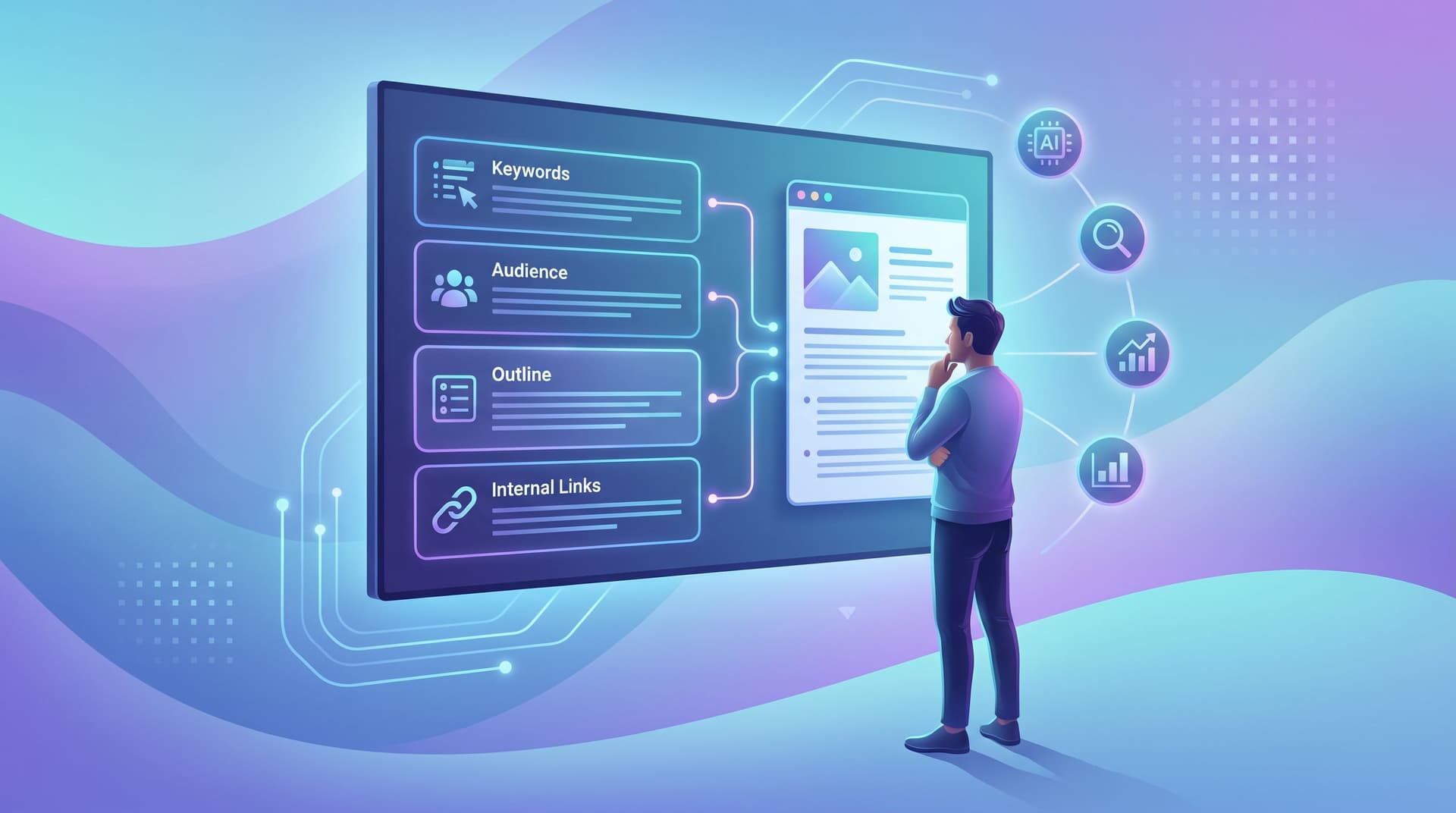
If you’re using AI to publish blog content, the difference between “meh, it’s fine” and “wow, this actually ranks and brings leads” comes down to one thing:
The brief you give the AI.
A vague prompt like “Write a post about CRM best practices” will always give you generic output. A sharp, SEO-ready brief turns the same AI into a focused, on-brand, search-optimized content engine.
This article walks you through a practical ‘SEO-Ready Brief’ template you can plug directly into Blogg. You’ll see exactly what information to include, how detailed to be, and how to systematize it so every post has a real shot at ranking from day one.
Why Your AI Needs a Real SEO Brief (Not Just a Prompt)
When teams first try AI blogging, they usually do one of two things:
-
Treat AI like a magic writer:
- “Write a 1,500-word post about sales onboarding software.”
- Result: sounds fine, but doesn’t reflect your product, your buyers, or your search strategy.
-
Over-specify the output, under-specify the inputs:
- “Make it 1,743 words, include 7 H2s, 3 H3s, and a FAQ.”
- Result: technically structured, strategically empty.
An SEO-ready brief solves both problems because it:
- Aligns each post to a real buyer job, not just a keyword. (If you like this angle, you’ll love the framework in The ‘Jobs, Not Journeys’ Content Map.)
- Gives Blogg the context it needs to sound like you, not like everyone else.
- Bakes in SEO from the start—search intent, SERP format, internal links, and schema-worthy elements.
- Standardizes your team’s expectations, so a marketer, founder, or subject-matter expert can all brief posts the same way.
Think of the brief as the rails your AI runs on. Good rails = consistent, compounding organic traffic.
The ‘SEO-Ready Brief’ Template at a Glance
Here’s the high-level structure we’ll build out:
- Post Snapshot
- Primary SEO Target
- Audience & Job to Be Done
- Source Inputs & Product Context
- Outline & Angle
- On-Page SEO Requirements
- Internal Links & Next-Step Paths
- Formatting & Voice Notes
- Publishing & Promotion Hooks
You can turn this into a Notion template, Google Doc, or directly into a reusable brief format inside Blogg. Once you’ve filled it in a few times, most of it becomes checklist-simple.

1. Post Snapshot: The One-Screen Summary
Your AI (and your team) should understand the post in 10 seconds.
Include:
- Working title (okay if it changes):
- Example: “Sales Onboarding Software Checklist: 12 Must-Have Features for Fast-Ramping Reps”
- Content type:
- Guide, checklist, comparison, teardown, case study, FAQ, playbook, etc.
- Stage & purpose:
- Attract new visitors, rank for a mid-funnel keyword, support sales objections, deflect support tickets, etc.
- Target word count range:
- e.g., 1,500–2,000 words for a primary guide; 800–1,200 for a supporting article.
How to brief this to Blogg:
"Create a [content type] post with a working title of [title], targeting [purpose] at approximately [word count] words."
This keeps the AI inside the right container before you ever mention keywords.
2. Primary SEO Target: Keyword + Intent + SERP Reality
Most teams stop at “primary keyword.” That’s not enough anymore.
Your brief should capture:
- Primary keyword or phrase
- Example:
sales onboarding software.
- Example:
- Secondary/supporting keywords
- Example:
sales onboarding checklist,ramp time for new reps,sales enablement onboarding.
- Example:
- Search intent (your words, not a tool’s label)
- What is the searcher really trying to get done?
- Example: “Sales leaders looking for software features and best practices to onboard reps faster and standardize training.”
- SERP notes (based on a quick manual check)
- Are top results listicles, product pages, templates, how-tos, vendor comparisons, or something else?
- Are there People Also Ask boxes you should mirror with FAQs?
- Are there AI Overviews (Google’s AI summaries) showing up, and what kind of content they’re pulling from?
If you’re already experimenting with AI Overviews and schema, you’ll recognize the overlap with the tests in CTR After SGE: Testing Schemas, FAQs, and Comparisons So AI Overviews Still Send Your Blog Clicks. Your brief is where you encode those learnings.
How to brief this to Blogg:
"Optimize this post for the primary keyword [X]. Include related phrases like [A, B, C] where natural. The searcher is trying to [job]. Current top results are mostly [type], so match that format while differentiating with [angle]."
3. Audience & Job to Be Done: Who’s Reading and Why
Keywords tell you what’s being searched. Jobs tell you what actually needs to happen in the reader’s world.
In this section, spell out:
- Who they are: role, seniority, company size, industry patterns.
- Context: what’s going on right before they search?
- Constraints: budget, time, internal politics, technical limits.
- Desired outcome: what would “this article helped” look like in their day-to-day?
Example:
Audience: VP of Sales at a 50–300 person SaaS company.
Context: Hiring 3–10 reps per quarter, current onboarding is tribal and inconsistent. Leadership wants faster ramp and more predictable performance.
Constraints: Limited enablement headcount, existing LMS they don’t want to rip out, pressure from leadership to show impact in 1–2 quarters.
Desired outcome: Walk away with a concrete checklist for evaluating sales onboarding tools and a clearer mental model for how onboarding should work.
How to brief this to Blogg:
"Write to [role] at [company profile]. They’re currently [situation], limited by [constraints], and they want to [outcome]. Use examples and language that resonate with that context."
When Blogg has this level of clarity, you get content that feels like it was written from inside the reader’s meeting room, not a generic marketing blog.
4. Source Inputs & Product Context: Feed It Your Best Material
If you only give AI a keyword and a title, it will invent everything else. Sometimes that’s okay. Often, it’s a missed opportunity.
Instead, point Blogg at:
- Internal assets:
- Sales decks
- Proposals and scopes of work
- Onboarding docs and implementation guides
- Internal playbooks and enablement docs
- Customer language:
- CRM notes
- NPS comments
- Support tickets and chat logs
We’ve explored how powerful this can be in posts like:
- AI Blogging for Service Businesses: Turning Proposals, Quotes, and Scopes of Work into Search-Ready Posts
- From CRM Fields to Content Themes: Mining Customer Data for an AI-Driven Editorial Calendar
Your brief should answer:
- Which internal sources should shape this post? (Link or describe.)
- What must be true about your product in the article?
- Key features
- Differentiators
- Use cases that matter for this topic
How to brief this to Blogg:
"Use the attached [deck / proposal / doc] as a primary source for examples and language. Highlight how [Product] solves [specific problem] in the context of [topic], without turning the post into a hard sell."
The more specific your input inventory, the less generic your output. (If you’re not sure what inputs you even have, run through the exercise in The ‘Input Inventory’ Workshop.)

5. Outline & Angle: Guardrails Without Handcuffs
You don’t need to pre-write the whole outline, but you should:
- Define the angle: What makes this post different from every other result?
- Specify must-cover sections: 4–8 key ideas that must appear.
- Call out any examples or stories: Customer anecdotes, internal data, or analogies you want included.
Example angle:
“Most checklists focus on features. This one focuses on time-to-ramp and manager enablement as the core outcomes.”
Example must-cover sections:
- Why sales onboarding fails (3–4 common patterns)
- The connection between onboarding and ramp time
- 12 must-have features in sales onboarding software
- How to evaluate tools with a pilot cohort
- Example rollout plan for a 50-person team
How to brief this to Blogg:
"Use this angle: [angle]. Cover at least these sections: [list]. You can add additional sections if they logically support the main job and search intent."
That last sentence is important: you’re giving Blogg freedom to be helpful, but within a clear structure.
6. On-Page SEO Requirements: Make It Rank-Friendly by Design
This is where you bake SEO into the brief instead of retrofitting it later.
Specify:
- H1 & H2 expectations:
- One clear H1 including the primary keyword.
- 4–7 H2s that map to subtopics and related queries.
- FAQ block:
- 3–6 FAQs that mirror People Also Ask questions and long-tail queries.
- Schema opportunities:
- If relevant, ask for content that can be marked up as:
- FAQPage
- HowTo
- Product or Review (if you’re doing comparisons)
- If relevant, ask for content that can be marked up as:
- Linking guidance:
- Encourage natural outbound links to credible sources (stats, frameworks, definitions).
- Reserve space for internal links you’ll add (we’ll cover that next).
Example brief snippet:
"Include one H1 that contains the phrase ‘sales onboarding software.’ Use H2s for each major section and H3s for checklists or step-by-step instructions. Add a short FAQ section at the end that answers 3–5 common questions about [topic] in a concise, schema-friendly way."
When you do this consistently across posts, you set yourself up nicely for the kind of testing we talk about in CTR After SGE—because your content is already structured for rich results and AI Overviews.
7. Internal Links & Next-Step Paths: Don’t Leave Readers at a Dead End
Ranking is step one. Driving pipeline is step two.
Your brief should tell Blogg:
- Which existing posts or pages this article should naturally reference.
- What the ideal “next click” is for someone who found this via search.
Examples:
- Link to a problem-series hub for deeper context.
- Link to a case study that shows the outcome in action.
- Link to a product page or feature overview when the reader is clearly mid-funnel.
On this blog, for example:
- A post about turning buyer FAQs into content might naturally link to The ‘Question-First’ Content Engine.
- A post about source inputs might link to The ‘Source Stack’ Audit.
How to brief this to Blogg:
"Assume this post will internally link to [Post A] and [Post B]. Include 1–2 natural references where those topics fit, but don’t create the actual URLs—just mark them as
[INTERNAL LINK: Post A]. End the post with a clear next step that points either to a related guide or a product exploration path."
Then your editor (or automation) can swap in the real URLs, like /the-source-stack-audit-mapping-every-tool-doc-and-channel-your.
8. Formatting & Voice Notes: Make It Readable and On-Brand
AI can mimic tone, but it needs examples and boundaries.
In your brief, specify:
- Voice guidelines:
- Friendly but not fluffy
- Direct, jargon-light, assumes reader is smart and busy
- Uses concrete examples and avoids empty buzzwords
- Formatting preferences:
- Short paragraphs (2–4 lines)
- Bulleted lists for steps or takeaways
- Pull quotes or callout boxes for key insights
- Avoid certain phrases (just like you saw in the instructions for this post)
You can even paste a short sample paragraph that “sounds like you” and ask Blogg to mirror it.
Example brief snippet:
"Write in a conversational, expert tone. Assume the reader is a senior operator who understands the basics and wants nuance and practicality. Use short paragraphs, bullets, and subheadings for scannability. Avoid hypey language and vague claims—prefer specific examples and clear instructions."
Over time, this becomes part of your house style for AI content.
9. Publishing & Promotion Hooks: Think Beyond the Blog Page
Finally, give Blogg hints that make the post easier to promote and repurpose.
Include in the brief:
- Meta title and description guidance (if you don’t want it fully automated).
- Social snippets:
- Ask for 2–3 punchy, 1–2 sentence summaries suitable for LinkedIn or email intros.
- Pull quotes:
- Ask the AI to surface 2–3 lines that could stand alone as graphics or callouts.
Example brief snippet:
"At the end of the draft, include: (1) a suggested meta title and description; (2) three 1–2 sentence social snippets; (3) three pull quotes under 20 words each that summarize key ideas."
Now your content isn’t just SEO-ready—it’s campaign-ready.
Putting It All Together: A Sample ‘SEO-Ready Brief’ You Can Reuse
Here’s a condensed version you can adapt:
1. Post Snapshot
Working title: [ ]
Type: [guide / checklist / comparison / FAQ / etc.]
Purpose: [attract / rank mid-funnel / support sales / deflect support]
Word count: [ ]2. Primary SEO Target
Primary keyword: [ ]
Supporting keywords: [ ]
Searcher’s real job: [ ]
SERP notes: [top results are…; include FAQs about…]3. Audience & Job to Be Done
Role & company profile: [ ]
Context & constraints: [ ]
Desired outcome: [ ]4. Source Inputs & Product Context
Internal sources to use: [links or descriptions]
Product points to highlight: [ ]5. Outline & Angle
Angle: [ ]
Must-cover sections: [1–8 bullets]6. On-Page SEO Requirements
H1 guidance: [ ]
Structure: [H2/H3 expectations]
FAQ block: [Y/N + topics]
Schema opportunities: [FAQ / HowTo / Product]7. Internal Links & Next Steps
Related posts/pages to reference: [ ]
Ideal next click for reader: [ ]8. Formatting & Voice
Tone: [ ]
Style notes: [paragraph length, bullets, what to avoid]9. Publishing & Promotion Hooks
Meta guidance: [ ]
Social snippets: [Y/N]
Pull quotes: [Y/N]
Drop this into your content system, and each time you brief Blogg, you’re giving it everything it needs to produce search-ready, buyer-aware content.
How This Plays with an AI Platform Like Blogg
A platform like Blogg is built to take structured inputs and turn them into a steady stream of SEO-optimized posts—ideation, writing, and scheduling included.
When you pair Blogg with the ‘SEO-Ready Brief’ template, you get:
- Consistency without micro-managing: anyone on your team can fill out the brief and trust the output.
- Faster iteration: once you see what ranks, you can tweak fields in the brief (intent, FAQs, internal links) and generate supporting posts.
- Better alignment with the rest of your go-to-market: because your briefs reference CRM data, proposals, product roadmaps, and support tickets, your blog no longer drifts away from what sales and success actually need.
Combine this with systems like the Evergreen Refresh Loop, and you end up with:
- New posts launched with strong SEO fundamentals.
- Older posts continuously updated using the same brief structure.
- A blog that compounds in value instead of decaying.
Summary: What to Feed Blogg So Every Post Can Rank Early
To recap, an effective ‘SEO-Ready Brief’ for Blogg includes:
- A clear post snapshot so the AI knows the job of the article.
- A realistic SEO target: keyword, intent, and SERP format notes.
- A sharp definition of the audience and their job to be done.
- Rich source inputs and product context so the content sounds like you and supports your funnel.
- An angle and must-cover outline that differentiate your post.
- On-page SEO requirements baked into the structure (H1/H2, FAQs, schema opportunities).
- Internal link and next-step guidance so traffic turns into pipeline.
- Formatting and voice notes that protect your brand.
- Promotion hooks that make it easy to repurpose.
Do this once, turn it into a template, and you’ll never have to wonder why some AI posts rank and others don’t. You’ll know exactly which inputs you gave—and you’ll be able to improve them over time.
Your Next Step: Turn This into a Living Template
Don’t let this stay theoretical.
- Copy the brief structure into your tool of choice (Notion, Google Docs, or directly into your Blogg workflow).
- Pick one upcoming post you want to rank for a meaningful keyword.
- Fill out every section of the brief once, even if it feels slow.
- Feed that brief into Blogg and publish the result.
- Review performance after a few weeks and adjust the template based on what you learn.
If you’re ready to go from “we should blog more” to “our blog is a reliable acquisition channel,” start by upgrading the one thing AI can’t fix on its own: the brief.
Then let Blogg handle the rest—ideation, writing, and publishing—while you stay focused on running the business the content is meant to grow.