From NPS Comments to Content Calendar: Turning Customer Feedback into Blogg-Powered SEO Themes


If you’re collecting Net Promoter Score (NPS) feedback and only using it for a quarterly slide in your board deck, you’re leaving a huge opportunity on the table.
Those little comment boxes are some of the most honest, specific, and emotionally charged insights you’ll ever get from customers. They tell you:
- What people actually value about your product
- Where they’re confused, frustrated, or blocked
- The language they naturally use to describe their problems and outcomes
All of that is pure fuel for a high‑performing, SEO‑driven blog—especially when you pair it with an AI engine like Blogg.
This post is a practical playbook for turning NPS comments into a living content calendar: a system where customer feedback flows directly into search‑optimized themes, series, and posts that Blogg can draft, refine, and publish for you.
Why NPS Comments Belong in Your Content Strategy
Most teams treat NPS as a health metric, not a content source. But NPS comments are uniquely powerful for blogging because they:
1. Reveal real, unfiltered language
Customers don’t write like marketers. They write like… customers. That’s exactly the language people type into Google and AI assistants when they’re researching a problem.
2. Surface the “why” behind the score
A 9 vs. a 4 doesn’t tell you much on its own. The comments explain:
- What delighted promoters
- What confused passives
- What drove detractors to the edge
Each of those reasons can map to an SEO theme or article.
3. Highlight gaps across the whole journey
NPS feedback often clusters around moments:
- Onboarding and setup
- Feature discovery and adoption
- Support experiences
- Pricing, contracts, and renewals
Those moments are also the exact stages where buyers search for help, comparisons, and guidance.
4. Align marketing with product and success
When your blog topics come directly from NPS themes, you’re not guessing what to write—you’re documenting and solving the issues your product and CS teams already see every day.
If you’ve explored mapping content to customer touchpoints before, this approach pairs well with the ideas in The ‘Question‑First’ Content Engine: Using AI to Turn Buyer FAQs into a Year of SEO Posts.
Step 1: Pull NPS Out of the Survey Tool and Into a Workspace
Before you can mine NPS comments for content, you need them in a format your team (and your AI) can actually work with.
Centralize your NPS data
Export at least the last 6–12 months of NPS responses into a spreadsheet or database with:
- Score (0–10)
- Comment text
- Customer segment (ICP, plan, industry, size, etc.)
- Lifecycle stage (new customer, renewal, expansion, churned)
- Product area (if you tag this in your NPS tool)
- Date
If you’re running NPS through tools like Delighted, AskNicely, or Qualtrics, exporting to CSV is usually straightforward. From there, import into:
- A shared Google Sheet or Airtable base
- A Notion database
- Or directly into Blogg as part of the source material it can mine for themes
Set a recurring update cadence
Make this a habit, not a one‑off project:
- Monthly: export the latest NPS comments
- Quarterly: re‑cluster themes and update your content roadmap
This mirrors the kind of recurring “input inventory” rhythm we recommend in The ‘Input Inventory’ Workshop: Cataloging Every Source Blogg Can Mine Before You Ever Brief a Post.
Step 2: Cluster Comments Into Themes with AI
Once your NPS comments are in a shared workspace, the next move is to turn hundreds of messy lines of text into a handful of clear themes.
You can do this manually, but AI makes it dramatically faster—and more consistent.
How to cluster NPS comments into themes
-
Sample a representative set
Start with a few hundred comments across promoters, passives, and detractors. -
Use AI to propose categories
Feed the comments into an AI tool (or directly into Blogg if you’re using it as your engine) and ask it to:- Group comments by topic (e.g., onboarding, feature X, support, pricing)
- Label each cluster with a short, human‑readable theme
- Provide 3–5 representative quotes per cluster
-
Refine the taxonomy with humans
Have marketing, product, and success quickly review the clusters:- Merge overlapping themes
- Split overly broad ones
- Rename categories in your own language
-
Tag every comment
Once you like the taxonomy, have AI tag all NPS comments with one or more themes. This gives you a content “heatmap” of where feedback is concentrated.
Typical themes might look like:
- “Onboarding is confusing for non‑technical users”
- “We love the automation features but wish reporting was deeper”
- “Support is responsive but documentation is hard to search”
- “Pricing feels unclear for growing teams”
Each of those is a future content cluster.

Step 3: Translate Themes into SEO‑Friendly Topic Clusters
Now you have themes. The next step is to turn those into search‑optimized topics and series your buyers will actually find.
Start from the customer’s words, not your jargon
For each theme, pull out:
- Exact phrases customers use (“set up workflows without a developer,” “see ROI by the first quarter,” “make reports my CFO will trust”)
- Common objections or fears (“we’re worried about data migration,” “we don’t have a full‑time admin”)
- Desired outcomes (“we want to automate repetitive work,” “we need a single source of truth”)
Feed those phrases into your keyword research process—using tools like Ahrefs, Semrush, or even Google Search Console—to find:
- Related keywords and questions
- Long‑tail phrases with clear intent
- Gaps where competitors aren’t answering well
Design topic clusters around each NPS theme
For each major theme, sketch a simple cluster:
- 1–2 pillar posts that cover the big problem and your overall approach
- 4–10 supporting posts that go deep on specific use cases, objections, or “how‑to” angles
Example for the theme: “Onboarding is confusing for non‑technical users”
- Pillar: “A Non‑Technical Guide to Getting Your Team Live in 30 Days”
- Supporting posts:
- “How to Roll Out [Your Product] Without a Dedicated Admin”
- “Onboarding Checklist: What to Do in Week 1, 2, 3, and 4”
- “5 Common Setup Mistakes New Customers Make (and How to Avoid Them)”
- “How Our Customer Success Team Helps Non‑Technical Teams Get to Value Faster”
If onboarding friction is a recurring NPS complaint, this cluster also dovetails nicely with the ideas in The Silent Funnel Fix: Using AI Blog Posts to Preempt Support Tickets and Onboarding Friction.
Let Blogg do the heavy lifting
This is where Blogg shines:
- You feed it the NPS themes, representative comments, and your initial cluster map.
- It proposes SEO‑focused titles, outlines, and internal linking structures.
- It drafts posts that reflect the exact language and pain points from your NPS data.
Because Blogg is trained on your site and sources, it can also:
- Reuse your best explanations and analogies across posts
- Keep messaging consistent across all content in a cluster
- Suggest related posts to keep readers moving through the journey
Step 4: Prioritize by Impact, Not Just Volume
Not every NPS theme deserves equal attention in your content calendar.
To prioritize, score each theme on three dimensions:
- Frequency – How often does this theme show up in NPS comments?
- Business impact – Does it affect:
- Activation and time‑to‑value?
- Expansion and upsell?
- Churn and downgrades?
- Search opportunity – Is there clear search demand and room to rank?
Create a simple 1–5 score for each dimension and rank your themes. Focus first on themes that:
- Show up frequently in detractor and passive comments
- Directly impact retention or expansion
- Have strong, underserved search demand
Those are the topics where every post can:
- Improve customer satisfaction
- Reduce friction for new and existing users
- Capture high‑intent traffic from prospects with the same concerns
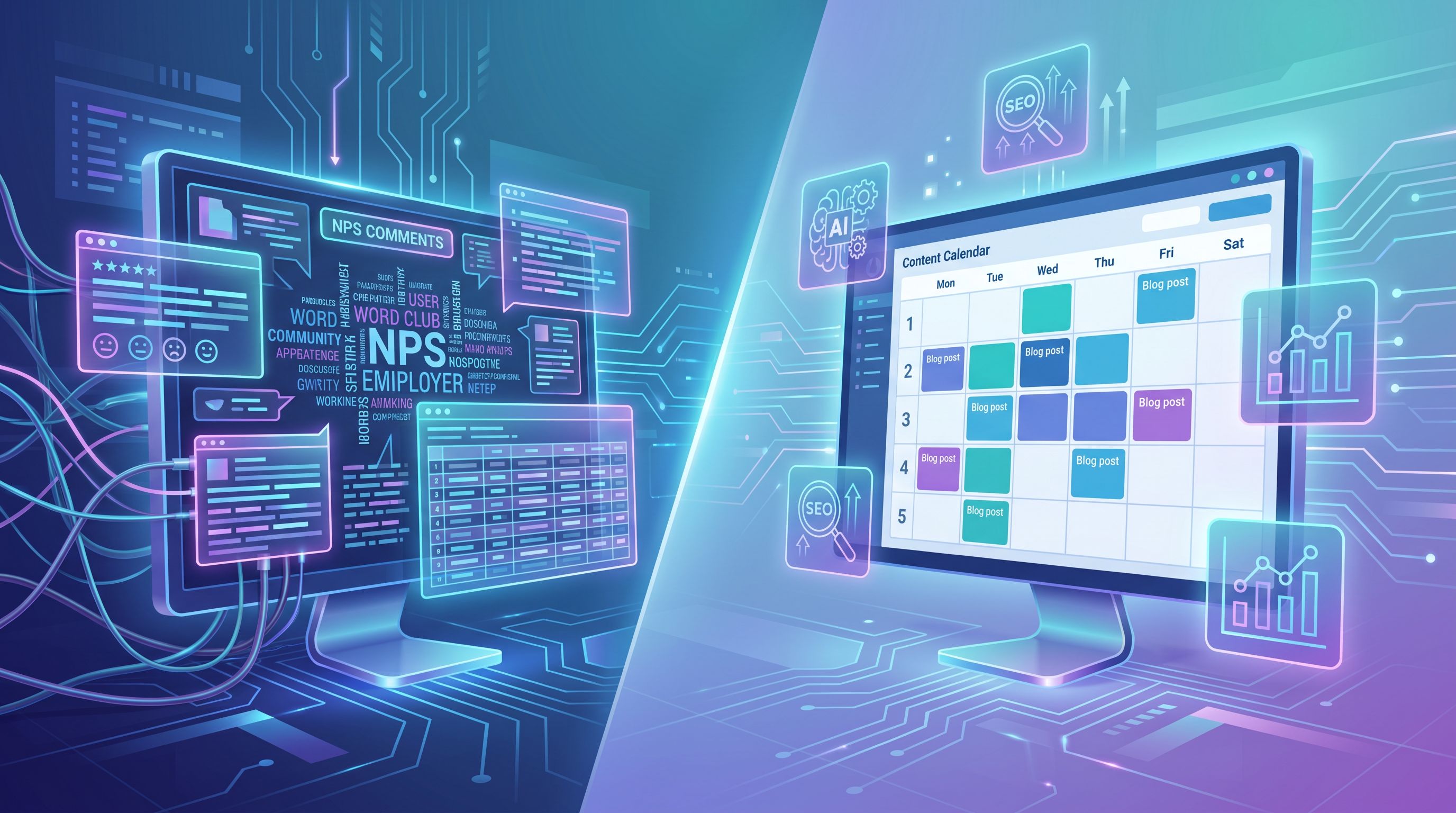
Step 5: Turn Themes into a Quarter’s Worth of Content in Blogg
With prioritized themes and clusters, you’re ready to build a concrete calendar.
Define a simple publishing rhythm
For a three‑month window, decide:
- How many posts per week you want Blogg to publish
- How you’ll balance:
- Theme A (e.g., onboarding)
- Theme B (e.g., advanced reporting)
- Theme C (e.g., support and documentation)
Example cadence:
-
Week 1–4:
- Monday: Onboarding pillar/supporting post
- Wednesday: Reporting how‑to
- Friday: Support/education post
-
Week 5–8:
- Monday: Reporting pillar/supporting post
- Wednesday: Onboarding case study
- Friday: Pricing/ROI explainer
-
Week 9–12:
- Monday: Advanced use case from promoters
- Wednesday: Churn‑risk objection handling
- Friday: “What’s new” feature adoption post
Brief once, then let Blogg scale it
Inside Blogg, you can:
- Load your NPS themes, example comments, and topic clusters as core inputs
- Define brand voice, positioning, and SEO guidelines
- Set your publishing frequency and categories
From there, Blogg can:
- Generate detailed outlines for each post in the cluster
- Draft SEO‑optimized content that reflects real customer language
- Suggest internal links between related posts and existing content
- Schedule posts automatically so your calendar stays full without manual wrangling
Step 6: Close the Loop with Sales, Success, and Product
The magic of an NPS‑driven content calendar isn’t just more traffic—it’s tighter alignment across teams.
Share the calendar and drafts internally
Before posts go live, share upcoming topics and drafts with:
- Customer success and support
- Sales and sales engineering
- Product management and product marketing
Ask them to:
- Flag missing nuances or edge cases
- Add real quotes, examples, and screenshots
- Suggest related resources or CTAs
This is also a great moment to think beyond the blog. Many of the posts you generate from NPS can double as internal enablement material, as we explore in From Blog Post to Playbook: Using AI to Turn Every Article into Internal Sales and Success Training Material.
Route new NPS themes back into Blogg
As new NPS feedback comes in:
- Tag it with your existing themes—or create new ones if needed
- Review quarterly which themes are heating up or cooling down
- Update your Blogg inputs so it can:
- Propose new topics when a theme spikes
- Suggest refreshes for older posts when sentiment shifts
This creates a living system where:
- NPS comments → themes → clusters → Blogg drafts → published posts → impact on the next wave of NPS
Step 7: Measure What Matters (Beyond Pageviews)
If you’re going to the effort of wiring NPS into your content engine, you want to see results that go beyond “traffic went up.”
Track a handful of metrics that tie NPS‑driven themes to real outcomes, such as:
- Time‑to‑value for new customers who engaged with onboarding content
- Ticket volume on topics you’ve covered in depth on the blog
- Feature adoption for capabilities you’ve highlighted in posts
- Churn and expansion rates by cohort, correlated to content engagement
Pair this with a simple SEO view:
- Rankings and organic traffic for keywords aligned to each NPS theme
- Click‑through rate from search to your posts
- On‑page engagement (scroll depth, time on page)
If you want a straightforward framework for this, you can adapt the scorecard approach from Metrics That Actually Matter: A Simple Analytics Scorecard for Measuring AI Blog ROI.
When you see that:
- Onboarding‑related detractor comments are dropping
- Support tickets on a specific issue are declining
- And your posts on that theme are climbing in search
…you know your NPS‑to‑content loop is working.
Putting It All Together
To recap, turning NPS comments into a Blogg‑powered content engine looks like this:
- Centralize NPS data in a shared workspace and keep it updated.
- Cluster comments into themes using AI, then refine with your team.
- Translate themes into SEO topic clusters based on real customer language.
- Prioritize themes by frequency, business impact, and search opportunity.
- Build a quarterly calendar in Blogg, letting it handle outlines, drafts, and scheduling.
- Loop in sales, success, and product so posts reflect real‑world nuance and become reusable assets.
- Measure impact on both search performance and customer outcomes, then feed new NPS data back into the system.
The result is a blog that doesn’t just talk about your product—it grows directly out of how customers experience it.
Your Next Move
You don’t need a giant NPS dataset or a dedicated content team to start this.
If you do nothing else this week, try this:
- Export the last 3–6 months of NPS comments.
- Skim them and jot down 3 recurring themes.
- For each theme, write one working title for a post you wish existed when those customers gave that feedback.
- Load those themes, comments, and titles into Blogg and have it draft your first cluster of posts.
By this time next quarter, you could have a content calendar fully aligned with what your customers are actually saying—kept alive by an AI engine that turns every new wave of feedback into fresh, SEO‑optimized posts.
Let your NPS comments do more than score your product. Let them steer a blog that teaches, reassures, and wins over the next generation of customers, automatically.