From Blogg to Demo Requests: Mapping AI‑Generated Posts Directly to Sales KPIs


Most teams now understand that AI can keep a blog alive.
Far fewer can answer a harder question:
“If we turn on an AI platform like Blogg, how do we know it’s actually creating pipeline—not just pageviews?”
This post is about building that bridge: a practical way to connect AI‑generated posts to sales KPIs like demo requests, trials, and opportunities, so you can defend content spend in the same breath as paid ads or outbound.
We’ll walk through how to:
- Design a KPI map before you publish
- Wire your stack so every post has a measurable job
- Use AI to generate content that lines up with buyer intent, not vanity traffic
- Report in a way your sales leader and CFO actually care about
If you’re already using Blogg or considering it, this is the playbook that turns “more posts” into more demos.
Why This Matters: AI Content Without Revenue Signals Is Just Noise
AI has solved the “blank page” problem. What it hasn’t solved—by default—is the “so what?” problem.
When you spin up an AI‑powered blog without a KPI map, you tend to get:
- Traffic that doesn’t match your ICP
- Posts that educate, but don’t move readers to action
- Conversion data that’s impossible to attribute back to specific topics or intents
That’s a problem for three reasons:
- Budget scrutiny is higher than ever. If you can’t show a clear line from posts → leads → pipeline, content is usually the first thing cut.
- AI makes volume cheap. Without a strategy, you can drown your own site in content that doesn’t convert, as we explored in Are You Overpublishing? Finding the Right AI Blogging Cadence for Your Niche, Budget, and Goals.
- Sales teams need clarity, not just collateral. They want to know which posts to send to which prospects, and what those posts are supposed to trigger.
The fix is not “better prompts.” It’s a measurement‑first approach to AI blogging.
Step 1: Decide Which Sales KPIs Your Blog Actually Owns
Your blog can influence almost every stage of the funnel, but it shouldn’t be responsible for everything.
Start by choosing 2–3 primary KPIs that your AI‑generated posts will be judged against. Common choices:
- Demo requests (for sales‑led SaaS)
- Free trials or freemium signups
- Contact form submissions or consultation requests
- Sales‑qualified leads (SQLs) attributed to organic content
Then, define secondary KPIs that support those outcomes:
- Email signups from content
- Time on page / scroll depth for key posts
- Assisted conversions (content touched before a demo request)
Make it explicit:
“Our AI‑powered blog exists to drive demo requests and free trials. Everything else is a supporting metric.”
This clarity will shape your topics, CTAs, and internal linking.
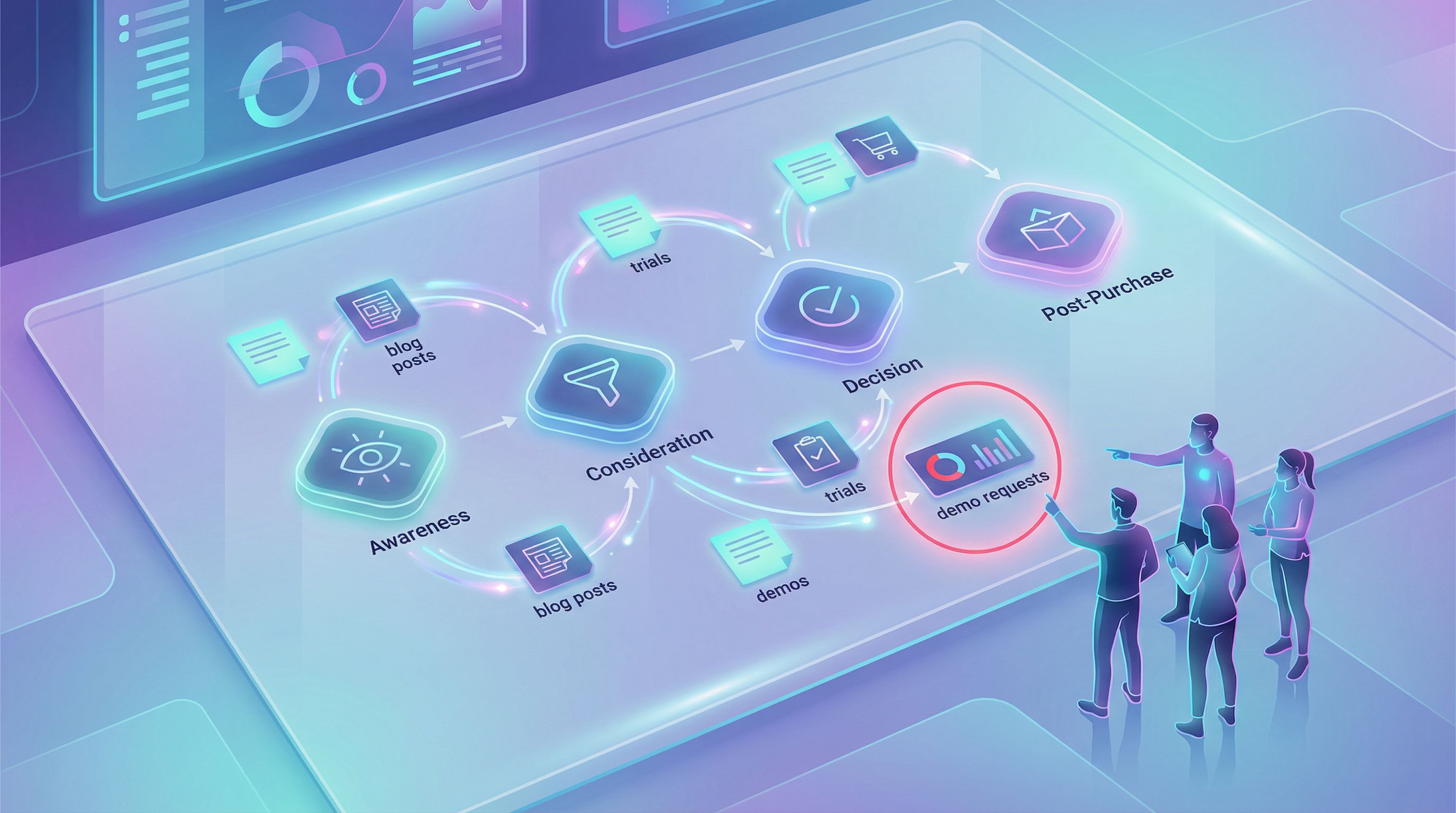
Step 2: Map Buyer Journey Stages to Content Types
You can’t connect posts to sales KPIs if you treat all content the same.
Instead, map your buyer journey stages to content jobs:
-
Problem aware → Education & reframing
- Goal: Help readers name their problem and see it as urgent.
- Example topics: “Why inconsistent blogging quietly kills your inbound pipeline.”
-
Solution aware → Comparison & criteria
- Goal: Show different solution types and how to evaluate them.
- Example topics: “AI blog retainers vs. hiring a content manager: what actually delivers more pipeline?” (related breakdown)
-
Product aware → Objection handling & use cases
- Goal: Make your specific product feel like the obvious next step.
- Example topics: “From blog to briefing doc: turning AI‑generated posts into sales enablement” (deep dive)
-
Most aware → Conversion nudges
- Goal: Give high‑intent visitors a final reason to act now.
- Example topics: ROI case studies, teardown of a successful customer setup.
Once you have this map, you can instruct Blogg to generate clusters of posts for each stage and link them together so readers naturally move toward demo‑worthy actions.
Step 3: Turn Topics into KPI‑Aligned Content Briefs (on Autopilot)
Most AI platforms can generate a post from a one‑line prompt. That’s not enough if you care about pipeline.
You want every brief—human or AI‑generated—to answer:
-
Which KPI is this post supporting?
- Example: “Primary: demo requests. Secondary: email signups.”
-
Which buyer stage is it for?
- Example: “Solution‑aware, comparing AI platforms vs. agencies.”
-
What is the primary conversion path?
- Example: “Inline CTA to ‘Book a 20‑minute walkthrough’ + sticky ‘Get a demo’ button.”
-
Which internal posts will it link to?
- Example: From a high‑level strategy post, link deeper into posts like From Random Posts to Revenue Themes: Using AI to Turn Disconnected Articles into a Cohesive Blog Strategy to keep readers moving toward evaluation.
With Blogg, you can encode these decisions into your topic and preference settings:
- Define content pillars aligned with funnel stages
- Attach default CTAs per pillar
- Standardize internal link patterns (e.g., every “strategy” post links to a relevant “implementation” post plus your demo page)
That way, every AI‑generated draft already knows its job before a human ever touches it.
Step 4: Wire Your Stack So Every Post Is Trackable
You can’t map posts to demo requests if your analytics are a blur of “organic / blog.”
Here’s a simple but powerful tracking setup:
1. Create a clear content source in your CRM
Work with RevOps to:
- Add a “Content‑sourced” or “Organic content‑assisted” field on leads/opportunities
- Define rules: e.g., “If first touch is an organic blog visit and the same session submits a demo form, mark as content‑sourced.”
2. Use consistent URL structures and UTM parameters
- Make sure all blog posts live under
/blog/or a similar path. - For CTAs in posts, use UTM parameters that reveal:
- Source:
blog - Medium:
organic - Campaign: theme or pillar (e.g.,
ai_blogg_pipeline) - Content: specific post slug
- Source:
Example demo CTA URL:
/demo?utm_source=blog&utm_medium=organic&utm_campaign=ai_blogg_pipeline&utm_content=from-blogg-to-demo-requests
Now you can answer questions like:
- “How many demo requests came from our ‘AI content operations’ theme last quarter?”
- “Which three posts assisted the most opportunities over $20k?”
3. Set up event tracking for in‑post actions
Use tools like Google Analytics 4, Plausible, or Fathom, plus your tag manager, to track:
- Clicks on demo buttons inside posts
- Scroll depth (e.g., 25%, 50%, 75%, 90%)
- Clicks on key internal links (from awareness posts to product‑adjacent posts)
Feed these events into your reporting so you can see which posts don’t just attract readers—but move them.
Step 5: Design Conversion Paths That Match Intent
If your only CTA is a generic “Book a demo” button in the header, you’re leaving money on the table.
Instead, design intent‑matched conversion paths:
For early‑stage, problem‑aware posts
- Offer low‑commitment next steps, such as:
- A short diagnostic quiz
- A checklist or template download
- A “mini‑briefing” newsletter on the topic
- Use CTAs like:
- “Get the 7‑point checklist we use to evaluate AI blogging platforms.”
- “Send me the migration playbook to go from inconsistent posting to automated publishing.” (You can base this on your own migration process, like in The AI Blog Handover.)
For mid‑funnel, solution‑aware posts
- Offer comparison‑oriented CTAs:
- “See how we’d set up your blog in Blogg in 30 minutes.”
- “Get a custom content roadmap for your niche.”
- Include inline CTAs near sections that talk about pain points your product solves.
For late‑stage, product‑aware posts
- Go for direct revenue actions:
- “Book a 20‑minute walkthrough.”
- “Start a 14‑day trial and publish your first AI‑generated post by tomorrow.”
Pair these CTAs with social proof and micro‑case studies pulled from your own customers or internal experiments.

Step 6: Let AI Help You Target High‑Intent Topics
Not all traffic is created equal. Some keywords are inherently closer to a demo request.
Use AI (and your SEO tools) to prioritize:
-
“How to” searches that imply readiness to change
Example: “how to automate b2b saas blog content without hiring a writer” -
Migration and switching intent
Example: “replace content agency with ai blogging platform” -
Operational pain around your problem space
Example: “b2b blog content calendar for tiny teams”
This is exactly the mindset shift we explored in The ‘Quiet’ SEO Wins: Using AI to Capture Unsexy, High-Intent Keywords Your Competitors Ignore.
With Blogg, you can:
- Feed in lists of high‑intent keywords and questions from your CRM and sales calls
- Generate clusters of posts that attack those topics from multiple angles
- Use AI to analyze top‑ranking competitors and model their content patterns, not just their word counts (for a deeper dive, see Beyond Word Count: How to Use AI to Model and Match the Content Patterns of Top-Ranking Competitors).
The result: more of your organic visitors arrive already primed for a demo.
Step 7: Build a Simple Reporting View Sales Actually Reads
If your “content performance” deck is 40 slides of traffic charts, you’ll lose your sales team in 30 seconds.
Instead, create a one‑page dashboard (in Looker Studio, Databox, or even a spreadsheet) that answers five questions:
-
How many demo requests came from blog sessions this month?
- Break down by: new vs. returning visitors.
-
Which 10 posts influenced the most demo requests?
- Show both last‑touch and assisted conversions.
-
Which themes or pillars are producing the highest conversion rates?
- Example: “AI operations” posts convert 3x better than “general marketing” posts.
-
Where are people dropping off?
- Posts with high traffic but low scroll depth or CTA clicks.
-
What are we testing next?
- New CTA language, new offers, new internal link structures.
Tie everything back to pipeline and revenue, not just leads:
- “Content‑sourced demo requests: 84 (↑32% MoM)”
- “Content‑assisted opportunities: 19, worth $420k in pipeline”
When you can say, “This cluster of Blogg‑generated posts drove 27 demo requests and $90k in pipeline last quarter,” the conversation about AI content changes.
Step 8: Close the Loop with Sales and CS
The final step in mapping AI‑generated posts to sales KPIs is feedback.
Set up a lightweight loop with sales and customer success:
-
Monthly 30‑minute review
- Show which posts are driving demos and deals.
- Ask: “Which questions are you hearing that we don’t yet have a post for?”
-
Shared content request form
- Let reps submit prompts like: “I need a post that explains why ‘more posts’ isn’t the answer—quality and focus are.”
-
Enablement bundles
- Group posts into collections reps can use:
- “Early‑stage education links”
- “Objection‑handling links”
- “Technical deep dives for champions”
- Group posts into collections reps can use:
Then, feed those ideas back into Blogg so your AI engine is always writing the next most valuable post for your sales team—not just whatever a keyword tool suggests.
Bringing It All Together
When you connect Blogg to your sales KPIs, your blog stops being a side project and starts behaving like a revenue channel.
The system looks like this:
- Define the KPIs your blog owns (demo requests, trials, SQLs).
- Map buyer stages to content jobs and let that shape your topics.
- Encode KPI intent into your briefs and AI settings so every post has a purpose.
- Wire your analytics and CRM so blog‑driven demos are clearly labeled.
- Match CTAs to intent, not just “Book a demo” everywhere.
- Aim AI at high‑intent topics that naturally precede a sales conversation.
- Report in sales language: demos, opportunities, pipeline.
- Close the loop with sales and CS so your content library keeps getting sharper.
Do this well, and you’ll be able to say, with a straight face:
“Yes, these AI‑generated posts are responsible for real revenue—and here’s the dashboard that proves it.”
Your Next Step
If your blog is publishing—but you can’t confidently answer, “How many demo requests did we get from those posts last month?”—it’s time to tighten the system.
You don’t need a 6‑month project or a big content team. You need:
- A clear KPI map
- A basic analytics + CRM setup
- An AI engine that can reliably publish on‑strategy content while you focus on customers
That’s exactly what Blogg is built to do.
Start by mapping your current posts to buyer stages and KPIs. Once you see the gaps, you’ll know what your next 10 AI‑generated posts should be—and how they’ll turn into demo requests, not just traffic.