From Blog to Briefing Doc: Turning AI‑Generated Posts into Sales and Customer Success Enablement


Most teams still treat the blog as a marketing channel only.
Meanwhile, sales and customer success are scrambling to build their own decks, one‑off PDFs, and email templates from scratch—often covering the exact same topics your content team already wrote about.
If you’re using an AI platform like Blogg to publish consistently, you’re sitting on an always‑growing library of assets that can do far more than rank in search. With a bit of structure, those posts can become:
- Sales briefing docs before calls
- Objection‑handling cheat sheets
- Battlecards against competitors
- Onboarding guides for new customers
- Internal training material for new hires
This post walks through how to go from “we publish AI‑generated posts” to “every post becomes a sales and CS enablement asset—with almost no extra work.”
Why this shift matters for revenue teams
When your blog is disconnected from sales and CS, you get familiar symptoms:
- Reps reinvent the wheel: Everyone has their own version of “the deck,” “the one‑pager,” or “the follow‑up email.”
- Prospects see mixed messages: The website says one thing, the sales call says another, the onboarding email says a third.
- Customer success is always reactive: Support gets the same questions over and over. Onboarding is heavily manual. New CSMs take months to ramp.
Turning blog posts into briefing docs and enablement content fixes those issues by:
- Creating a single source of truth for how you explain your product, your value props, and your differentiation.
- Shortening sales cycles, because reps have ready‑made, context‑specific content to send before and after calls.
- Reducing time‑to‑value for customers, because onboarding and education are supported by clear, reusable content.
- Making AI content actually revenue‑relevant, not just a way to keep your blog looking active.
If you’ve already laid the groundwork with an AI‑powered publishing engine—maybe you followed the approach in Launch a Blog in a Weekend: A Step‑by‑Step Guide to Going from Empty CMS to AI‑Powered Publishing with Blogg—this is the natural “phase two.”
Step 1: Start with the right kind of blog posts
Not every article is equally useful for sales or CS. Before you think about templates and workflows, make sure your content pipeline is producing posts that can double as enablement.
You’re looking for posts that:
-
Map to buyer questions and objections
- "What’s the ROI of this?"
- "How is this different from X competitor or doing it manually?"
- "How hard is this to implement with our current stack?"
-
Explain your product in context
- Use cases by role (founder, ops leader, head of sales, CSM).
- Industry‑specific workflows (agencies, SaaS, professional services, etc.).
-
Tie directly to moments in the buyer journey
- Problem‑aware: “We’re struggling with inconsistent content.”
- Solution‑aware: “We’re evaluating AI blogging tools.”
- Product‑aware: “We’re comparing Blogg to agencies or in‑house hires.”
If you’re not sure how to align content with buyer stages, it’s worth revisiting the frameworks in Search Intent Mapping on Autopilot: Using AI to Align Every Blog Post with a Buyer Journey Stage.
How to set this up in an AI system like Blogg
When you define topics and prompts:
- Tag each planned post with primary use: SEO only, SEO + Sales, SEO + CS, or All Three.
- Include target persona and funnel stage in the brief (e.g., "Sales leader, late‑stage evaluation").
- Ask your AI platform to include specific sections you know you’ll need later, such as:
- Common objections & answers
- Implementation steps
- Metrics and KPIs impacted
This way, the draft already contains the raw material you’ll want in a briefing doc, battlecard, or onboarding guide.
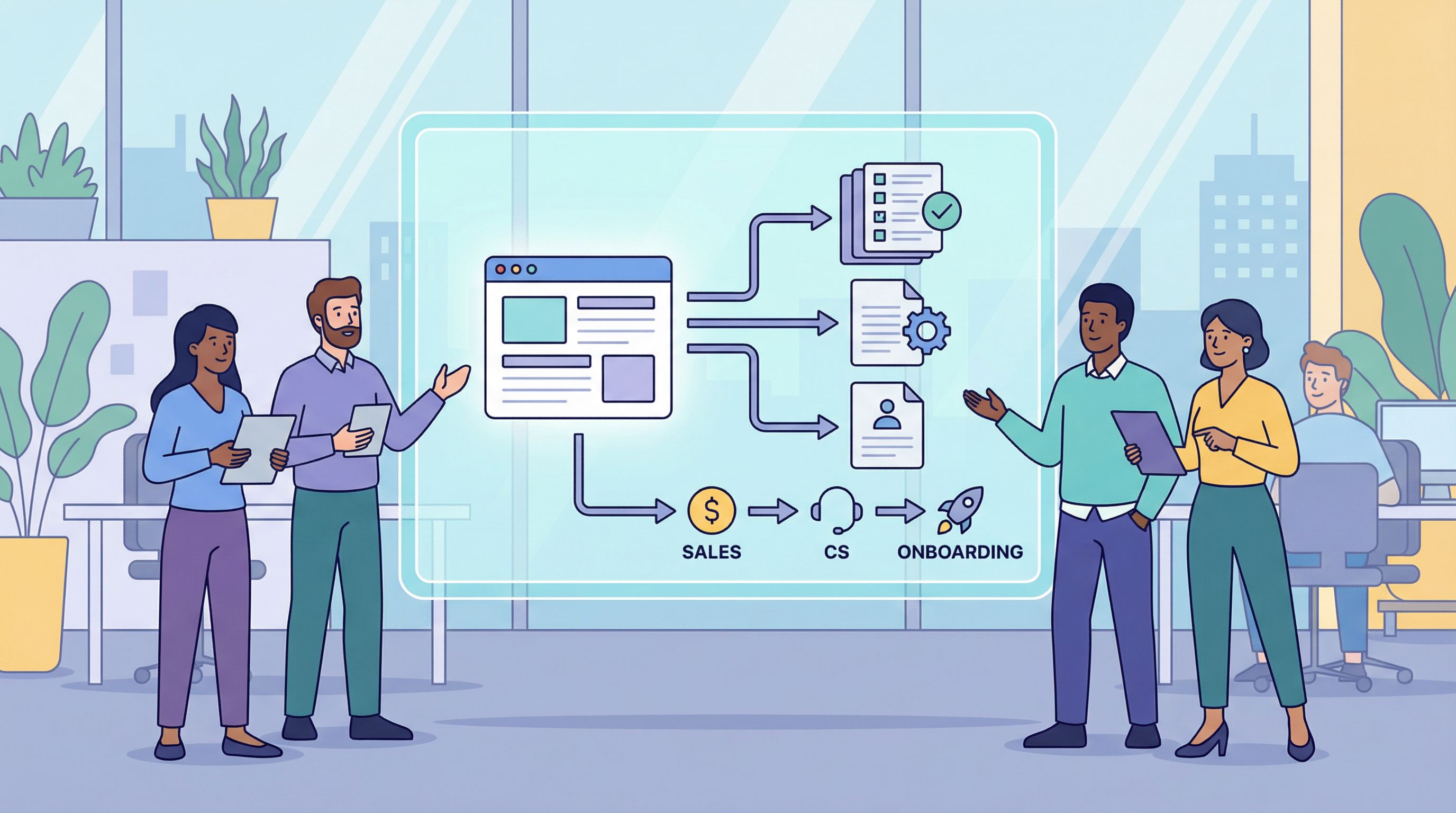
Step 2: Define your “briefing doc” formats
A blog post is long, narrative, and public. A sales or CS enablement asset is usually shorter, skimmable, and internal or semi‑internal.
You don’t want reps copying and pasting random paragraphs from a 2,000‑word article. You want repeatable formats they can trust.
Core formats worth standardizing
-
Sales call briefing doc A 1–2 page internal doc reps skim before a call.
Include:
- Who this content is for (persona, company size, industry)
- The problem, in the prospect’s language
- 3–5 key talking points
- 2–3 relevant customer stories or examples
- Links to 1–2 supporting blog posts or case studies
-
Follow‑up email kit A small library of email templates derived from posts.
Include:
- Short summary of the post in 2–3 sentences
- 1–2 email subject lines
- A “soft CTA” version (e.g., "Thought this might help as you evaluate options")
- A “hard CTA” version (e.g., "Want to see how this looks in your workflow?")
-
Objection‑handling one‑pagers These are gold for both sales and CS.
For each common objection:
- State the objection in the customer’s words
- Reframe the concern
- Provide a concise answer
- Back it up with a relevant blog post or customer quote
-
Customer success onboarding guides Turn product‑focused posts into:
- Step‑by‑step onboarding checklists
- Role‑based “quick start” guides
- Short Loom/video scripts for walkthroughs
-
Internal training sheets For new reps and CSMs, condense:
- How we talk about the problem
- How we position the product
- What content to send at each stage
Once these formats are defined, your job isn’t “turn every post into something new from scratch.” It’s “map each post to one or two formats and let AI do the first pass.”
Step 3: Build a simple repurposing workflow
Here’s a practical, low‑friction workflow you can run every week or two.
1. Tag posts as they’re published
In your CMS or content tracker (Notion, Airtable, spreadsheet):
- Add columns for:
- Primary persona
- Funnel stage
- Enablement use (Sales, CS, Both)
- Key objections covered
If you’re using Blogg, you can bake some of this into your topic setup and metadata so you’re not doing it manually later.
2. Create an “enablement queue”
Each week, pick:
- 1 post to convert into sales assets
- 1 post to convert into CS assets
That’s it. You don’t need to boil the ocean. A small, consistent cadence compounds quickly, especially if you’re already running a lean workflow like the one in Founders, Stop Proofreading Every Post: A Lightweight Review Workflow for High‑Volume AI Blogging.
3. Use AI to draft the enablement version
For each post in the queue, feed the URL or full text into your AI tool and prompt it to produce a specific format. For example:
“Using the article below, create a 1‑page internal sales briefing doc for an AE. Include: target persona, the problem in their words, 5 key talking points, 3 discovery questions, and 2 suggested follow‑up resources. Keep it skimmable with bullets and short sections.”
Or for CS:
“Using the article below, create a customer‑facing onboarding checklist for new users. Organize it into Week 1, Week 2, Week 3, and include success metrics they should look for at each step.”
4. Add a light human review layer
Someone who understands your product and customers should:
- Tighten phrasing to match your voice
- Remove anything that feels generic or off
- Add real customer examples, names, or numbers where appropriate
You’re not rewriting—just upgrading from “AI‑good” to “on‑brand and specific.” If you’ve already invested in frameworks to humanize AI content (see Humanizing AI Content: Frameworks for Adding Stories, Examples, and POV to Blogg‑Generated Posts), apply those same techniques here.
5. Store assets where sales and CS actually live
Don’t bury these in a random folder.
- For sales: put them in your CRM, sales enablement tool (like Highspot or Showpad), or a well‑organized Notion space.
- For CS: include them in your help center, onboarding hub, or internal wiki.
Make sure each asset links back to the source blog post so reps and CSMs can go deeper if they need more context.

Step 4: Connect content to your sales and CS motions
Repurposed assets only matter if they’re actually used. That means wiring them into your day‑to‑day workflows.
For sales teams
-
Discovery call prep
- Before a call, the AE selects a relevant briefing doc based on industry and use case.
- They skim the talking points and discovery questions.
-
Automated follow‑ups
-
Late‑stage deal support
- Use objection‑handling one‑pagers for:
- Pricing pushback
- “We might build this in‑house” objections
- “We’re already using another tool” comparisons
- Use objection‑handling one‑pagers for:
-
Sales coaching
- In pipeline reviews, managers can:
- Ask which content was shared with a given opportunity
- Suggest specific posts or one‑pagers for next steps
- In pipeline reviews, managers can:
For customer success teams
-
Onboarding journeys
-
Proactive education
- When you see common support tickets, identify:
- Which blog posts already address the root cause
- Whether you need a new post that can double as a help doc and onboarding guide
- When you see common support tickets, identify:
-
Renewal and expansion
- Use ROI‑focused or advanced‑use‑case posts as:
- Pre‑renewal education sequences
- Expansion playbooks for power users
- Use ROI‑focused or advanced‑use‑case posts as:
-
Internal CS training
- New CSMs can ramp faster by:
- Reading a curated list of posts
- Reviewing the associated onboarding guides and one‑pagers
- New CSMs can ramp faster by:
Step 5: Measure whether this is actually working
To keep this from becoming a “nice idea” that quietly dies, track a few simple metrics.
Sales‑side indicators
- Content‑assisted opportunities: Number of opportunities where at least one blog‑driven asset (post, one‑pager, briefing doc) was shared.
- Stage conversion rates: Compare opportunities with content touchpoints vs. those without.
- Sales cycle length: Does consistent enablement content shorten time from first meeting to closed‑won?
Most CRMs let you track content links in emails or log which assets are used in deals. Even a simple manual tag ("Shared content? Y/N") on opportunity records can show early patterns.
CS‑side indicators
- Onboarding time‑to‑activation: Are customers reaching their first success milestone faster when guided by content‑based checklists?
- Ticket volume on known topics: When you publish a clear explainer + onboarding guide, do repetitive tickets about that topic drop over the next 30–60 days?
- NPS/CSAT comments: Do customers reference your guides, docs, or blog content when describing their experience?
Content‑side indicators
- Reuse rate: How many posts have at least one associated enablement asset?
- Usage rate: How often are those assets viewed or shared internally?
You don’t need a perfect attribution model on day one. Start with directional signals that tell you, “Yes, reps are using this,” and “Yes, it seems to help.” Then you can refine.
Common pitfalls (and how to avoid them)
As you turn AI‑generated posts into enablement, watch out for a few traps:
-
Generic content that could belong to any company
- Fix it by layering in:
- Your specific product terminology
- Real customer quotes and numbers
- Screenshots or examples from your product
- Fix it by layering in:
-
Too many formats, not enough adoption
- Start with one or two key formats (e.g., sales briefing docs and onboarding checklists).
- Prove value, then expand.
-
No clear owner
- Assign a single owner (PMM, RevOps, content lead) who:
- Curates which posts get repurposed
- Coordinates with sales and CS leaders
- Maintains the enablement library
- Assign a single owner (PMM, RevOps, content lead) who:
-
Letting assets go stale
- Schedule quarterly audits.
- When product messaging changes, update the enablement doc first, then the blog post if needed.
Putting it all together: a simple 30‑day plan
If you want to move quickly, here’s a pragmatic rollout you can execute in about a month.
Week 1: Inventory and formats
- Audit your last 10–20 AI‑generated posts.
- Tag each by persona, funnel stage, and enablement use.
- Define 2–3 core formats (e.g., sales briefing doc, follow‑up email kit, onboarding checklist).
Week 2: First repurposing sprint
- Choose 2 posts for sales, 2 for CS.
- Use AI to draft the new formats.
- Do a light human review and finalize.
Week 3: Integrate into workflows
- Add sales assets to your CRM or sales enablement tool.
- Add CS assets to your onboarding flows and internal wiki.
- Brief both teams in a short enablement session.
Week 4: Measure and refine
- Ask reps and CSMs:
- What was useful?
- What was missing?
- Which formats should we double down on?
- Adjust your next month’s content briefs so new posts are even more “enablement‑ready” from day one.
Repeat this cycle, and within a quarter you’ll have:
- A growing library of posts from Blogg feeding your SEO and discovery.
- A matching library of sales and CS assets derived from those posts.
- Revenue teams that finally feel like content is working for them, not just for the blog.
Summary
AI‑generated blog posts are more than a traffic strategy. Used well, they’re the raw material for:
- Sales briefing docs that sharpen every call
- Follow‑up emails that feel helpful, not pushy
- Objection‑handling one‑pagers that keep deals moving
- Onboarding guides that make customers successful faster
The key is to:
- Plan posts that map to real buyer and customer questions.
- Standardize a few high‑impact enablement formats.
- Build a lightweight repurposing workflow powered by AI.
- Wire those assets into sales and CS workflows.
- Measure usage and outcomes so you can keep improving.
Do that, and your blog stops being a content silo and starts acting like a shared briefing engine for your entire go‑to‑market team.
Ready to turn your blog into a briefing engine?
If you’re already publishing with AI—or you’ve been meaning to start—this is the moment to design your system with sales and CS in mind.
Set up a simple pipeline where every strong post can become:
- A sales call briefing doc
- A follow‑up email kit
- An onboarding checklist or customer guide
Platforms like Blogg make it easy to keep the posts themselves flowing. Layer on the repurposing workflow from this article, and your blog becomes one of the most leveraged assets in your business.
Take the first step this week: pick one recent post, choose one enablement format, and use AI to draft the asset. Ship it to your team, get feedback, and iterate. The compounding effect starts with that single repurposed post.