SaaS Churn Clues in Your Search Console: Using AI to Turn ‘Help Me’ Queries into Retention-Focused Blog Posts

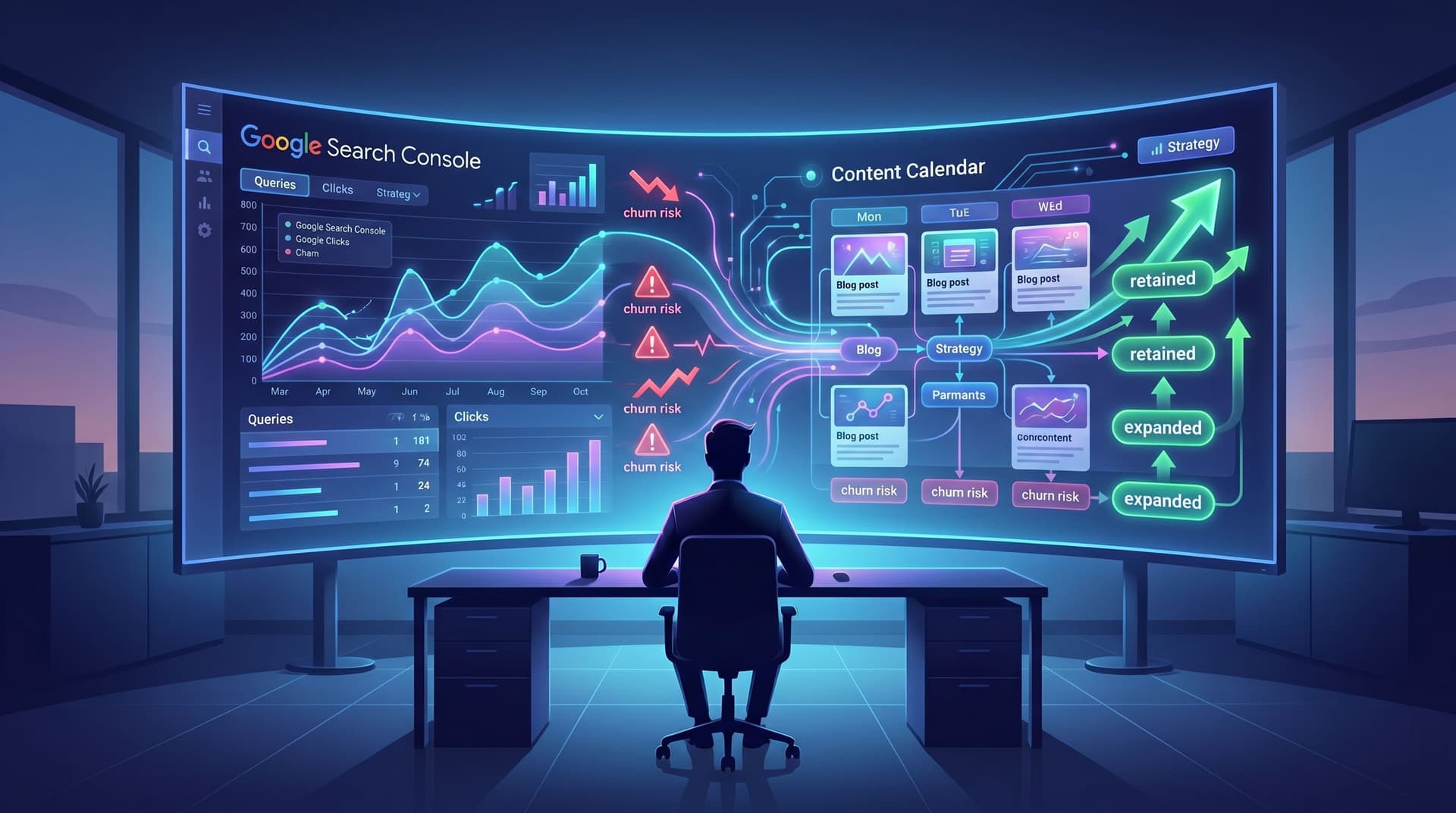
Customer churn rarely shows up first in your billing system.
It shows up in Google Search Console.
Long before a customer cancels, they start typing things like:
- “how to pause my [your product] account”
- “[your product] not syncing with HubSpot”
- “alternative to [your product] for small teams”
- “[your product] pricing too expensive”
Those are not just support questions or random SEO opportunities. They’re churn signals—and they’re some of the most valuable inputs you can feed into an AI-powered blog.
In this post, we’ll walk through how to mine your search data for these “help me” queries, then use AI (and platforms like Blogg) to turn them into retention-focused content that:
- Keeps customers from silently drifting away
- Reduces support load by answering recurring issues
- Strengthens product adoption and expansion
- Still pulls in net-new traffic from similar prospects
Why Your Search Console Is a Churn Early-Warning System
Most SaaS teams treat Google Search Console (GSC) as a pure acquisition tool: impressions, clicks, positions, new keywords.
But if you filter for your brand name plus problem phrases, you’ll see a different story: existing customers asking for help in public.
Common patterns:
- Brand + feature confusion
- “how to set up reports in [brand]”
- “[brand] workflows not running”
- Brand + pricing anxiety
- “[brand] too expensive”
- “[brand] downgrade plan”
- Brand + alternatives
- “[brand] vs competitor”
- “switch from [brand] to…”
- Brand + intent to cancel
- “how to cancel [brand] subscription”
- “pause [brand] account”
These queries matter because:
- They’re high-intent pain signals. No one searches “how to cancel” casually.
- They’re often under-served. Many SaaS companies don’t have clear, helpful content targeting these phrases.
- They’re a content roadmap you didn’t have to guess at. Customers are literally telling you what they’re struggling with.
When you pair that data with AI, you can turn a messy list of queries into a structured, always-on content engine. If you’re already thinking about how to systematize that engine, it dovetails nicely with the idea of moving from “we have a blog” to “we have a channel” that runs every week on autopilot—something we covered in depth in From “We Have a Blog” to “We Have a Channel”.
Step 1: Pull the Right “Help Me” Queries from Search Console
Let’s start inside GSC.
A simple filter workflow
- Open the Performance report for your main property.
- Switch to “Search results” → “Queries.”
- Set the date range to last 3–6 months to get enough volume.
- Add a Query filter with your brand name (and product names, if distinct).
Now, you’ll see queries that include your brand. Next, look for churn-y modifiers.
Create additional filters or just scan for:
- “cancel”, “pause”, “downgrade”, “refund”, “trial”
- “pricing”, “too expensive”, “cost”, “cheaper”
- “not working”, “issues”, “problem”, “bug”, “down”
- “how to”, “tutorial”, “setup”, “configure”, “integrate”
- “alternative”, “vs”, “competitor name”
Export this list to a spreadsheet or a warehouse where you can work with it more flexibly.
Add context from other sources
Search Console is one piece of the churn puzzle. To enrich these queries, layer in:
- Support tickets (e.g., from Zendesk, Intercom, Help Scout)
- NPS/CSAT comments
- Churn reasons from your cancellation flow
- Sales call notes for “lost deals” due to similar concerns
If you’re already using the “No Net-New Ideas” mindset—mining existing assets before inventing new ones—this should feel familiar. You can see how this search-console-driven approach fits neatly into the philosophy from The ‘No Net-New Ideas’ Framework: your customers have already written half your brief.

Step 2: Cluster Queries into Churn Themes
A raw export of queries is noisy. To turn it into a content plan, you need themes.
You can do this manually or use AI to accelerate it.
Manual clustering (for smaller sites)
Create a sheet with columns like:
- Query
- Clicks
- Impressions
- CTR
- Avg. Position
- Theme (you’ll fill this in)
- Lifecycle stage (Onboarding, Adoption, Expansion, Pre-churn)
Skim down the Query column and assign themes such as:
- Onboarding confusion (setup, first steps, integrations)
- Core feature friction (workflows, reports, billing, automations)
- Pricing & value doubts (too expensive, ROI, plan comparison)
- Misfit use cases (trying to do something your product isn’t built for)
- Cancellation & alternatives (cancel, vs, competitor names)
AI-assisted clustering
If you have dozens or hundreds of queries, let AI do the first pass. For example:
- Export your query list as CSV.
- Feed it to an AI model with a prompt like:
- “Group these queries into 8–12 themes based on underlying customer problem, and label each with a short description.”
Platforms like Blogg can take this further by turning those themes directly into content briefs and a publishing queue, so you’re not stuck manually copying clusters into yet another doc.
Prioritize themes that touch churn risk
Once you have themes, score them by:
- Volume: How many queries and impressions are in this theme?
- Churn proximity: How close is the intent to cancellation or downgrade?
- Revenue impact: Which plans or segments does this theme affect?
- Support load: How often does this pain show up in tickets?
Start with themes that are high churn proximity + high support load. These are your retention quick wins.
Step 3: Decide Which Queries Deserve Dedicated Content
Not every query needs its own blog post. Some belong in docs, onboarding flows, or UI tooltips.
A simple decision tree:
-
Is this a purely mechanical step?
- Example: “how to change email in [brand]”
- Best handled by: knowledge base article or in-app help.
-
Is this a recurring confusion about how to get value from a feature?
- Example: “[brand] reports not showing right numbers”
- Best handled by: blog post + docs + in-app education.
-
Is this about pricing, ROI, or alternatives?
- Example: “[brand] too expensive for startups”
- Best handled by: opinionated blog post + pricing page clarifications.
-
Is this a comparison or “should I switch” query?
- Example: “alternative to [brand] for agencies”
- Best handled by: comparisons, use-case guides, and honest tradeoff content.
The sweet spot for retention-focused blog posts is where:
- The query reflects confusion or doubt about value, not just mechanics.
- The answer benefits existing customers and future prospects.
- You can tell a story, share examples, and show how to succeed—not just list steps.
Step 4: Turn Churn Themes into Retention-Focused Blog Angles
Once you know which clusters to target, you can shape them into blog concepts that:
- Match the language in the search query
- Address the underlying fear or frustration
- Lead the reader back to successful product usage
Here are a few examples.
1. From “too expensive” to value clarity
Queries:
“[brand] too expensive”, “[brand] cheaper alternative”, “[brand] pricing for small teams”
Blog angles:
- “When Our Tool Isn’t the Cheapest Option (and Why Some Teams Still Choose It)”
- “How Small Teams Get ROI from [Brand]: 3 Setups That Pay for Themselves”
- “Comparing [Brand] Plans: How to Pick the Right Tier for Your Stage”
These posts should:
- Acknowledge cost concerns directly
- Show concrete ROI scenarios
- Help customers right-size their plan instead of churning out of frustration
2. From “not working” to adoption coaching
Queries:
“[brand] workflows not running”, “[brand] reports wrong”, “[brand] not syncing with Salesforce”
Blog angles:
- “The 5 Most Common Workflow Gotchas in [Brand] (and How to Fix Them)”
- “Getting Clean Data into [Brand]: A Practical Guide for RevOps Teams”
- “What to Check When Your [Brand] Reports Don’t Look Right”
These posts:
- Normalize the problem (“you’re not alone in hitting this”)
- Walk through root causes
- Link to docs and in-app tools that help customers self-diagnose
3. From “cancel” to alternatives within your product
Queries:
“how to cancel [brand]”, “pause [brand] account”, “downgrade [brand]”
Blog angles:
- “Before You Cancel: 4 Lower-Commitment Ways to Use [Brand]”
- “How to Downgrade or Pause Your [Brand] Account (Without Losing Your Data)”
These posts should be:
- Honest and transparent about how to cancel
- Clear about options like pausing, downgrading, or switching use cases
- Framed as customer-first, not clingy or manipulative
4. From “[brand] vs competitor” to positioning clarity
Queries:
“[brand] vs Competitor”, “alternative to [brand] for agencies”
Blog angles:
- “[Brand] vs [Competitor]: Which Makes More Sense for Agencies?”
- “Who Should Choose [Brand] (and Who Shouldn’t)”
These posts:
- Clarify your ideal customer profile
- Help misfit users self-select out before they churn angrily
- Attract better-fit prospects who see themselves in your examples

Step 5: Use AI to Go from Query → Brief → Published Post
This is where AI—and especially opinionated platforms like Blogg—turn your churn insights into a real publishing system instead of a one-off project.
A repeatable AI workflow
For each priority theme:
-
Feed AI the raw inputs
- The exact queries from GSC
- Support ticket snippets
- Churn reasons and NPS comments
- Any internal docs or Looms that explain the feature or issue
-
Ask AI to propose 3–5 post angles that:
- Use the customer’s own language in the title or subheads
- Address both existing customers and evaluators
- End with a clear “success state” (what good looks like)
-
Select the strongest angle and have AI draft a detailed outline with:
- Problem framing
- Step-by-step resolution
- Screenshots or product walkthrough placeholders
- CTAs that point to help docs, in-app features, or CS resources
-
Generate a first draft that’s:
- Skimmable (short paragraphs, bullets, subheads)
- Rich in examples and customer scenarios
- Explicit about tradeoffs and limitations
-
Layer on your brand voice and product nuance.
- Edit intros to match your tone
- Add real customer anecdotes (anonymized)
- Include specific feature names, screenshots, and workflows
If you’re already experimenting with a “two-track” content strategy—shipping a steady drumbeat of AI-assisted posts while reserving some pieces for deeper human craftsmanship—these churn-focused posts are perfect candidates for the AI-accelerated track. They’re practical, repeatable, and highly tied to search intent.
For a deeper dive into balancing AI speed with brand protection, you might like The ‘Two-Track’ Blog Strategy.
Step 6: Make the Posts Actually Work for Retention
Publishing is step one. To turn these posts into churn reduction assets, you need to wire them into your product and CS motion.
Connect posts to in-app moments
- Contextual links: Surface relevant posts inside your app where the problem occurs (e.g., under a “?” icon near a complex feature).
- Onboarding flows: Include key posts in email sequences for new users, targeted by role or use case.
- Empty states: When a dashboard is blank or misconfigured, point to a “how to get value from this view” post.
Arm your CS and sales teams
- Add these posts to internal playbooks so CSMs can paste them into responses.
- Tag posts by churn reason so reps can quickly find “pricing doubt” or “adoption friction” content.
- Encourage CSMs to request new posts when they see emerging patterns.
Measure impact beyond pageviews
Use a simple analytics setup to track:
- Visits from existing customers (e.g., by segmenting logged-in traffic)
- Subsequent product usage (did they activate a feature after reading?)
- Support ticket deflection (do tickets on that topic drop over time?)
- Churn rate for cohorts exposed vs not exposed to specific posts
Even rough directional data will help you prioritize which themes to double down on.
Step 7: Keep the Loop Running with Automation
The real win is turning this into a loop, not a one-time content sprint.
Here’s what that loop can look like:
- Monthly: Pull new brand queries from Search Console and support systems.
- Cluster: Use AI to group them into existing themes or flag new ones.
- Score: Rank themes by churn risk and support volume.
- Brief: Generate AI-assisted outlines for 2–4 posts per month.
- Ship: Publish consistently, with light human review and product input.
- Wire: Connect posts to in-app surfaces and CS workflows.
- Review: Look at adoption, support, and churn metrics quarterly.
A platform like Blogg is built to support exactly this kind of loop: it ingests your inputs (queries, docs, tickets), turns them into structured briefs, drafts, and schedules, and keeps the publishing drumbeat going without turning your team into full-time content managers.
If you’re just getting started, you can treat this as a “Minimum Viable Retention Blog”—a focused cluster of 5–10 posts designed to solve specific churn problems. That’s very similar to the approach we outline in The ‘Minimum Viable Blog’, just aimed at keeping customers instead of only attracting them.
Bringing It All Together
Your search data is already full of clues about why customers struggle, hesitate, or leave.
When you:
- Pull brand + problem queries from Search Console
- Cluster them into clear churn themes
- Decide which ones deserve full, narrative blog posts
- Use AI to go from messy queries to polished, on-brand content
- Wire those posts into your product and CS motion
…your blog stops being a top-of-funnel vanity project and starts acting like a retention asset.
You’re no longer guessing what to write about. Your customers are telling you—one “help me” query at a time.
Your Next Step
You don’t need a giant project plan to start.
This week, you can:
- Log into Google Search Console and export all queries containing your brand name from the last 90 days.
- Highlight every query that smells like churn risk (cancel, alternative, not working, too expensive).
- Pick one theme—just one—and draft a retention-focused post outline that:
- Names the problem in the customer’s words
- Shows how to fix it or get more value
- Ends with a clear “here’s what to do next” inside your product
If you want that process to run on autopilot—turning churn clues into a steady stream of helpful, search-ready content—consider letting an AI platform like Blogg handle the ideation, drafting, and scheduling for you.
Your customers are already searching for help.
The question is whether they’ll find it on your site—or somewhere that nudges them toward a different tool.