From Feature Requests to Search Traffic: Mining Product Board and Support Tickets for AI-Ready Blog Topics


Your customers are already writing your content strategy for you.
They’re doing it in:
- Feature request boards
- Support tickets and chat logs
- NPS and CSAT comments
- “This is confusing” Looms and call transcripts
The problem isn’t idea scarcity—it’s that all of this context is trapped in tools your content team rarely opens.
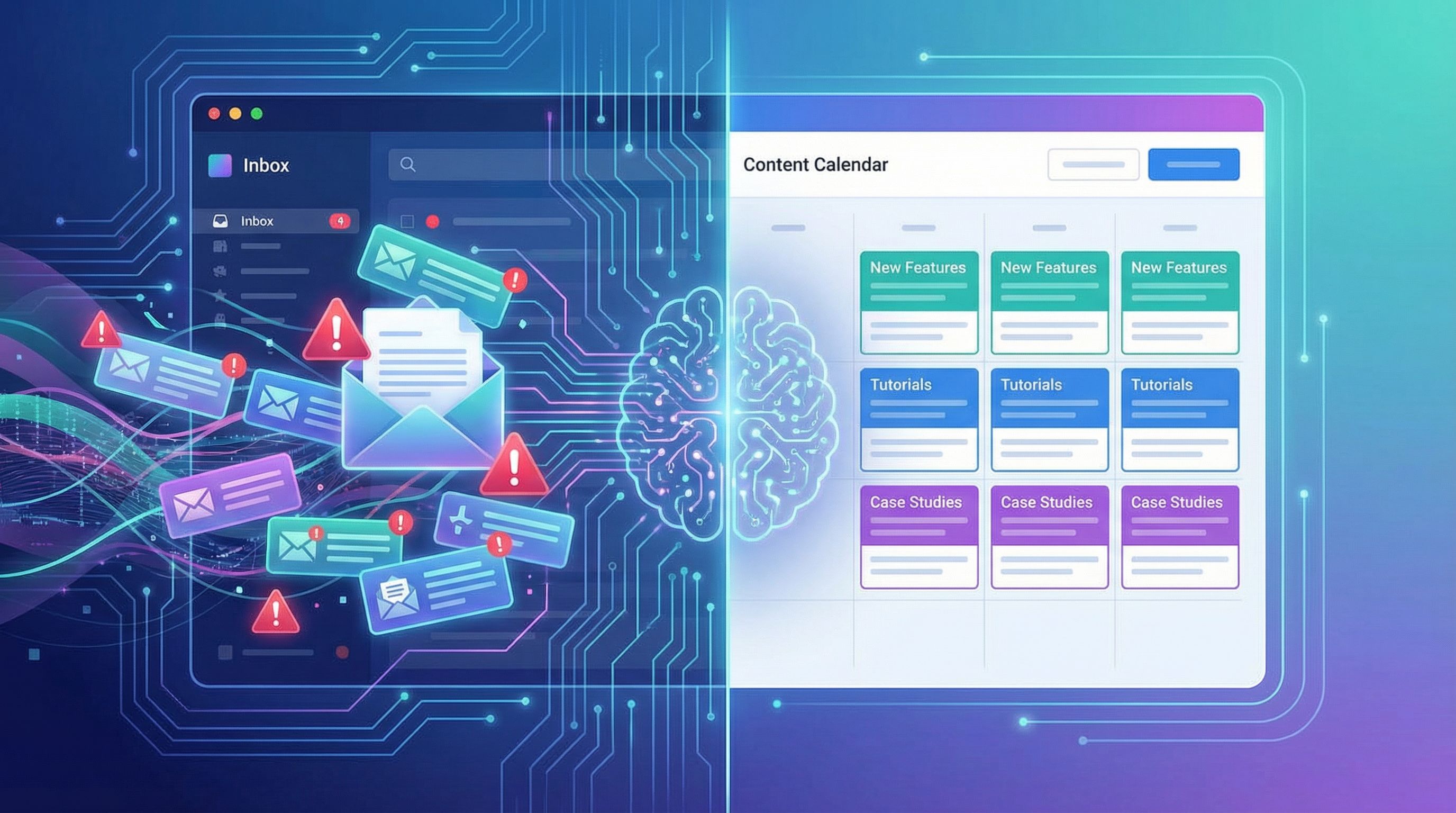
If you’re using AI (or a platform like Blogg) to keep your blog active, that’s a huge missed opportunity. Those messy, unstructured conversations are exactly what you want to feed into AI: real language, real problems, real objections.
In this post, we’ll walk through how to systematically mine your product board and support queue, turn that chaos into clean, AI-ready topics, and then shape those topics into SEO content that actually earns traffic and helps your team.
Why Your Product Board and Support Inbox Beat Any Keyword Tool
Traditional content planning usually starts with SEO tools: type in a seed keyword, export a list, sort by volume.
Useful? Yes. But it misses three critical things your internal data has in abundance:
-
Real buyer language
Customers don’t talk like keyword tools. They say:- “Why does my invoice keep failing when I switch currencies?”
- “Is there a way to bulk update permissions for contractors?”
- “How is this different from using a spreadsheet?”
Those phrases often look like low or zero volume in SEO tools—but they’re the exact queries your best-fit buyers type into Google or AI assistants.
-
High-intent pain points
Feature requests and support tickets are rarely hypothetical. They come from people who are:- Blocked from doing their job
- Evaluating whether to expand or churn
- Comparing you against a competitor
That’s the same energy behind high-intent search terms. It’s the same logic we use when we talk about going after serious queries in posts like High-Stakes Keywords, Low-Stress Workflow: Using AI to Tackle Competitive SERPs Without Burning Budget.
-
Built-in proof your topic matters
If a request appears 20 times on your board or a question shows up in support every week, you don’t need a keyword difficulty score to know it’s worth writing about.
When you combine those signals with AI, you can:
- Turn raw tickets into clear, search-friendly topics
- Cluster related issues into content series
- Prioritize what to publish based on real demand, not guesses
And when you’re using Blogg to automate drafting and scheduling, this becomes a repeatable pipeline—not a once-a-year research sprint.
Step 1: Pull Your “Voice of Customer” Sources into One Place
Before you ask AI for help, you need to get your inputs under control.
Start by listing every place customers “talk” to you:
- Product board or feedback tool (e.g. Canny, Productboard, Jira, Linear issues)
- Support platform (e.g. Zendesk, Intercom, Help Scout, Front)
- Live chat transcripts
- Slack channels where customer feedback is posted
- NPS / CSAT survey comments
- Call transcripts from tools like Gong or Chorus
Then, for each source, ask:
- Can we export this easily (CSV, JSON, API)?
- Can we filter by tags, product area, or sentiment?
- Who owns this data internally (support, product, success)?
Your goal isn’t to build a perfect data warehouse. It’s to create a working dataset your content system can actually use.
A simple starting stack:
- A spreadsheet or Notion database with columns for:
- Source (support, feature request, NPS, etc.)
- Raw quote
- Product area / feature
- Stage (prospect, new customer, power user, churn risk)
- Frequency (how often this appears)
- A recurring export from your support and product tools (monthly or quarterly)
This becomes the “inbox” for your AI topic mining.

Step 2: Tag and Cluster for Content, Not Just for Product
Most teams already tag tickets and requests—but for operational reasons:
- Which team should handle this?
- Is this a bug, feature request, or usage question?
- Which part of the product is affected?
For content, you need a second layer of tagging that answers:
- What is the underlying job-to-be-done?
(e.g. “Close month-end faster,” “Onboard new reps,” “Avoid compliance risk.”) - What is the user trying to understand or decide?
(e.g. “How does this compare to X?”, “What’s the best practice?”, “Is there a workaround?”) - Which funnel stage does this map to?
Awareness, consideration, decision, onboarding, expansion.
You can absolutely use AI here. For example, you might:
- Export 200–500 recent tickets or feature requests.
- Feed batches into an AI model with a prompt like:
“Read these customer messages and add three fields: (1) job-to-be-done in 5–7 words, (2) buyer question behind the message, (3) funnel stage (awareness, consideration, decision, onboarding, expansion). Return as a table.”
- Paste the results back into your spreadsheet or Notion.
Once you’ve done this, you’ll start to see patterns:
- A cluster of onboarding confusion around the same workflow
- Repeated questions about migrating from a specific competitor
- Power users asking for advanced automation or reporting
Those clusters are content themes. They’re the raw material for:
- Topic clusters and pillar pages
- Feature-focused explainer series
- Comparison and alternatives posts
If you want to see how this connects to your broader funnel, pair it with the approach from From Customer Journey Map to Content Map: Using AI to Turn Every Stage of Your Funnel into Blogg Topics.
Step 3: Translate Clusters into Search-Ready Topics
Now you have clusters like:
- “Bulk updating permissions for contractors”
- “Migrating from Tool X without losing historical data”
- “Understanding why invoices fail when switching currencies”
The next step is to turn those into topics that:
- Match how people search
- Are specific enough to be useful
- Still map cleanly back to your product
A simple 4-part framing works well here:
-
Problem-first posts
- “Why Your Invoices Fail When You Change Currencies (and How to Fix It in <Your Category>)”
- “How to Safely Migrate from Tool X Without Losing Historical Data”
-
Workflow guides
- “A Step-by-Step Guide to Bulk Updating Contractor Permissions in <Your Category> Software”
- “The Complete Playbook for Month-End Close in <Industry> (With Automation Examples)”
-
Comparison and objection handlers
- “Spreadsheet vs. <Your Product Type>: What Finance Teams Wish They’d Known Sooner”
- “Tool X vs. Your Product: Which Is Better for Global Teams?”
-
Feature-to-outcome bridges
- “How Smart Permission Templates Cut Onboarding Time by 40% for Distributed Teams”
- “Using Automated Retry Logic to Recover Failed Payments (Without Annoying Customers)”
You can use AI to expand each cluster into a topic list:
- Feed a summary of the cluster and ask:
“Generate 10 SEO-friendly blog post titles that address this cluster, including at least 3 problem-focused, 3 workflow-focused, 2 comparison-focused, and 2 advanced best-practices posts.”
From there, you can layer on keyword research to:
- Validate which phrases actually show up in search tools
- Discover adjacent queries and synonyms
- Identify high-intent modifiers ("best", "vs", "alternative", "pricing", "for [role]")
But the key is this: you start from customer language, not from a keyword dump.
Step 4: Shape Topics into AI-Ready Briefs
AI gives you leverage, but only if you give it structure.
Instead of pasting a topic into your favorite model and hoping for the best, turn each idea into a short brief with:
- Primary goal:
e.g. “Help finance leaders diagnose and fix failed invoices caused by currency changes, and show how our platform prevents these issues.” - Target reader:
Role, company size, level of technical knowledge. - Search intent:
Informational, comparison, or transactional—and what the reader is trying to accomplish. - Key questions to answer:
Pulled directly from your tickets and feature requests. - Product tie-ins:
Specific features, workflows, or settings that solve the issue. - Internal resources:
Help docs, changelog entries, case studies that should be referenced or repurposed.
This is exactly the kind of structure we advocate in The ‘No Brief, No Blog’ Rule: Using AI to Turn Loose Ideas into Clear, SEO-Ready Content Briefs. Your product board and support tickets simply become the raw inputs for those briefs.
With Blogg, you can treat these briefs as reusable templates:
- Drop in a new topic cluster
- Auto-generate a draft that follows your preferred structure
- Schedule it into your content calendar without a ton of manual wrangling
Step 5: Align Posts with Both Search Intent and Support Value
Mining support and feature data gives you built-in utility. Your posts should:
- Rank for relevant queries
- Reduce repetitive questions for support and success
- Help prospects self-qualify and move closer to a decision
A practical way to do that:
-
Start every outline with search intent.
Ask: “What is the reader trying to do right now?”- Diagnose an error
- Decide between two tools
- Learn a best practice
- Implement a complex workflow
-
Layer in support and sales questions.
Take the most common questions from your tickets and:- Turn them into H2/H3 subheadings
- Answer them clearly with examples and screenshots
- Add internal links to help docs where appropriate
-
Add a product-aware, but not product-only, perspective.
Your post should:- Explain the general concept or best practice
- Show how to do it manually or in other tools (where relevant)
- Then show how your product simplifies or de-risks it
-
Close with a next step that matches readiness.
Not everyone is ready for a demo. You can:- Offer a template or checklist
- Invite them to a more advanced guide
- Suggest a low-friction trial or sandbox
If you want a deeper framework for structuring posts around layered buyer needs, revisit The ‘Search Intent Sandwich’: Structuring AI Blog Posts So Every Section Serves a Buyer Need.
Step 6: Build a Simple Feedback → Content → Feedback Loop
The real magic isn’t publishing a few posts from your product board. It’s turning this into a loop that gets smarter over time.
Here’s a lightweight system you can implement in a quarter:
-
Quarterly mining session
- Product, support, and marketing meet for 60–90 minutes.
- Review top feature requests, most-viewed help docs, and recurring support tags.
- Pick 3–5 clusters to turn into content campaigns.
-
Campaign-based publishing
For each cluster, plan:- 1–2 pillar posts (deep, evergreen guides)
- 2–4 supporting posts (how-tos, comparisons, case stories)
- Internal links between them and to relevant help docs
-
AI-powered drafting and repurposing
Use Blogg or your AI workflow to:- Draft the initial posts from your briefs
- Spin off email and social variants (see Prompt Once, Publish Everywhere: Building a Reusable AI Prompt System for Blogg, Email, and Social for a systemized approach)
-
Support and sales validation
After posts go live:- Share them with support and sales
- Ask: “Which tickets or questions can this now answer?”
- Encourage teams to link the posts in replies and call follow-ups
-
Measure impact beyond traffic
Track not just pageviews, but:- Reduction in tickets on the covered topics
- Shorter time-to-resolution for linked tickets
- Mentions of specific posts in sales conversations
This is where content stops being “just SEO” and starts cutting operational costs—the same shift we explore in Beyond SEO: How AI-Generated Blog Posts Can Cut Sales and Support Costs Across Your Team.
Step 7: Prioritize Like a Product Manager, Not Just a Marketer
You’ll quickly end up with more potential topics than you can publish.
Borrow a simple prioritization model from product management—like RICE (Reach, Impact, Confidence, Effort)—and adapt it for content:
-
Reach:
- How many customers or prospects does this issue affect?
- How many tickets or requests mention it?
-
Impact:
- Does solving this help expansion, retention, or new sales?
- Is it tied to a key feature, pricing tier, or upcoming launch?
-
Confidence:
- Do we have clear customer language and examples?
- Are support and product aligned that this is a real, recurring issue?
-
Effort:
- How hard is this to explain well?
- Do we already have internal docs or enablement we can repurpose?
Score each potential topic or cluster, then:
- Ship quick wins first (high reach/impact, low effort)
- Schedule strategic deep dives around launches and roadmap milestones
- Park nice-to-haves for future cycles
If you’re using Blogg, you can encode this logic directly into your content queue—so your AI-powered publishing cadence automatically reflects what matters most to the business.
Bringing It All Together
Your product board and support tickets are not just operational artifacts. They’re:
- A running transcript of what your best customers care about
- A live feed of high-intent problems and objections
- A map of where your product, market, and messaging are slightly out of sync
When you:
- Centralize and lightly structure that feedback
- Tag it for content value, not just product ops
- Turn clusters into search-ready, buyer-centric topics
- Feed those topics into AI with clear briefs
- Align each post with both search intent and support value
- Build a feedback loop between content, support, and product
- Prioritize like a product manager
…you end up with a blog that feels eerily aligned with what your market is actually thinking about—and an AI system that amplifies, rather than dilutes, that signal.
Summary
- Your best blog topics are already written—in feature requests, support tickets, and customer comments.
- Mining these sources gives you real language and real problems, which often translate into high-intent, low-competition search opportunities.
- AI works best with structured inputs, so turn raw feedback into tagged clusters and clear briefs before drafting.
- Align every post with both search intent and support value, so content drives traffic, reduces tickets, and supports sales.
- Treat this as a recurring loop, not a one-off project, and prioritize topics using a simple, product-style framework.
Your Next Step
You don’t need to overhaul your entire content strategy to start.
This week, pick one narrow slice:
- Export the last 100 support tickets for a single feature or workflow.
- Skim and highlight recurring questions or frustrations.
- Group them into 2–3 clusters.
- Turn each cluster into one clear, AI-ready brief.
- Use your AI stack—or plug them into Blogg—to draft and schedule just one post per cluster.
Once you see those posts start to attract search traffic, deflect tickets, and give sales something concrete to send, you’ll have all the proof you need to expand the process.
Your customers are already doing the hard part: telling you what matters. Your job is to listen, structure, and let AI do the heavy lifting from there.