From Customer Journey Map to Content Map: Using AI to Turn Every Stage of Your Funnel into Blogg Topics


You’ve probably invested time (and no small number of workshops) into building a customer journey map.
Awareness → Consideration → Decision → Onboarding → Expansion.
It looks great in slides. Sales and success teams nod along. Then it quietly lives in a folder while your content calendar is driven by… keyword tools and ad hoc ideas.
That’s the gap this article is here to close.
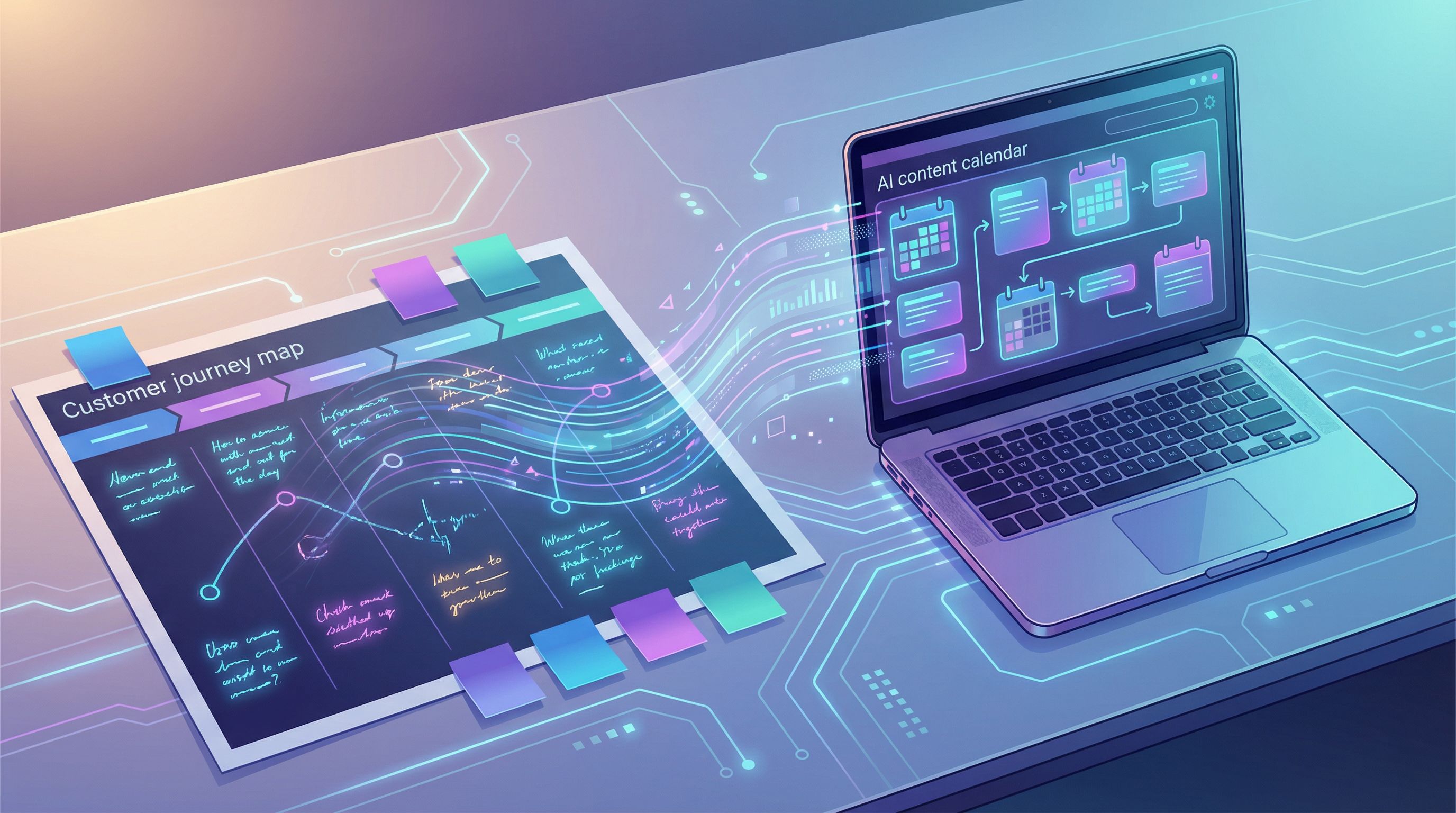
Your journey map is a goldmine of buyer questions, anxieties, and aha moments. With AI—and especially a platform like Blogg—you can turn that map into a living content engine: a steady stream of posts that match what your best buyers are thinking about at every stage of the funnel.
We’ll walk through how to:
- Translate journey stages into specific content themes
- Use AI to explode each stage into dozens of on-brand topic ideas
- Prioritize topics by impact, not just search volume
- Feed everything into Blogg so posts go out automatically, not when someone finally has time
By the end, you’ll have a practical framework to move from “nice journey diagram” to a content system that quietly supports traffic, leads, and revenue.
Why Your Journey Map Should Be Running Your Blog (Not a Keyword Spreadsheet)
Most content planning starts with a keyword list. But your best buyers don’t wake up thinking in SEO terms—they move through a messy, human journey:
- They feel a problem before they know what it’s called
- They search clumsy, long questions before they search product names
- They compare options emotionally before they compare pricing tables
A customer journey map captures that reality. When you build your content plan from it, a few powerful things happen:
-
Your posts line up with real buying moments.
- Awareness posts meet people when they first feel the pain.
- Consideration posts match side‑by‑side comparisons they’re already making.
- Decision and onboarding posts clear the last objections and reduce buyer risk.
-
You cover the entire funnel, not just top‑of‑funnel traffic plays.
This is where many AI‑driven blogs fall down: lots of beginner guides, very little bottom‑of‑funnel content that actually triggers sales conversations. If that’s a concern for you, bookmark Beyond Traffic: How to Design AI-Generated Blog Posts That Trigger Actual Sales Conversations for a deeper dive. -
You get out of the “random acts of content” trap.
Instead of “we should write about X,” you can say: “We’re light on content for the ‘Evaluation’ stage, especially around integrations. Let’s fix that this month.” -
AI becomes a multiplier, not a noise machine.
When you feed AI a structured journey and clear stage goals, it stops guessing and starts helping you systematically cover the map.
Step 1: Turn Your Journey Map into a Content Skeleton
Start with the journey map you already have. If you don’t have one, sketch a simple version based on what sales and success already know.
A lightweight version might look like:
- Stage 1 – Problem Aware: “We know something is broken.”
- Stage 2 – Solution Exploring: “What kinds of tools or approaches could fix this?”
- Stage 3 – Vendor Shortlist: “Which products or providers are worth a serious look?”
- Stage 4 – Decision & Justification: “Is this the right choice, and how do we defend it internally?”
- Stage 5 – Onboarding & Value Realization: “Is this working like we hoped?”
- Stage 6 – Expansion & Advocacy: “What else can we do with this? Would we recommend it?”
For each stage, answer four questions:
-
What are they thinking?
Specific thoughts, not generic labels. E.g., “We’re dropping deals because follow‑up is chaotic,” not “lead management.” -
What are they feeling?
Annoyed? Embarrassed? Excited? Anxious about making a bad call? -
What are they searching or asking?
Real phrases from call notes, Slack screenshots, or support tickets. -
What does your business need from this stage?
Email opt‑ins? Sales-qualified demos? Expansion opportunities?
Capture this in a simple table or doc. This becomes your content skeleton—the strategic backbone before AI starts generating ideas.
Pro tip: If you’re already using CRM mining tactics, your journey map work pairs nicely with the approach in Your CRM as a Content Goldmine: Mining Deal Notes, Lost Reasons, and Win Stories for AI-Ready Blog Topics.
Step 2: Use AI to Explode Each Stage into Specific Topic Ideas
Now that you know what’s happening at each stage, you can ask AI to turn those insights into structured topic lists.
You can do this in a general AI tool, or you can set it up once inside Blogg so it keeps generating fresh, stage‑aligned ideas over time.
For each stage, prompt AI with:
- A short description of the stage
- The thoughts, feelings, and questions you captured
- Your business goal for that stage
Then ask for:
- Educational posts (guides, explainers, how‑tos)
- Comparison posts (vs. alternatives, build vs. buy, process A vs. process B)
- Proof posts (case studies, teardown posts, “what we learned from X”)
- Risk‑reduction posts (objection handling, ROI breakdowns, implementation checklists)
Example: Problem-Aware Stage
If your product helps automate reporting, your input might be:
Stage: Problem Aware.
Thoughts: “Reporting is eating up our Fridays.” “We’re copy‑pasting numbers into slides.”
Feelings: Frustrated, behind, worried about errors.
Questions: “How do other teams automate reporting?” “Is this just how it is?”
Goal: Get them to see reporting automation as a category worth exploring and join our email list.
Ask AI for 20–30 topic ideas, and you’ll get things like:
- “5 Signs Your Monthly Reporting Process Is Holding Back Growth”
- “How Much Time Should Your Team Really Spend on Reporting?”
- “Spreadsheet vs. Automated Dashboards: What High‑Performing Teams Do Differently”
- “The Hidden Cost of Manual Reporting (and How to Calculate It for Your Team)”
You can repeat this for every stage. Within an hour, you’ll have a stage‑labeled content backlog that’s rooted in your journey map, not just search volume.
Step 3: Prioritize Topics by Funnel Impact, Not Just Volume
Not every topic is equally valuable.
Some posts:
- Attract lots of visitors who will never buy
- Rank for broad terms but don’t map to your ICP
- Educate the market… for your competitors
Others quietly:
- Show up for low‑volume, high‑intent queries
- Match conversations your sales team has every week
- Turn “we’re just browsing” into “we should book a call”
This is where AI can help you build a content impact score for each idea:
Score each topic on a simple 1–5 scale for:
- Stage fit – Does it clearly support a specific journey stage?
- Buying proximity – How close is this topic to a purchase decision?
- ICP relevance – Is this something your best customers care about, or just anyone with a vague interest?
- Sales alignment – Does it map to a known objection, question, or use case from your sales team?
Then:
- Multiply or sum the scores to get a quick impact estimate
- Layer in search data (volume and difficulty) after you’ve scored for revenue impact
If you want a deeper framework for this, check out From Keyword List to Revenue Map: Using AI to Prioritize Blog Topics by Sales Impact, Not Just Search Volume.
Step 4: Turn Topics into AI-Ready Briefs (So Posts Don’t Drift Off-Strategy)
A list of topics is a great start. But if you send raw titles to AI, you’ll often get:
- Generic intros
- Surface‑level advice
- Posts that ignore your specific product and positioning
The fix is simple: micro‑briefs.
For each priority topic, capture:
- Journey stage: e.g., “Consideration – vendor shortlist.”
- Primary reader question: The exact question this post must answer.
- Desired action: What you want the reader to do next (download a guide, book a demo, share with their manager, etc.).
- Key talking points: 3–5 bullets that must appear.
- Internal links: 1–3 related posts you want to reference.
You can build this briefing process directly into Blogg:
- Create a topic
- Attach journey stage, goal, and bullets
- Let the AI writer generate a draft that respects those constraints
If you’ve read our piece on the “No Brief, No Blog” principle, you’ll recognize this pattern. The same idea applies here—only now your briefs are anchored to journey stages, not just keywords.
Step 5: Map Stages to Formats, Not Just Topics
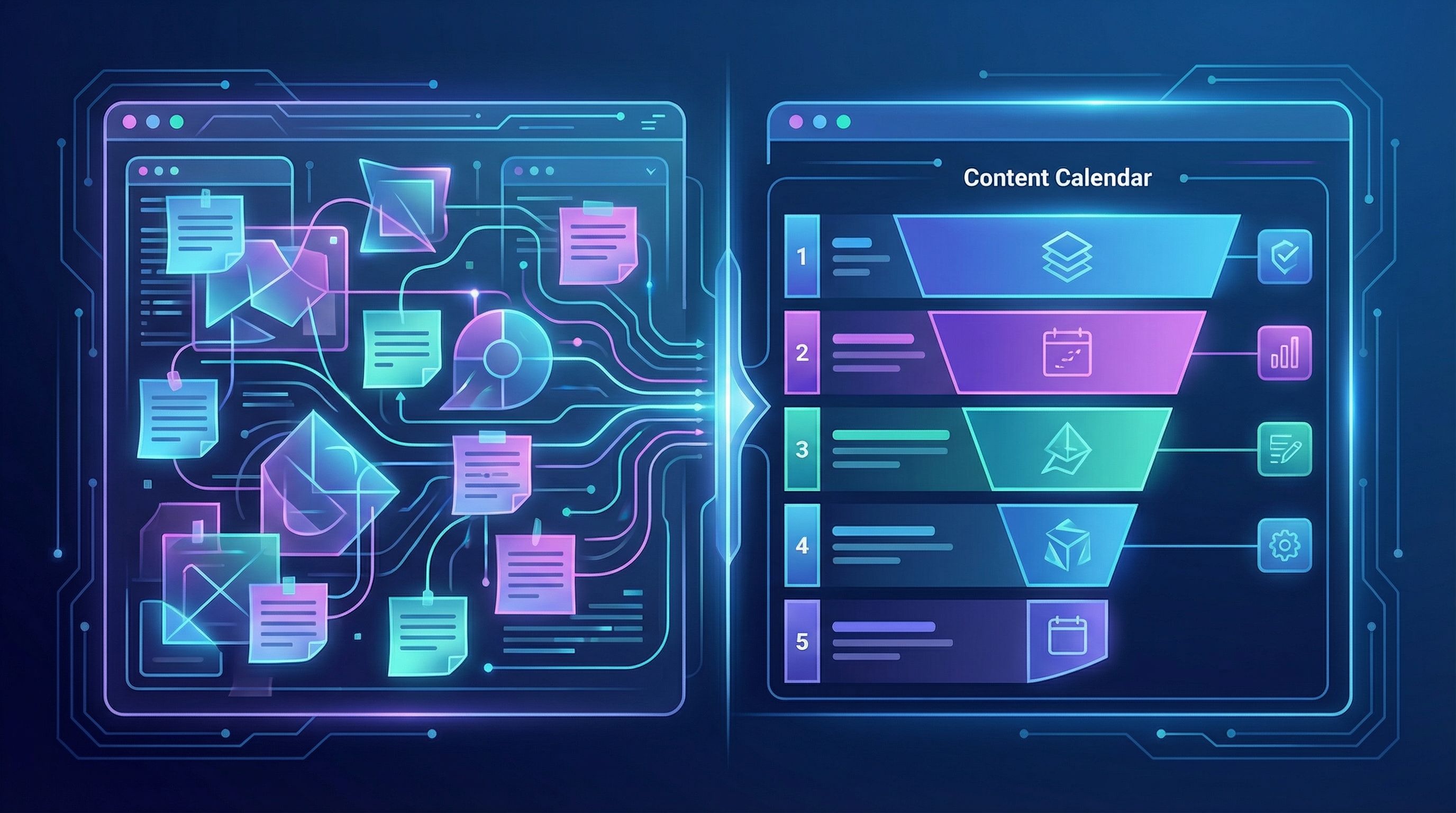
Different stages call for different formats, not just different ideas.
Here’s a simple way to think about it:
Problem-Aware
Goal: Name the pain, normalize it, and introduce new ways of thinking.
Best formats:
- “Signs you have this problem” posts
- Myth‑busting posts
- Short frameworks (“3 types of X you’ll see in Y situation”)
Example topics:
- “7 Subtle Signs Your Billing Workflow Is Costing You More Than You Think”
- “No, It’s Not ‘Just a Spreadsheet Problem’: Why Manual Reporting Keeps Coming Back”
Solution-Exploring
Goal: Help them understand different approaches and tradeoffs.
Best formats:
- Approach comparisons (process vs. process)
- Checklists and evaluation guides
- “Before you choose a tool, answer these questions” posts
Example topics:
- “Centralized vs. Decentralized Analytics: Which Model Fits Your Team?”
- “A 10‑Question Checklist for Choosing Your Next Reporting Tool”
Vendor Shortlist & Decision
Goal: Help them pick you confidently—and defend that choice.
Best formats:
- Pricing breakdowns and ROI posts
- Competitor comparisons
- Deep dives into implementation, security, or integrations
Example topics:
- “How to Calculate the ROI of Automating Your Monthly Reports”
- “Vendor A vs. Vendor B: Which Reporting Stack Fits a 10‑Person RevOps Team?”
If you’re nervous about handing these bottom‑of‑funnel formats to AI, our guide on Pricing, Comparisons, and ‘Best Of’ Posts: Using AI to Tackle Bottom-of-Funnel Blog Content Without Going Off-Brand walks through guardrails you can apply.
Onboarding & Expansion
Goal: Make buyers feel smart for choosing you and show them what’s next.
Best formats:
- “First 30 days” playbooks
- Use‑case deep dives
- Expansion stories (“How customer X grew usage from team A to the whole org”)
Example topics:
- “Your First 30 Days with Automated Reporting: A Week‑by‑Week Plan”
- “From RevOps to the Entire Revenue Org: How Teams Expand Their Reporting Stack Over Time”
When you set up Blogg with stage‑specific templates—intros, CTAs, and formats—you can:
- Assign each topic a stage
- Have AI automatically apply the right structure
- Keep your funnel coverage balanced over time
Step 6: Wire Your Content Map into an Always-On AI Publishing System
A content map only creates value if it turns into published posts.
This is where an AI‑powered platform like Blogg becomes the connective tissue between strategy and execution.
Here’s a practical setup:
- Create stage tags in your content system: Awareness, Consideration, Decision, Onboarding, Expansion.
- Import your prioritized topics with their tags and micro‑briefs.
- Set publishing rules, such as:
- 40% Awareness & Solution‑Exploring
- 40% Decision & Bottom‑of‑Funnel
- 20% Onboarding & Expansion
- Let AI draft and schedule posts based on that mix, with humans reviewing:
- Messaging accuracy
- Compliance (if you’re in a regulated space)
- Product examples and screenshots
- Review stage coverage monthly.
If you see a spike in traffic but no lift in demos, increase the share of Decision‑stage topics. If expansion is a priority, add more post ideas for existing customers.
The goal is simple: your journey map shouldn’t be a static artifact. It should be a living configuration that tells your AI system what to write next.
Step 7: Connect Your Content Map to Real Metrics
Once your content map is live and feeding an AI publishing engine, you can start asking better questions than “How much traffic did we get?”
For each stage, track:
-
Awareness & Solution‑Exploring
- New organic users
- Time on page
- Scroll depth
- Email signups from soft CTAs
-
Decision & Bottom‑of‑Funnel
- Clicks on demo/consultation CTAs
- Assisted conversions (posts that show up before a deal is created)
- References in sales calls (“I read your post on…”)
-
Onboarding & Expansion
- Product activation and feature adoption
- Support ticket volume on topics covered by posts
- Expansion revenue influenced by content
You can wire these into a simple dashboard so you can see, at a glance:
- Which stages are over‑ or under‑served by content
- Which posts are quietly driving demos and expansions
- Where to point AI next month
If you need help designing that kind of view, our guide From Metrics Mess to Clarity: A Simple Analytics Dashboard for Tracking AI Blog Performance breaks down a practical setup.
Bringing It All Together
Let’s recap the journey from customer map to content map:
-
Start with your real journey, not a keyword list.
Capture what buyers think, feel, and ask at each stage. -
Use AI to explode each stage into topics.
Feed it stage descriptions, questions, and business goals to generate dozens of ideas. -
Score topics by impact, not just volume.
Stage fit, buying proximity, ICP relevance, sales alignment. -
Turn topics into micro‑briefs so AI drafts stay on‑strategy and on‑brand.
-
Match formats to stages.
Problem‑aware ≠ vendor comparison ≠ onboarding playbook. -
Wire it all into an AI publishing system like Blogg.
Let your journey map dictate the mix of posts that go live each week. -
Measure by stage, not just overall traffic.
Learn which posts are quietly doing the heavy lifting for pipeline and expansion.
When you do this, your blog stops being a random collection of posts and becomes a reflection of your best sales and success playbooks—just running 24/7.
Your Next Step: Turn One Journey Stage into a Content Cluster
You don’t need to rebuild your entire content strategy overnight.
Here’s a simple way to start this week:
-
Pick one journey stage that’s clearly under‑served.
Maybe your sales team keeps saying, “We don’t have a good resource to send when prospects ask about implementation.” -
Interview one sales rep and one CSM for 20 minutes each.
Ask: What questions come up at this stage? What objections? What success stories? -
Turn that into a mini content skeleton with 5–10 topic ideas.
-
Feed those ideas into Blogg (or your AI workflow of choice) with simple micro‑briefs and stage tags.
-
Commit to publishing that small cluster over the next 2–4 weeks—and watch how it shows up in sales calls and support conversations.
If you want that process to feel more like flipping a switch than spinning up a new project, explore how Blogg can:
- Translate your journey map into a living content queue
- Keep every stage of your funnel covered with fresh, SEO‑optimized posts
- Free your team to focus on conversations, not constant content wrangling
Your journey map is already telling you what to publish. It’s time to let AI—and a system built for automated blogging—turn that insight into a steady stream of posts that move real buyers forward.