From Search to Signup: Designing Lead Magnets and Nurture Sequences Directly from AI Blog Drafts

Most teams have figured out how to get traffic.
You’ve got AI helping you publish consistently—maybe you’re using Blogg to keep your queue full—and search is sending a steady stream of visitors.
But there’s a quieter question underneath the traffic charts:
How many of those readers are actually becoming leads, opportunities, and customers?
Research suggests that roughly 75% of visitors aren’t ready to buy on their first visit. They’re researching, comparing, and lurking. If your blog doesn’t give them a clear next step—and doesn’t follow up once they opt in—you’re leaving most of your pipeline on the table.
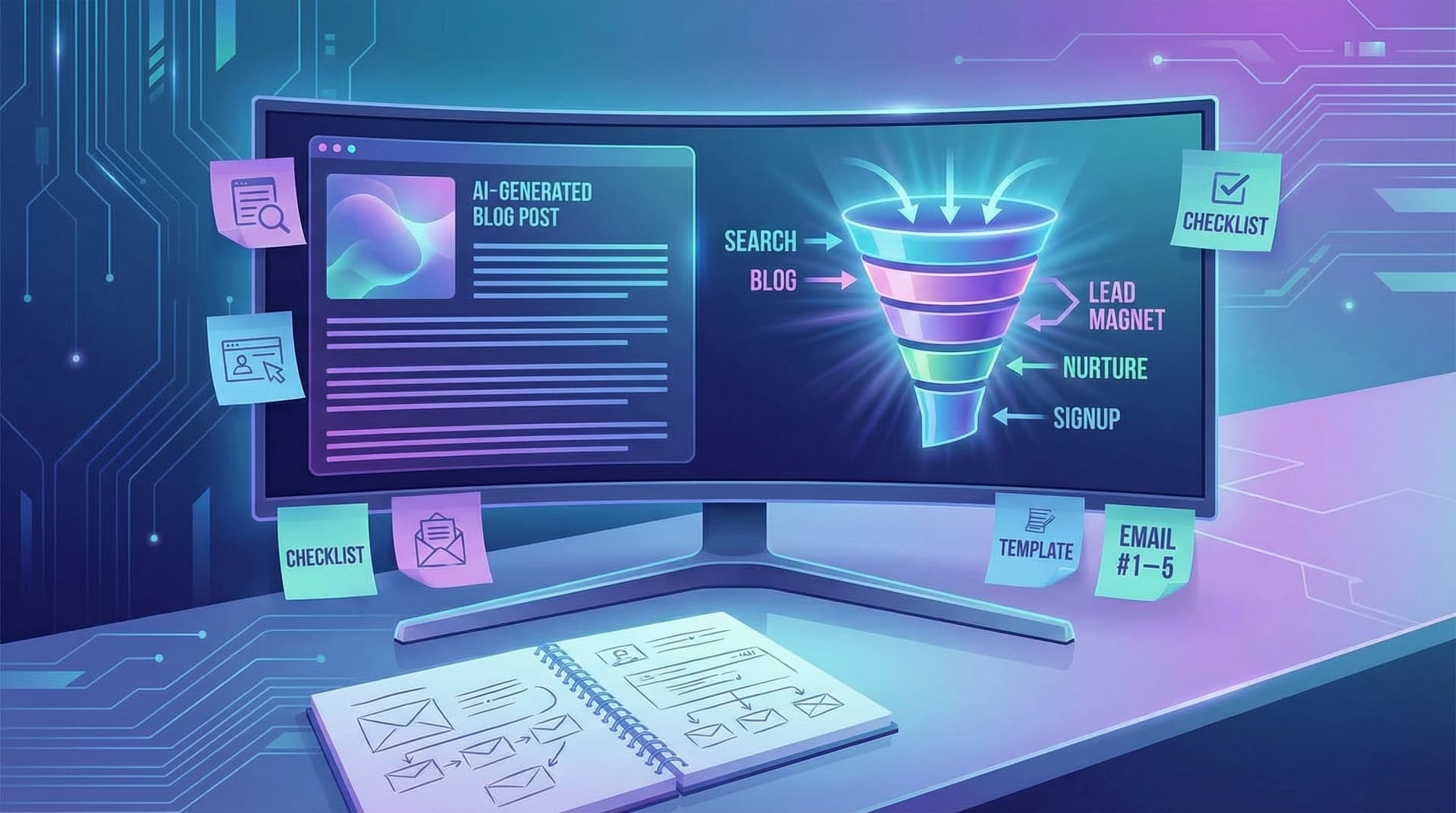
This article walks through a practical, AI-first way to fix that: turning your AI blog drafts directly into lead magnets and email nurture sequences, so the path from search to signup is baked into your content from day one.
We’ll cover:
- How to spot “lead magnet moments” inside your existing drafts
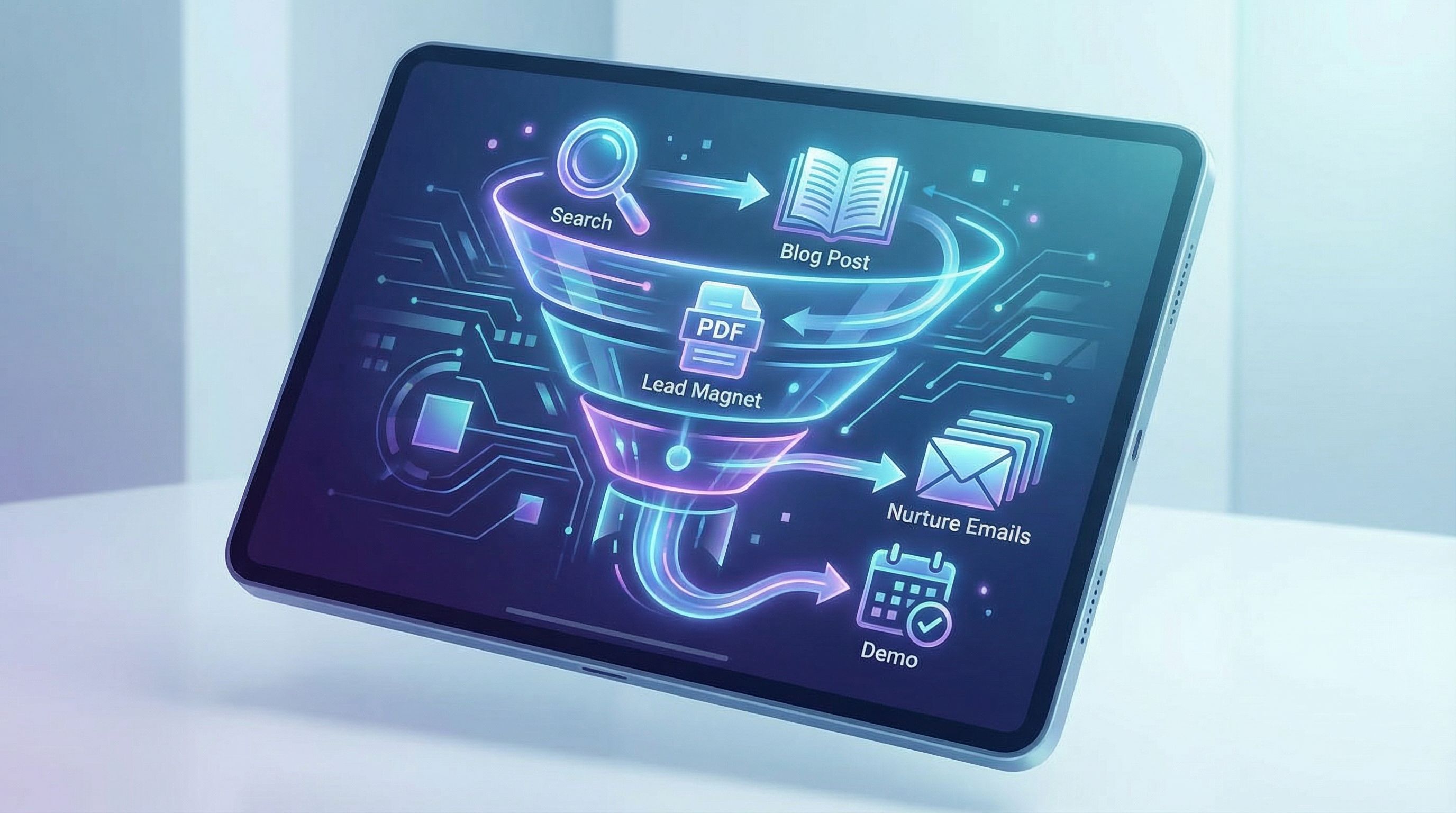
- How to turn one AI post into a complete mini funnel (blog → lead magnet → nurture → sales touchpoint)
- Prompts and workflows you can hand to your team (or to Blogg) today
- Simple benchmarks so you know if it’s working
Along the way, we’ll reference related playbooks like From Blog to “Book a Call”: Designing Simple Conversion Paths Around AI-Generated Content and Beyond Traffic: How to Design AI-Generated Blog Posts That Trigger Actual Sales Conversations, so you can go deeper where it matters.
Why “Search to Signup” Needs to Be Designed, Not Hoped For
A few key realities shape how you should think about your blog:
- Most visitors are early-stage. Studies on buyer behavior and cart abandonment show that the majority of visitors are researching, not purchasing; one analysis of ecommerce behavior found over 80% of sessions end without a transaction. They’re browsing, comparing, and leaving.
- Lead magnets are the default, not the exception. Recent email and marketing benchmark reports show that 80%+ of marketers using opt-in forms pair them with a lead magnet, and those who offer specific, role-based resources see significantly higher retention and conversion.
- Email still converts. Across B2B, nurture emails commonly see 20–30% open rates and 2–5% click-through rates. That may sound modest, but compounded over a sequence, it’s often the difference between a visitor you never see again and a pipeline opportunity.
The implication: SEO content without a follow-up system is an expensive awareness channel.
Designing that system doesn’t mean bolting random pop-ups onto your site. It means:
- Writing posts so they naturally lead into a specific promise.
- Turning that promise into a focused lead magnet.
- Turning that lead magnet into a short, opinionated nurture sequence.
- Letting AI do 80% of the heavy lifting, so your team can focus on strategy and review.
If you’re already using Blogg to generate and schedule posts, you’re halfway there. The rest is about how you structure those drafts and what you do with them.
Step 1: Start With the Blog Post, Not With a Random PDF Idea
Many teams start lead magnets in a vacuum:
- Someone says, “We should make an ebook.”
- A PDF gets written.
- A generic banner goes on every post.
Result: misalignment. The reader comes for one problem and gets offered something else.
Instead, treat each high-intent blog post as the seed for its own mini funnel.
Identify “lead magnet moments” in your drafts
Take a strong AI-generated draft—ideally one targeting a buying-stage query, like:
- “how to choose [solution type] for [industry]”
- “[competitor] alternatives for [use case]”
- “cost to implement [solution]”
Scan the draft for:
- Checklists or step-by-step sections that could be turned into templates.
- Comparisons or decision frameworks that could become calculators or worksheets.
- Stories or examples that could be expanded into case studies.
Where the post says, “Here’s the process,” the lead magnet should say, “Here’s the actual file you can use.”
If you’re using Blogg, you can bake this into your workflow by:
- Including a field in your topic brief: “Potential lead magnet idea this post should set up.”
- Asking AI to highlight 2–3 sections in the draft that are most “downloadable.”
For more on structuring AI posts around real buyer actions, see From Keyword List to Revenue Map: Using AI to Prioritize Blog Topics by Sales Impact, Not Just Search Volume.
Step 2: Turn One Draft Into a Focused Lead Magnet
Once you’ve spotted a lead magnet moment, the next step is to distill the draft into a single, tangible promise.
Choose the right lead magnet format
Not all formats are equal for every intent. Some quick guidelines:
- Checklists & cheat sheets: Great for “how to” posts; fast to consume, easy to implement.
- Templates & swipe files: Perfect for process-heavy topics (email scripts, outreach cadences, SOPs).
- Mini-calculators or ROI worksheets: Ideal for pricing, cost, or ROI content.
- Short playbooks (5–10 pages, not 50): Best when your post introduces a framework that needs more depth.
Benchmarks from 2025–2026 show that short, specific assets often beat long, generic ebooks on conversion rate and lead quality. Think “3-email post-event follow-up sequence” rather than “Ultimate Guide to Email Marketing.”
Use AI to draft the asset directly from the post
Here’s a simple prompt pattern you can use with your AI writer (or inside Blogg):
“You are a content strategist. Take the blog post below and turn it into a [checklist/template/worksheet] that a [role] could use immediately. Keep it to 1–3 pages, make it highly actionable, and assume they’ve already read the blog post. Blog post: [paste draft].”
Then refine:
- Ask AI to add form fields (blanks, tables, inputs) where a human needs to fill in their own data.
- Ask it to suggest a compelling title that mirrors the blog’s promise but adds specificity. Example: from “How to Audit Your SaaS Stack” to “The 30-Minute SaaS Stack Audit Worksheet for RevOps Leaders.”
Design a simple, conversion-focused opt-in
You don’t need a complex funnel tool to launch this. A basic landing page or embedded form works if you:
- Match the headline to the blog section that introduces the asset.
- Keep the form short (name, work email, 1–2 qualifiers like role or company size).
- Restate the outcome in bullet points, not features:
- Find redundant tools in 30 minutes
- Cut 10–20% of your SaaS spend
- Get a clean system map for your next budgeting meeting
Average landing page conversion rates across industries hover around 6–10%, but focused, well-aligned lead magnets can perform significantly better. Use that as a sanity check—not as a ceiling.

Step 3: Build the Nurture Sequence Directly From the Draft
The biggest missed opportunity is treating the lead magnet as the finish line.
The real leverage comes from the follow-up: a short, high-signal sequence that:
- Reinforces the main idea from the post and asset
- Shows what “success” looks like
- Smoothly introduces your product or offer as the natural next step
A simple 5-email structure
Here’s a battle-tested structure you can adapt:
- Delivery + quick win (Day 0)
- Subject: “Here’s your [asset name]”
- Goal: Deliver the asset, highlight one fast action they can take in 5 minutes.
- Common mistakes (Day 2–3)
- Subject: “3 mistakes people make with [topic]”
- Goal: Show where most attempts fail; position your approach as the fix.
- Success story or mini case (Day 5)
- Subject: “How [role/company type] used this to [result]”
- Goal: Make the outcome tangible.
- Deeper teaching + soft CTA (Day 7–10)
- Subject: “What to do once you’ve finished the worksheet”
- Goal: Outline next-level steps and invite a low-friction next action (e.g., “Reply with your biggest blocker and I’ll send a suggestion,” or “See how [your product] automates steps 3–5”).
- Direct invite (Day 12–14)
- Subject: “Want help implementing this?”
- Goal: Directly invite them to a demo, consult, or trial.
B2B nurture benchmarks in 2026 often land around 20–35% opens and 2.5–5% clicks. If your sequence is tightly aligned to the lead magnet and blog topic, you can exceed those numbers—especially on the first 2–3 emails.
Let the blog draft do most of the writing
Instead of writing every email from scratch, reuse the blog draft as your source material:
- Email 1: Pull the introduction and “why this matters” paragraph. Condense to 150–200 words and link the asset.
- Email 2: Use the “common pitfalls” section from the post; turn each pitfall into a short story or example.
- Email 3: Expand any anecdote or customer quote from the post into a mini case study.
- Email 4: Use the “advanced tips” or “next steps” section as the backbone.
- Email 5: Reuse your post’s conclusion and CTA, but make it more direct and personal.
Prompt pattern you can use:
“Take the blog post below and the summary of our lead magnet. Draft a 5-email nurture sequence following this structure: [paste structure]. Each email should be 150–250 words, conversational, and assume the reader downloaded the asset. Blog post: [paste]. Lead magnet summary: [paste].”
Then have a human:
- Check for message-market fit (does it sound like you? does it match how your buyers talk?).
- Add one clear CTA per email, even if it’s as simple as “hit reply and tell me where you’re stuck.”
For more on designing these bridges from content to conversation, see From Blog to “Book a Call”: Designing Simple Conversion Paths Around AI-Generated Content and Beyond Traffic: How to Design AI-Generated Blog Posts That Trigger Actual Sales Conversations.
Step 4: Wire It All Together on the Blog
Now you have three assets:
- A blog post that ranks for a meaningful query
- A lead magnet that extends the post
- A nurture sequence that follows up
The last step is making the path from search to signup obvious and frictionless.
Embed context-aware CTAs inside the post
Instead of a single banner at the bottom, add 2–3 contextual invitations:
- Inline CTA after a key section:
“If you’d rather use a fill-in-the-blanks worksheet for this, grab the free ‘[asset name]’ here.” - Sidebar or sticky CTA that matches the headline:
Use the same language as the post’s H1/H2 so it feels like part of the article, not an ad. - Exit-intent or scroll-triggered modal (used sparingly):
Trigger only on posts that map to this specific lead magnet, not site-wide.
Keep the journey consistent
- Message match: The title and promise on the opt-in page should mirror the copy in the blog section that introduced it.
- Design match: Use the same colors, typography, and imagery so it feels like a continuation, not a new site.
- Expectation match: If the blog promises a “10-minute worksheet,” don’t send a 40-page PDF.
If you’re running multiple blogs or micro-sites (for example, using a multi-blog strategy like we explore in The Multi‑Blog Strategy: How Agencies Use AI to Run Dozens of High‑Performing Client Blogs Without Burning Out), this consistency becomes even more important.
Step 5: Let AI Handle Iteration and Personalization
Once the basic flow is live, your gains will come from iterating and segmenting, not reinventing everything.
Use AI to generate variants
For each high-traffic post and its lead magnet, have AI create:
- 2–3 headline variations for the opt-in page and inline CTAs
- Subject line variants for each nurture email
- Role-specific intros for key emails (e.g., a version for founders vs. ops leaders)
Prompt pattern:
“Generate 5 subject line variations for this email aimed at [role], emphasizing [primary benefit]. Keep them under 50 characters.”
Then A/B test:
- Opt-in rate on the blog → lead magnet step
- Open and click rates on the first 2 nurture emails
- Reply or demo-request rate from the final CTA
Add light segmentation without overbuilding
You don’t need a complex behavior-based system to see results. Start with:
- Segment by source:
Tag leads by the blog post or topic cluster they came from. - Segment by role or company size:
Add 1–2 optional fields on the form and use AI to adapt copy blocks.
Example:
- If someone selects “Agency owner,” have AI generate a short P.S. in email 3:
“If you’re running this for multiple clients, here’s how to adapt the worksheet for different retainers…”
Platforms like Blogg can help here by keeping your content, CTAs, and nurture ideas in one place, so you’re not manually copying and pasting between tools.
Step 6: Define “Good Enough” and Avoid Perfection Traps
It’s easy to stall this whole strategy by aiming for the perfect asset or the perfect sequence.
Instead, set minimum viable benchmarks and improve from there.
Reasonable starting targets for a new blog → lead magnet → nurture flow:
- Lead magnet opt-in rate from the post: 5–10% of engaged readers
- Nurture open rate (emails 1–3): 25–35%
- Click rate on key nurture emails: 3–5%
- Conversion to next step (reply, demo, trial): 1–3% of leads from that magnet
If you’re beating these, you’re in healthy territory. If you’re below them:
- Revisit offer-message fit (does the asset solve the exact problem the post raises?).
- Tighten CTAs (are you asking for one clear action or three different ones?).
- Check list and traffic quality (are you attracting the right readers?).
The good news: with AI in the loop, making these adjustments is hours of work, not weeks.
Bringing It All Together
When you put this system in place, each high-intent AI-generated post stops being “just content” and becomes a mini funnel:
- A prospect searches and lands on your post.
- The post naturally introduces a focused, practical asset.
- The asset is created directly from the post—no extra strategy meetings required.
- A short, opinionated nurture sequence (also drawn from the draft) follows up.
- The final emails invite the reader into a real conversation or product experience.
You’ve effectively designed the path from search to signup, instead of leaving it to chance.
If you’re already using Blogg to keep your blog active, this is the missing layer that turns “more posts” into more pipeline.
Where to Go From Here
If you want to put this into practice this week, try this:
- Pick one high-intent post that’s already getting search traffic.
- Identify a lead magnet moment in that post and draft a 1–3 page asset using AI.
- Wire up a simple opt-in (inline CTA + short form) that matches the post’s promise.
- Generate a 5-email nurture sequence directly from the post and asset.
- Set basic benchmarks and watch performance for 30–45 days.
Once you’ve proven it with one post, you can templatize the process across your entire content calendar—especially if you’re running that calendar through Blogg.
Your blog is already working hard to attract the right people. Now it’s time to give those people a clear, well-designed path from search to signup.
Summary
- Most blog visitors aren’t ready to buy, but will opt in for a focused, practical resource.
- The fastest way to build effective lead magnets and nurture sequences is to start from your AI blog drafts, not from scratch.
- Each strong post should have a corresponding asset and a short, aligned email sequence.
- AI can draft the asset, sequence, and variants; your team focuses on strategy, review, and measurement.
- With a few clear benchmarks and simple wiring, you can turn your AI-powered blog into a consistent engine for leads and conversations.
If you’re ready to move from “more posts” to more pipeline, start with one post, one asset, and one sequence—and let AI (and tools like Blogg) handle the heavy lifting while you stay focused on the business.