From Blog to “Book a Call”: Designing Simple Conversion Paths Around AI-Generated Content


Most teams now understand how to get traffic from AI-generated blog posts.
Far fewer can answer a harder question:
“How do we turn that traffic into actual sales conversations?”
If you’re using AI to publish more often—whether through a platform like Blogg or a patchwork of tools—you’re already doing the hard part: showing up consistently when buyers search. The next step is making it absurdly easy for the right readers to move from “interesting post” to “Let’s talk.”
This article is about that bridge.
We’ll walk through how to design simple, low-friction conversion paths from AI-generated posts to “Book a call” (or demo, consult, intro chat)—without turning your blog into a wall of pop-ups and generic CTAs.
Why “Book a Call” Paths Matter More When AI Writes the First Draft
AI has made it easier than ever to:
- Publish frequently
- Cover more keywords
- Spin up content clusters around a topic
But that creates two new problems:
-
More posts, same (or worse) conversion
You might see traffic climb while pipeline stays flat. If every post ends with the same generic CTA, you’re not giving readers a clear next step that matches why they came. -
Intent is buried in volume
Your AI system might be shipping dozens of posts a month. Some of those topics scream “ready to talk to sales”; others are top-of-funnel education. Treat them the same, and you either under-ask (leaving revenue on the table) or over-ask (turning people off).
You don’t need a complicated funnel to fix this. You need:
- A small set of conversion paths (not 20 different offers)
- Clear rules for which posts get which CTA
- A way to bake those rules into your AI publishing workflow so it happens automatically
If you’ve already started mapping topics to revenue impact—like we cover in From Keyword List to Revenue Map—this is the natural next step: connecting those topics to specific, human conversations.
Step 1: Decide What “Book a Call” Really Means for You
“Book a call” is vague. Your readers don’t wake up wanting a generic call; they want a specific outcome.
Before you design conversion paths, define one primary call type that feels concrete and valuable.
Examples:
- Implementation review – “20-minute CRM migration review with our solutions lead.”
- Audit or teardown – “Free homepage messaging teardown for B2B SaaS founders.”
- Strategy consult – “30-minute content strategy consult for service businesses.”
- Use-case fit check – “Quick call to see if our platform fits your current stack.”
Ask yourself:
- What type of call your sales or delivery team already runs that consistently leads to closed deals?
- What outcome can you promise that feels like a win even if they never buy?
Once you’ve named and framed that call, everything else becomes easier: copy, placement, and which posts should point to it.
Step 2: Classify Your AI-Generated Posts by Intent
To move people from blog to call without friction, you need to know what kind of reader each post is likely attracting.
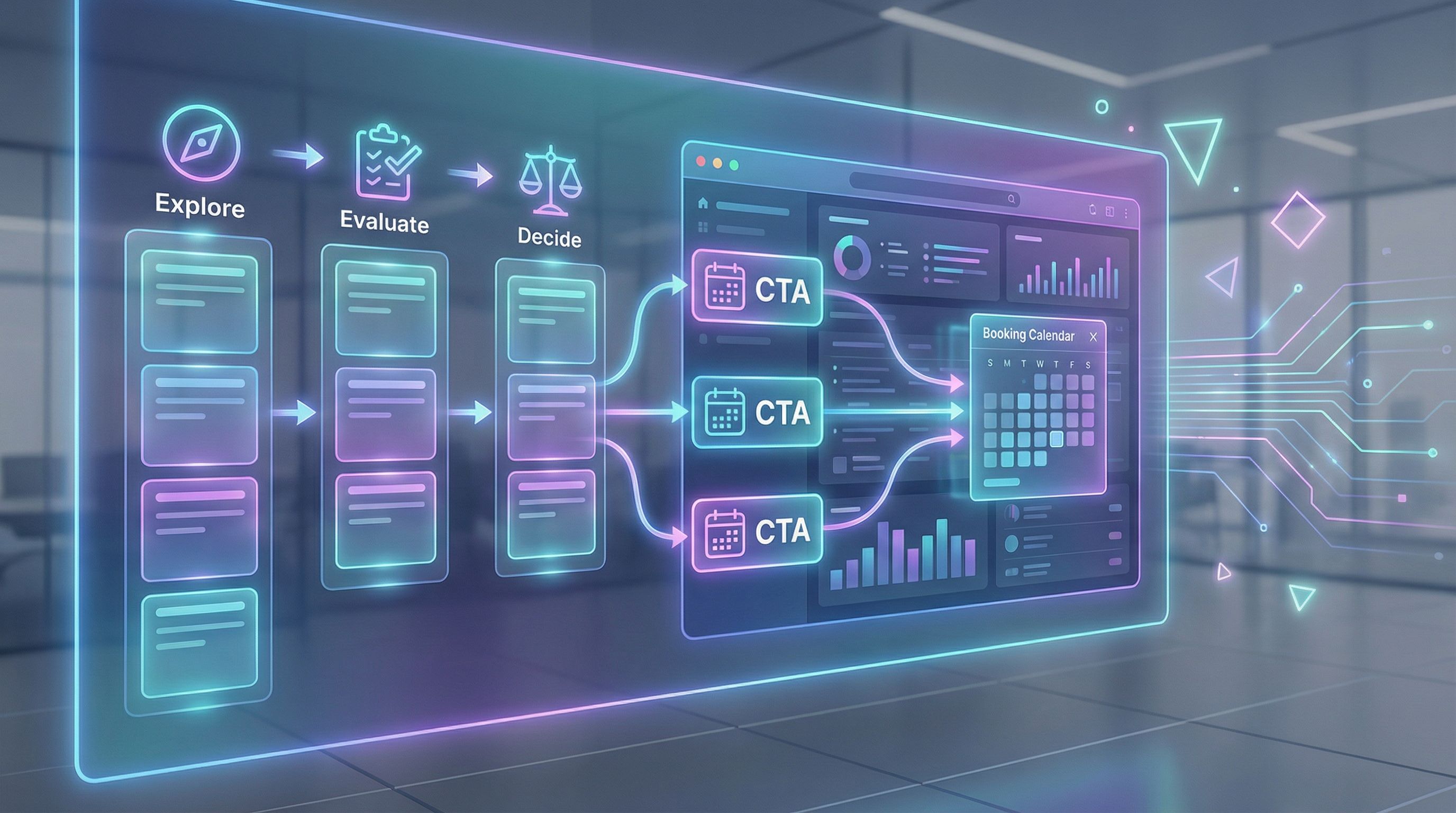
A simple 3-bucket model works well:
- Explore – Early curiosity, problem-aware, not solution-aware yet.
- Evaluate – Comparing approaches, tools, or vendors.
- Decide – Close to taking action, looking for how-tos, checklists, migrations.
You don’t need a PhD in intent modeling. Start with a few practical signals:
- Explore posts often include: “what is…”, “why… matters”, broad guides, trend explainers.
- Evaluate posts: comparisons, “X vs Y”, pros/cons, pricing considerations, tool roundups.
- Decide posts: migration guides, implementation checklists, onboarding, ROI breakdowns, “how to switch from…” content.
If you’re using Blogg, you can bake this directly into your topic setup:
- Add an intent tag (Explore / Evaluate / Decide) when you define topics.
- Use that tag later to determine which CTA block the AI should insert.
This is the same mindset shift we talk about in The 5-Blog Formula: a small number of strategically designed posts, each with a clear job in your mini-funnel.
Step 3: Match Each Intent Bucket to a Simple Next Step
Once posts are tagged by intent, design one primary CTA per bucket.
For Explore Posts
Goal: Keep them close and continue the conversation, not force a call too early.
Good CTAs here:
- "Get the full checklist as a PDF" (email opt-in)
- "Join the 5-day email series on this topic"
- "See real examples of how teams solved this" (case study gallery)
You can still mention calls, but they should feel optional:
“If you’d rather skip the research and talk through your situation, you can also book a quick fit check call.”
For Evaluate Posts
Goal: Bridge from research to a tailored recommendation.
Good CTAs here:
- "Book a 20-minute tool selection consult"
- "Walk through your current stack with an expert"
- "Get a custom migration plan" (delivered via call)
These readers are already comparing options. A call framed as “help me choose” feels natural.
For Decide Posts
Goal: Make ‘Book a call’ the obvious, low-friction next step.
Good CTAs here:
- "Get a 30-minute implementation review"
- "Have us sanity-check your rollout plan"
- "Walk through how this would work in your specific setup"
On these posts, your primary CTA can be front and center: top of page, inline, and at the end.
Step 4: Design CTA Blocks That Feel Like a Continuation, Not an Interruption
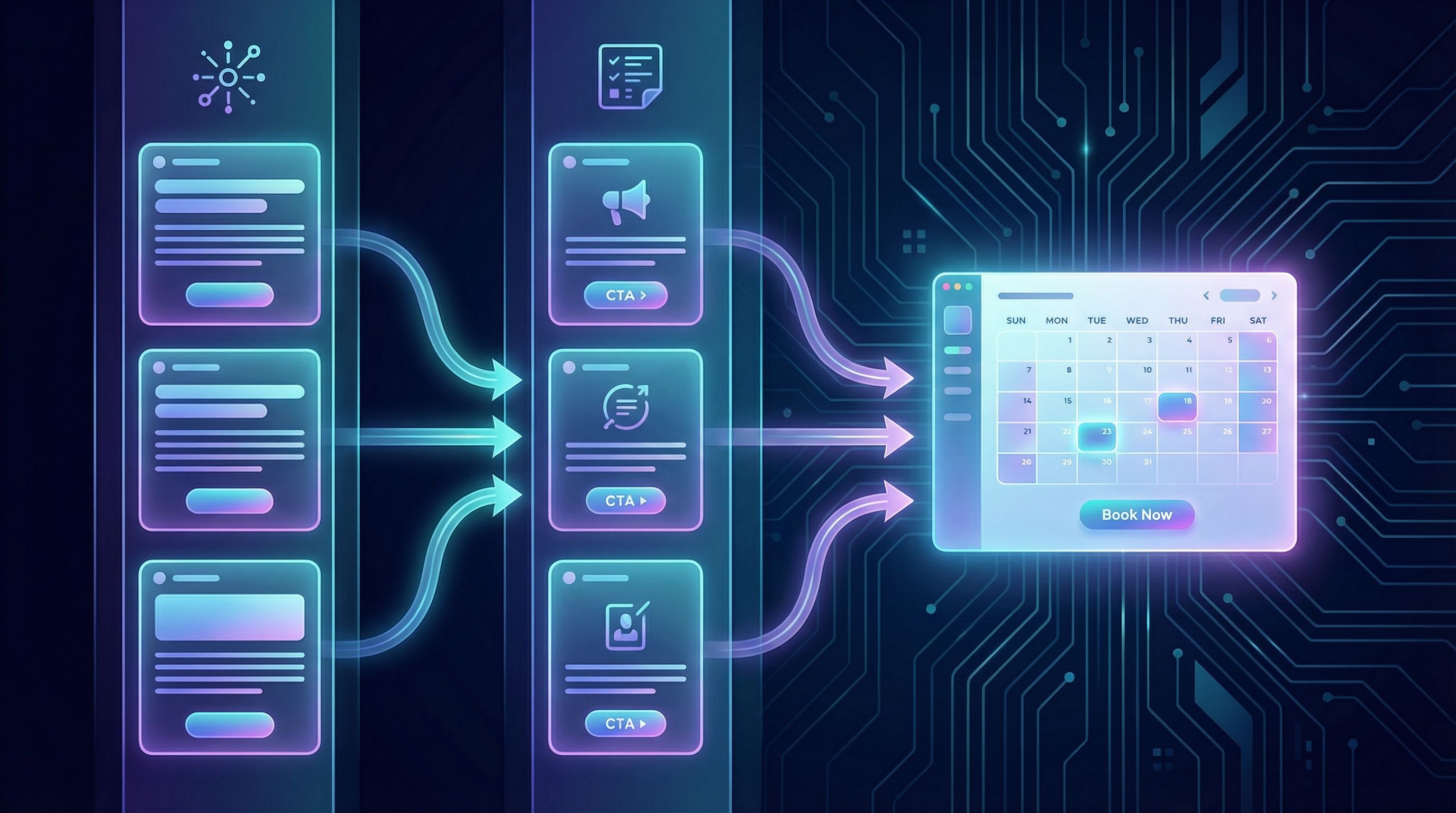
The most effective “Book a call” CTAs don’t feel like a new conversation. They feel like the logical next paragraph of the post.
A simple framework:
- Name the tension the reader is feeling after reading the post.
- Offer a shortcut that resolves that tension.
- Describe the call in concrete, low-commitment terms.
- Show the outcome they can expect.
Example for a Decide-intent post about migrating from one tool to another:
You might be thinking: “This all makes sense, but our setup is messy. I’m not sure how this would work for us.”
That’s exactly what we cover in a 25-minute Migration Fit Check. We’ll walk through your current workflow, flag any risks, and sketch a realistic rollout plan. No pressure to buy—just clarity on whether this switch is worth it right now.
Then add a clear button: “Book a Migration Fit Check” linking to your scheduling page.
Where to Place These CTA Blocks
For Decide-intent posts:
- Top of the article (short banner under the title)
- Mid-article (after the first major section)
- End of the post (full CTA block)
For Explore/Evaluate posts:
- Primarily mid-article and end of post
- Avoid heavy-handed banners at the very top; they can feel mismatched to early-stage intent.
Step 5: Bake CTA Logic into Your AI Publishing Workflow
If you have to manually remember which CTA goes where, this system will quietly fall apart.
Instead, make CTAs part of how content gets created and published.
Here’s a lightweight setup you can implement with Blogg or a similar platform:
-
Define CTA templates per intent bucket
- Explore CTA template
- Evaluate CTA template
- Decide CTA template
-
Store them as reusable blocks or prompts
For example, in your AI instructions:“If
intent = Decide, append the ‘Implementation Review’ CTA block at the end of the post and insert a short inline CTA after the second H2.” -
Tag topics with intent at the planning stage
When you add topics to your queue, include anintentfield. This is similar to how you’d tag topics by revenue theme in From Random Posts to Revenue Themes. -
Let the system assemble the post + CTA
The AI generates:- The main article
- CTA copy customized with the post’s main problem and audience
-
Have humans spot-check for fit
During review, your editor or founder only needs to ask: “Does this CTA feel like the natural next step from this specific post?”
Over time, you’ll refine the templates based on which posts actually drive booked calls.
Step 6: Use Micro-Commitments for Readers Who Aren’t Ready Yet
Not everyone is ready to jump straight from blog to call. That doesn’t mean the post failed.
Design micro-commitments that keep momentum going for those readers:
- Content upgrades – Checklists, templates, or mini-guides that extend the post.
- Mini email sequences – 3–5 email lessons deepening the topic, ending in a call invite.
- Interactive tools – ROI calculators, readiness quizzes, or assessments that naturally lead to, “Want to walk through your results on a call?”
AI can help here too:
- Turn a strong Decide-intent post into a one-page checklist or assessment.
- Let your platform auto-generate a 3-email follow-up sequence from that post.
Then, when someone downloads the asset or completes the quiz, your follow-up sequence can:
- Reflect what they just did (quiz result, checklist, etc.).
- Add 1–2 deeper insights.
- Invite them to book a call as the natural next step.
Step 7: Instrument the Path from Post to Call
You don’t need a complex analytics stack, but you do need basic visibility into what’s working.
At minimum, set up:
- UTM parameters on all “Book a call” buttons from blog posts (e.g.,
?utm_source=blog&utm_medium=post&utm_campaign=decide-intent) - Event tracking for:
- CTA clicks (by post slug)
- Completed bookings
- A simple dashboard or spreadsheet that shows:
- Posts that drive the most call bookings
- Intent bucket per post
- Conversion rate from view → click → booked call
Once you have a month or two of data, patterns emerge:
- Certain topics consistently drive calls → create more like them.
- Certain CTAs or framings perform better → update templates.
- Some high-traffic posts barely convert → revisit intent or CTA fit.
If your blog is already running on an AI-powered system, this feedback loop is where things get fun: you can rapidly test CTA variants across many posts without rewriting everything from scratch.
Step 8: Keep the Path Simple—But Not Generic
The biggest mistake teams make once they start thinking about conversion paths is over-complication:
- 5 different call types
- 8 different lead magnets
- Unique CTA copy for every single post
That’s not sustainable—especially for small teams.
Instead, aim for:
- One primary call type, maybe two at most.
- One CTA template per intent bucket, lightly customized per post by AI.
- A few supporting micro-commitments (1–2 checklists, 1 quiz, 1 email mini-course).
Within that simple structure, you can still avoid generic CTAs by:
- Mirroring the exact language your post uses for the problem.
- Mentioning who the call is best for (“B2B SaaS founders under 50 employees,” “Service businesses with 3–10 person teams,” etc.).
- Being explicit about what will and won’t happen on the call (e.g., “No pitch deck, just a shared screen and a live walkthrough of your workflow.”)
Bringing It All Together
Let’s put this into a concrete example.
Imagine you’re a small agency using AI-powered publishing via Blogg to attract CRM migration projects.
- You define your primary call as: “25-minute CRM Migration Fit Check.”
- You plan a set of topics and tag each with intent:
- Explore: “Why DIY CRM Migrations Fail More Often Than You Think”
- Evaluate: “In-House vs Agency for CRM Migration: Cost, Risk, and Speed”
- Decide: “Step-by-Step CRM Migration Checklist for Teams Under 50 People”
- In your AI platform, you:
- Store a Decide-intent CTA template for the Migration Fit Check.
- Instruct the AI to insert that CTA at the top, middle, and end of Decide posts.
- Use softer CTAs (checklists, email series) for Explore posts.
- You publish consistently, as part of a broader strategy to avoid content decay (see Content Decay on Fast-Forward).
- You track which posts drive the most bookings and refine your templates.
The result: a blog that doesn’t just educate—it routes the right readers into real sales conversations, without feeling pushy or off-key.
Summary
AI-generated content can flood your blog with posts—but without simple, intentional conversion paths, that content won’t translate into pipeline.
To turn “We’re publishing more” into “We’re booking more calls,” you need to:
- Define a clear, valuable call type that feels like a win for your buyer.
- Classify posts by intent (Explore, Evaluate, Decide).
- Match each intent bucket to a specific next step—from soft education to direct call invites.
- Design CTA blocks that feel like a continuation of the post, not an interruption.
- Bake CTA logic into your AI publishing workflow, especially if you’re using a platform like Blogg.
- Add micro-commitments for readers who aren’t ready to talk yet.
- Instrument the path from post → click → booked call and refine based on data.
- Keep the system simple but specific, so it’s sustainable for a small team.
Do this, and your blog stops being a collection of isolated articles—and becomes a quiet, consistent engine for conversations with the people most likely to buy.
Your Next Step
If your blog is already getting some traffic but not enough calls, don’t start by rewriting everything. Start by:
- Picking one core service or product you want more calls for.
- Choosing 3–5 existing posts that are closest to Decide intent.
- Adding a single, specific CTA block to each, framed as a helpful, low-pressure call.
If you’d like those posts to keep coming without relying on heroic writing sprints, consider centralizing your workflow on an AI-powered platform like Blogg. Set your topics, define your intent tags and CTA templates once, and let the system keep your blog publishing—and converting—while you stay focused on running your business.
The content engine is already within reach. The question now is: what path will it offer the moment your best prospects finish reading?