AI Blogging for PLG SaaS: Turning Product Usage Data into Search-Optimized Education Content


Product‑led growth (PLG) lives and dies on one thing: whether users actually succeed inside your product.
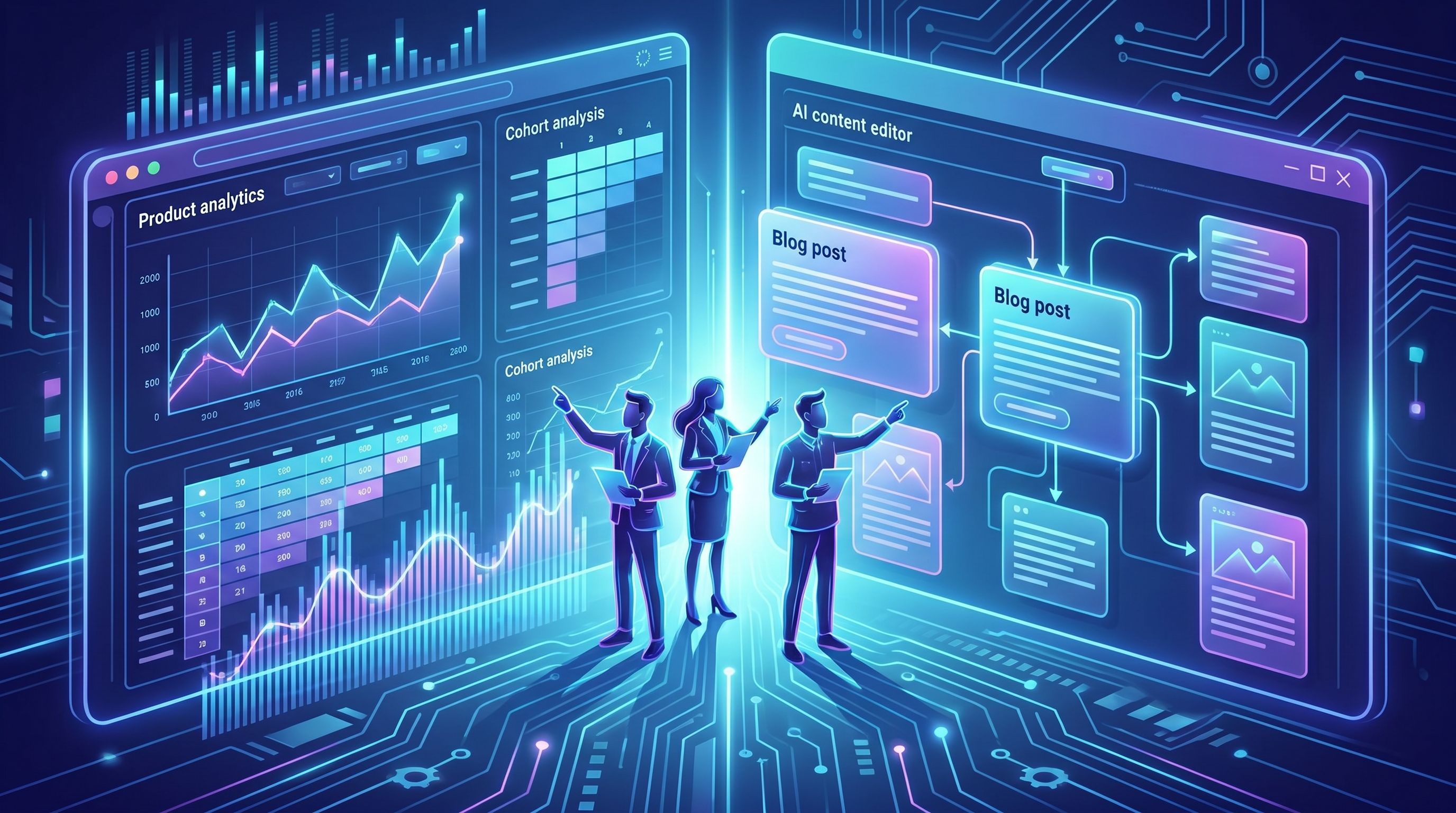
Yet most PLG teams separate their product analytics from their content strategy:
- Product data lives in tools like Mixpanel, PostHog, or Amplitude.
- Content lives in a CMS, a Notion doc, or an AI tool.
- The bridge between them is…usually a quarterly brainstorm.
That’s a missed opportunity.
Your product usage data already tells you:
- Where users get stuck before activation
- Which features correlate with retention or expansion
- Which workflows power your strongest power users
Those same patterns are perfect raw material for search‑optimized, educational content—the kind of content that:
- Attracts new users who are Googling the problems your best customers already solved
- Accelerates activation by teaching workflows before users ever sign up
- Reduces support volume by turning common failure paths into public playbooks
In this post, we’ll walk through how PLG SaaS teams can turn product usage data into an always‑on content engine—especially when you pair your analytics stack with an AI platform like Blogg.
Why PLG Teams Should Treat Product Analytics as a Content Goldmine
If you run a PLG funnel, you’re already tracking events like:
signed_upcreated_projectinvited_teammateran_reportconnected_integration
You probably use those events to optimize onboarding, score PQLs, and prioritize features. But they also answer the core questions of any education‑first SEO strategy:
- What jobs are people actually trying to get done?
- What steps separate casual trials from successful customers?
- What advanced workflows only your best customers have figured out?
For example, benchmark data suggests that median PLG activation rates hover in the mid‑30% range, with top performers crossing 50–60%. That means most signups never reach first value—they fall off at specific friction points in your product.
Those friction points should become search‑optimized tutorials, guides, and explainers.
Instead of guessing at topics from a generic keyword list, you can:
- Map high‑value events → core content themes
- Map drop‑off steps → troubleshooting and “how to avoid this mistake” posts
- Map power‑user workflows → advanced playbooks and comparison content
This is exactly the kind of data‑driven content mapping we’ve written about in posts like “Analytics to Action: Using AI to Translate Blog Performance Data into Your Next 20 Post Ideas”. The twist here: instead of blog analytics, you’re feeding product analytics straight into your editorial plan.
Step 1: Define the Product Moments That Actually Matter
Before you can turn product usage into content, you need a clear view of which events matter for growth.
For a typical PLG SaaS, you’ll want to identify:
-
Activation Events
The actions that define “first value.” Examples:- Project management:
created_first_project+invited_collaborator - Analytics:
tracked_first_event+created_dashboard - Automation:
created_first_workflow+automation_triggered
- Project management:
-
Habit‑Forming Events
The recurring behaviors that correlate with retention. Examples:- Weekly reports viewed
- Automations run per week
- Files or records created per month
-
Expansion Signals
Behaviors that typically precede upgrades or team‑wide adoption. Examples:- Inviting additional teams or departments
- Hitting usage limits
- Enabling premium features or integrations
Sit down with your product and data teams and agree on:
- Names and definitions of these events
- Target benchmarks (e.g., activation rate, time‑to‑first‑value)
- Typical user paths that lead to each moment
You’re not just doing this for product optimization—you’re building the skeleton for your content architecture.
Step 2: Turn User Paths into Content Journeys
Once you know your key events, the next step is to map how users actually move between them.
Look at your product analytics and answer:
- What are the most common successful paths from signup → activation?
- Where do users most frequently drop off?
- Which paths are associated with your highest‑value customers?
From there, you can design parallel content journeys.
Example: Signup → Activation Journey
Imagine you’re a PLG analytics tool. A common successful path might be:
- Signup
- Install SDK or connect data source
- Track first event
- Create first dashboard
- Share dashboard with team
That becomes a content cluster:
- “How to Instrument Your First Events in 15 Minutes (Even If You’re Not a Developer)”
- “SDK vs. No‑Code Connectors: The Fastest Way to Get Data Into Your Analytics Tool”
- “Your First Product Dashboard: 5 Charts Every SaaS Team Should Set Up on Day One”
- “How to Share Product Insights With Your Team Without Becoming the ‘Dashboard Person’”
Each post:
- Targets a real search query
- Mirrors a step in the product journey
- Anticipates the questions and objections you see in usage data and support tickets
This approach pairs well with the jobs‑to‑be‑done clustering we covered in “Beyond Topical Authority: Structuring AI-Generated Content Clusters Around Jobs-to-Be-Done, Not Just Keywords”. Instead of random how‑tos, you’re building job‑based clusters anchored in what your best users actually do.

Step 3: Translate Events and Segments into SEO Topics
Now you’re ready to turn raw analytics into a search‑ready topic map.
Start with three lenses:
- Events – What people do
- Segments – Who they are
- Outcomes – What they’re trying to achieve
1. Event‑Driven Topics
For each key event, ask:
- What would someone Google before they know this event exists?
- What would they Google after they get stuck trying to do it?
Examples:
-
Event:
invited_teammate- Before: “how to get team to use analytics tool”
- After: “teammates not using analytics dashboard what to do”
-
Event:
connected_integration: salesforce- Before: “connect product analytics to salesforce”
- After: “sync product usage data to salesforce fields”
Each pairing becomes:
- A top‑of‑funnel explainer (“Why your analytics tool needs to talk to Salesforce”)
- A mid‑funnel walkthrough (“Step‑by‑step: syncing product events to Salesforce fields without breaking reporting”)
2. Segment‑Driven Topics
Product analytics also show who your power users are:
- Role (PM, marketer, engineer)
- Company size
- Use case (activation, retention, monetization)
For each high‑value segment, brainstorm:
- “For [role]: [problem they’re solving] with [category of product]”
- “How [role] at [company size] uses [product type] to [outcome]”
These become persona‑specific posts that still map to your core events.
3. Outcome‑Driven Topics
Finally, connect events and segments to business outcomes:
- “Increase trial‑to‑paid conversion in PLG SaaS”
- “Reduce onboarding drop‑off in self‑serve products”
- “Prove feature adoption ROI to leadership”
This is where your product data and customer stories intersect. You can:
- Use anonymized benchmarks (“Teams that create a dashboard in week one see 2x higher Day‑30 retention”)
- Pair them with narrative case studies and tutorials
An AI platform like Blogg is particularly good at this translation step. You can feed it:
- A list of key events and segments
- Short notes about what each event means
- A handful of anonymized stats
…and have it propose dozens of SEO‑ready titles and outlines that align directly with your product reality.
For a deeper dive into wrangling messy inputs into structured posts, see “The ‘Signal, Not Noise’ Brief: Using AI to Turn Vague Blog Ideas into Search-Ready Outlines in 10 Minutes”.
Step 4: Feed Product Insights into an AI Blogging Workflow
Once you know what to write, the bottleneck becomes how to ship it consistently.
This is where using an AI‑powered platform like Blogg changes the game for lean PLG teams.
Here’s a practical workflow:
-
Create a “product insights” brief
Summarize, in plain language:- Your key activation, habit, and expansion events
- The 3–5 most common drop‑off points
- The 3–5 highest‑value power‑user workflows
-
Define your content goals per event
For each event, decide:- Is this post meant to drive new signups, activation, expansion, or retention?
- Which persona is it for?
-
Use AI to generate outlines and drafts
In Blogg, you can:- Set your topics and preferences once
- Let the engine propose posts that map your events to search queries
- Auto‑draft and schedule posts that align with your product funnel
-
Layer in real product context
Before you publish, have a PM or PMM:- Add real screenshots or GIFs
- Sanity‑check terminology and flows
- Insert anonymized, directional stats
-
Automate internal linking to product‑led content
Use AI to:- Suggest internal links between posts that share events or outcomes
- Build mini “learning paths” (e.g., a 3‑post series that walks from signup to first value)
This is the same philosophy behind the “one‑input” strategy we explored in “The ‘One-Input’ Blog Strategy: How to Feed Blogg a Single Source and Get a Month of SEO Content”. Here, your “one input” is product usage data and event definitions.
Step 5: Close the Loop—Measure Content Impact on Product Metrics
For PLG, content is not successful just because it ranks. It’s successful if it moves product metrics.
To close the loop, connect your content and product analytics:
-
Tag content by funnel stage and event
In your CMS or in Blogg, tag each post with:- Funnel stage (acquisition, activation, adoption, expansion)
- Primary product event (e.g.,
created_project,invited_teammate)
-
Track content‑assisted product behavior
Use tools like Segment or RudderStack to:- Pass UTM parameters and page views into your product analytics
- Build cohorts like “Users who viewed an activation guide before signing up”
-
Compare key metrics
For users who engaged with specific content, compare:- Activation rate
- Time‑to‑first‑value
- Feature adoption
- Upgrade rate or expansion events
-
Feed learnings back into your AI engine
When you see patterns like “users who read our integration guide are 30% more likely to connect a data source,” turn that into:- More posts on adjacent integrations
- Updated CTAs promoting that guide from related content
- In‑product prompts linking to the guide at the right moment
Because Blogg is built to run ongoing, automated publishing, you don’t have to manually orchestrate every iteration. You can:
- Adjust your topic priorities based on what’s moving metrics
- Let the platform generate and schedule the next batch of related posts
- Maintain a living content engine that tracks with your product, not a static calendar you forget by Q3
For teams selling into larger accounts or hybrid PLG + sales‑assisted motions, this loop also supports complex evaluations. If that’s you, it’s worth pairing this approach with what we covered in “AI Blogging for High-ACV Deals: Structuring Blogg Content to Support Long Sales Cycles and Multi-Step Evaluations”.
Advanced Plays: Using Product Data to Power Next‑Level Content
Once you’ve nailed the basics—mapping events to topics, using AI to draft, and measuring impact—you can get more ambitious.
Here are a few advanced plays PLG teams can run.
1. Usage‑Based Benchmarks and “State of” Reports
If you have enough anonymized data, you can publish:
- “The State of Onboarding in B2B SaaS: Benchmarks from 1,000+ Products”
- “What ‘Healthy’ Feature Adoption Actually Looks Like in PLG Tools”
- “Average Time‑to‑First‑Value by Category and Company Size”
These posts:
- Attract links and authority
- Give prospects a way to self‑diagnose their own metrics
- Naturally showcase how your product measures and improves those numbers
AI helps here by:
- Turning dense charts and tables into narrative insights
- Generating variants of the report tailored to specific personas or industries
2. Personalized, Segment‑Specific Playbooks
If your analytics show that different segments succeed in different ways, you can:
- Generate separate onboarding content for PMs vs. marketers vs. engineers
- Create industry‑specific guides (e.g., “Activation Playbook for Fintech Teams”)
- Use AI to adapt a core playbook into multiple variants without rewriting from scratch
3. Product‑Triggered Content Campaigns
Combine product events with AI‑generated content:
- When a user stalls before
invited_teammate, trigger an email linking to a post on “How to Get Your Team to Actually Use Your New Tool.” - When someone connects their first integration, send an advanced guide on “Three Dashboards to Build Now That Your Data Is Flowing.”
Because Blogg can maintain a large library of evergreen, search‑optimized posts, your lifecycle campaigns always have fresh, relevant content to pull from—without requiring a new writing sprint every time you add an event trigger.
Bringing It All Together
Let’s recap the core idea:
- Your product usage data already knows what your best users do.
- Those behaviors map directly to questions people ask in search.
- When you turn those behaviors into education‑first, SEO‑optimized content, you:
- Attract users who look like your best customers
- Help them reach activation faster
- Support expansion and retention with advanced workflows
With an AI‑powered engine like Blogg, you don’t need a huge content team to pull this off. You need:
- A clear definition of your key product events and segments.
- A simple mapping from those events to search‑friendly topics.
- A workflow where AI handles ideation, drafting, and scheduling—while your team provides the product context and guardrails.
Do that, and your blog stops being a side project. It becomes an extension of your product, teaching the same journeys your analytics already prove are working.
Where to Start This Week
If you want to put this into practice without spinning up a giant project, here’s a simple 5‑day plan:
Day 1 – Identify your top 3 activation events.
Pull a report from your product analytics tool. Confirm with product and success teams that these really define “first value.”
Day 2 – Map one successful path and one failure path.
For each activation event, sketch:
- The most common successful journey
- The most common drop‑off point
Day 3 – Brainstorm 10 content ideas from those paths.
Use the “before/after search query” trick for each step. Turn them into working titles.
Day 4 – Feed those ideas into Blogg.
Set up your topics and preferences. Let the platform generate outlines and first drafts for 3–5 posts.
Day 5 – Add product context and ship your first mini‑cluster.
Have a PMM or PM:
- Add screenshots
- Tighten language
- Link posts together into a simple learning path
Once those are live, watch what happens to activation for users who touch that content—and let that data guide your next batch of posts.
Ready to Turn Product Data into an Always‑On Education Engine?
If your PLG motion already runs on product analytics, you’re closer than you think to a product‑driven content strategy.
You don’t need more brainstorms. You need a system that:
- Listens to what your users are actually doing
- Translates those behaviors into helpful, search‑optimized content
- Publishes consistently while you stay focused on building the product
That’s exactly what Blogg is designed to do.
Set your topics. Connect your product insights. Let the engine handle ideation, drafting, and scheduling—so your blog finally reflects the way your best customers succeed.
Take the first step: pick one activation event, one successful path, and one drop‑off. Turn them into a tiny content cluster with AI. Then watch how much easier PLG becomes when your blog and your product are finally telling the same story.