The AI Blog Content Stack: How to Combine Blogg with Your CMS, Analytics, and Email Tools


If you’re using AI to keep your blog alive, you’re already ahead of most teams.
But there’s a big difference between:
- “We have AI writing some posts for us,” and
- “We’ve built a content stack where AI, our CMS, analytics, and email all work together to drive leads.”
This post is about building that second version.
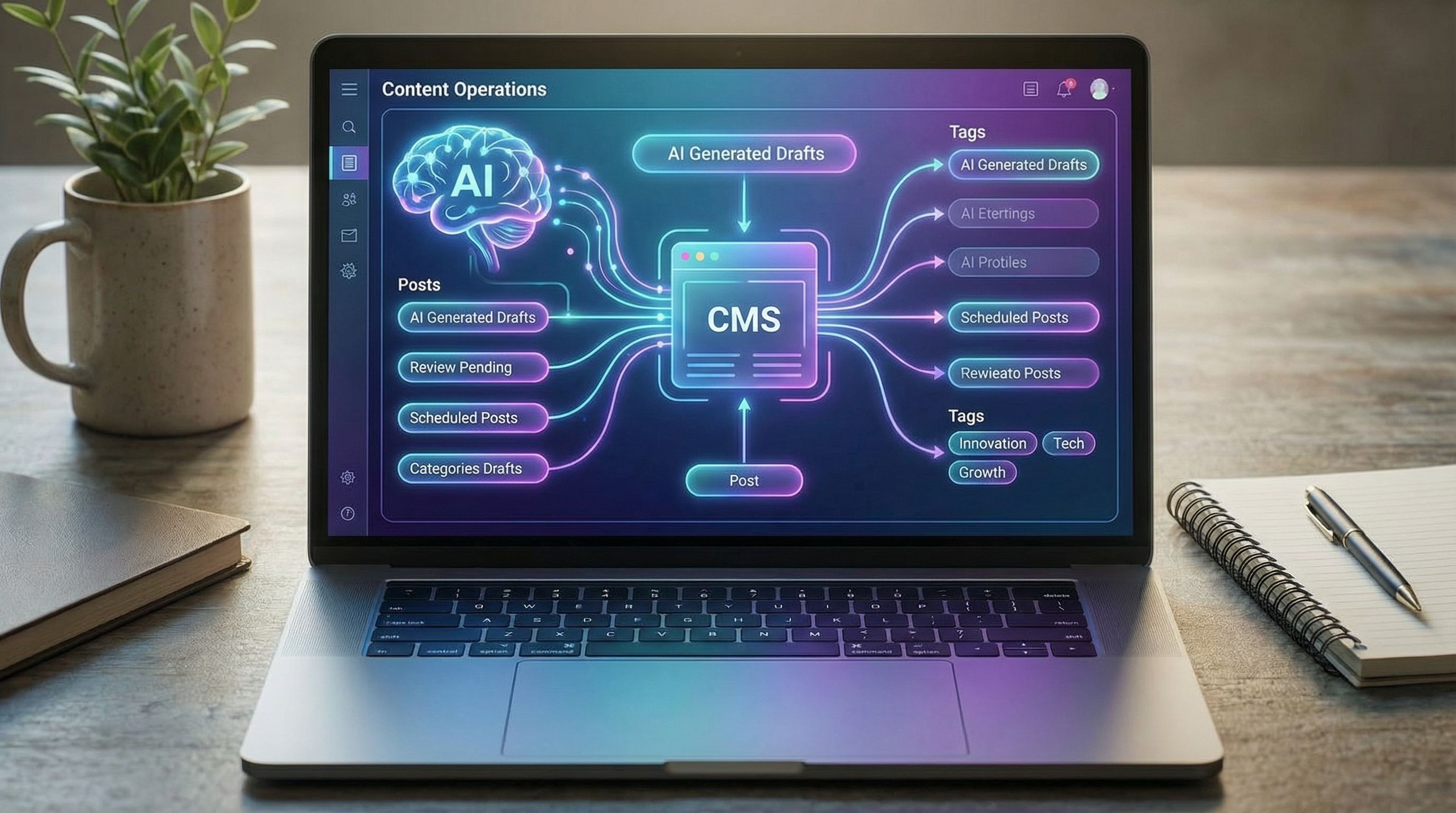
Blogg can handle ideation, writing, and scheduling. Your CMS publishes and organizes posts. Analytics tells you what’s working. Email turns readers into subscribers and customers. When those pieces are connected, your blog becomes a quiet growth engine instead of a random stream of articles.
Why Your AI Content Needs a Stack, Not Just a Tool
AI makes it easier than ever to ship content. The risk is that you end up with “busy” blogs that don’t move any real numbers.
A connected stack solves that by:
- Turning publishing into a system, not a side project.
- Making every post measurable. You know which topics, formats, and CTAs actually lead to pipeline.
- Closing the loop with email and sales. Posts don’t just sit there; they feed your list and your CRM.
If you’ve ever thought, “We should really blog more this year,” but nothing changed, you’ll recognize this as a systems problem, not a motivation problem. We unpack that idea more in From ‘We Should Blog More’ to Revenue: Building a Simple AI-First Content Strategy for Non-Marketers.
The stack we’ll walk through here gives your AI content a clear job and a clear path to revenue.
The Core Components of an AI Blog Content Stack
Let’s define the main pieces and what each is responsible for.
-
AI Blogging Engine: Blogg
- You define topics, audience, and voice.
- Blogg handles ideation, drafting, SEO optimization, and scheduling.
- Goal: keep a consistent, on-brand publishing cadence without eating your week.
-
CMS (Content Management System)
Examples: WordPress, Webflow, Ghost, Squarespace, HubSpot CMS.- Hosts your blog and pages.
- Manages categories, tags, internal links, and design.
- Goal: structure and present content in a way that’s easy for both humans and search engines.
-
Analytics Layer
Examples: Google Analytics 4, Plausible, Fathom, Matomo.- Tracks traffic, engagement, and conversions.
- Lets you compare performance by topic, format, and source.
- Goal: decide what to publish more of (and less of) based on data.
-
Email and Marketing Automation
Examples: Mailchimp, ConvertKit, Klaviyo, HubSpot, Customer.io.- Captures subscribers from your blog.
- Sends newsletters and automated sequences using your posts.
- Goal: turn anonymous readers into subscribers and, eventually, paying customers.
-
(Optional but powerful) CRM & Sales Tools
Examples: HubSpot CRM, Pipedrive, Salesforce.- Tracks which posts leads read before they convert.
- Helps sales use content in follow-ups.
- Goal: connect content to revenue, not just traffic.
When these pieces are loosely coupled but tightly aligned, you get the best of both worlds: automation plus control. That’s the same philosophy behind a lean, AI-first workflow like the one in Content Operations for Tiny Teams: Building a Lightweight AI‑First Workflow Without Adding Headcount.
Step 1: Connect Blogg to Your CMS the Smart Way
The first integration to nail is between your AI blogging engine and your CMS.
Decide Where Blogg “Hands Off” the Draft
You have three main options for how posts flow from Blogg into your CMS:
-
Fully automated publishing
- Posts are generated, optimized, and scheduled directly to your CMS.
- You review via previews or spot checks.
- Best for: teams with clear guardrails, strong editing workflows, and a high publishing cadence.
-
Drafts-only sync
- Blogg pushes posts into your CMS as drafts.
- You (or an editor) review, tweak, add stories/examples, then publish.
- Best for: teams that want AI to handle 80–90% of the work, but keep a human pass for nuance.
-
Hybrid model
- Evergreen posts and product education go straight to scheduled.
- Thought leadership, sensitive topics, or high-stakes content land as drafts.
- Best for: teams balancing volume with a strong brand voice.
If you’re not sure where to start, the hybrid model is usually the safest—and it lines up well with the evergreen vs. timely mix we talk about in Evergreen vs. Newsjacking: Using AI to Balance Long‑Term SEO with Timely Content Spikes.
Standardize Your Blog Structure in the CMS
Before you connect anything, clean up the basics in your CMS:
-
Categories that mirror your core topics.
Example for a B2B SaaS:- "Use Cases"
- "How-To Guides"
- "Product Updates"
- "Customer Stories"
-
Tags for more granular themes.
Example:- "onboarding"
- "pricing"
- "integrations"
-
Reusable templates.
- Post template with consistent typography, bylines, author bios.
- Built-in blocks for CTAs, related posts, and email opt-in.
Then configure Blogg to:
- Map topics to categories.
- Suggest or apply tags based on keywords.
- Insert internal links to cornerstone content where relevant.
This is how you avoid “topical chaos” and instead build a clear content moat. If that’s a concern for you, you’ll like the deeper dive in From Topical Authority to Topical Chaos: How AI Can Help (or Hurt) Your Blog’s SEO Structure.
Step 2: Instrument Analytics So Every Post Has a Job
Once posts are flowing into your CMS, you need to make them measurable.
Set Up Core Analytics (GA4 or an Alternative)
At minimum, configure:
- Pageview and session tracking for your blog.
- Traffic source breakdown (organic search, email, social, referral, direct).
- Key events such as:
- Newsletter signups
- Demo or trial requests
- Pricing page visits
In Google Analytics 4, that means:
- Defining conversion events for your main CTAs.
- Turning on enhanced measurement.
- Using UTM parameters on campaigns so you can see which email or ad sent traffic.
If you prefer privacy-focused tools, Plausible and Fathom both make it easy to see which blog posts drive signups without drowning you in configuration.
Build a Simple Content Performance View
You don’t need a complex dashboard. Start with three questions:
- Which posts attract the most organic traffic?
- Which posts convert the best (to email signup or demo)?
- Which topics are pulling their weight—and which aren’t?
To answer them, create a basic report (in GA4, Looker Studio, or your analytics tool of choice) that shows:
- Page URL / title
- Sessions from organic search
- Conversion rate to your primary goal
- Average engagement time
Then, every month:
- Tag posts as Keep, Improve, or Retire.
- Feed that information back into your Blogg topic plan.
Over time, this turns your AI engine into a feedback loop: publish → measure → refine topics → publish smarter.
Step 3: Turn Blog Readers into Email Subscribers
Traffic without capture is just a nice chart.
Your email platform is where you:
- Keep showing up for people who liked one post.
- Nurture them with relevant content.
- Eventually make offers, invite demos, or promote launches.
Place Email Opt-Ins Where They Actually Get Used
Skip the generic “Subscribe for updates” box in the footer and try:
-
In-line content upgrades.
Example: In a post about onboarding, offer a “User Onboarding Checklist” in exchange for an email. -
Mid-post opt-ins.
After a strong, practical section, add: “Want more workflows like this? Get one new playbook each week.” -
Exit-intent popups that trigger on scroll depth or exit behavior.
Most email tools—Mailchimp, ConvertKit, Klaviyo—let you embed forms or use their native popups. Tie each form to a specific list or tag so you know why someone subscribed.
Use Blogg as Your Email Content Engine
You don’t have to write separate content for newsletters.
For each new post that Blogg publishes, you can:
- Pull 2–3 key insights or steps.
- Add a short intro in your own voice.
- Link back to the full post.
Then set up simple automations, like:
-
New subscriber welcome series
- Email 1: Your core story + 3 best posts to start with.
- Email 2: A how-to post that solves a painful problem.
- Email 3: A case study or example of results.
-
Topic-based sequences
- If someone downloads a lead magnet on “pricing strategy,” send them 3–4 posts on pricing, packaging, and sales enablement.
This is where a lot of teams see their ROI double without publishing more posts—simply by using content more intentionally. We go deeper on that idea in When Less Is More: How to Use AI to Double Blog Conversions Without Publishing More Posts.

Step 4: Close the Loop with Sales and CRM (Optional, but Worth It)
If you’re B2B or have a higher-ticket offer, connecting your blog to your CRM is where the magic happens.
Track Content Touchpoints in Your CRM
With tools like HubSpot, Pipedrive, or Salesforce, you can:
- See which posts a lead viewed before booking a demo.
- Attribute deals to content-influenced journeys.
- Identify posts that show up often in closed-won paths.
This usually involves:
- Syncing form submissions (newsletter, demo, trials) to your CRM.
- Passing UTM parameters and pageview data into contact records where possible.
Arm Sales with Content
Once you know which posts resonate, give your sales team:
- A content library organized by use case and objection.
- Short email snippets that link to specific posts as follow-ups.
Example:
- Prospect is worried about implementation time? Send them a post about “how customers get live in 30 days.”
- Prospect is comparing you to a bigger competitor? Share a case study-style article that shows how smaller teams win.
If you’re curious how to go deeper here, check out the ideas in From Blog Post to Sales Call: Using AI‑Generated Content to Arm Your Sales Team with Better Follow‑Ups (slug listed above), which pairs nicely with the stack you’re building.
Step 5: Design a Weekly (or Monthly) Operating Rhythm
Tools don’t create results. Habits do.
Here’s a simple cadence that works well for small teams using Blogg as their publishing engine.
Weekly Rhythm (for Active Publishing)
Monday: Strategy & Inputs (30–45 minutes)
- Review analytics from the past week.
- Identify:
- 1–2 topics to double down on.
- 1–2 posts to refresh or expand.
- Update your Blogg topic list and priorities.
Wednesday: Light Editing & Optimization (30–60 minutes)
- Review drafts that Blogg has queued in your CMS.
- Apply a quick editing checklist:
- Are the claims accurate and aligned with your product?
- Can you add 1–2 customer stories or examples?
- Is there a clear next step (CTA)?
- Schedule posts.
(If you want a more detailed editing process, see From First Draft to First Page: A Practical Editing Checklist for Turning AI Blogg Posts into Top-Ranking Articles in the list above.)
Thursday or Friday: Email & Distribution (30–45 minutes)
- Turn the week’s post into:
- A short newsletter.
- 1–2 social posts.
- An internal note for sales or success.
Monthly Rhythm (for Direction & Cleanup)
Once a month, spend 60–90 minutes to:
- Review top-performing posts and topics.
- Kill or pause topics that aren’t getting traction.
- Refresh 1–2 high-potential posts with better CTAs, updated stats, or new examples.
- Adjust your publishing cadence up or down based on capacity and results.
This is where the idea of a “Minimum Viable Blog” becomes real: a lean, sustainable system that keeps working even when your week gets hectic.
Putting It All Together: What This Looks Like in Practice
Here’s a realistic picture of your AI blog stack once it’s humming:
- Blogg is continuously generating and scheduling posts based on your prioritized topics.
- Your CMS is organized with clear categories, internal links, and CTAs baked into templates.
- Analytics shows you which posts bring search traffic and which ones turn visitors into subscribers or leads.
- Your email platform automatically pulls from recent posts to welcome new subscribers and send regular, useful updates.
- Optional: Your CRM and sales team use those same posts as follow-ups and proof points in deals.
You’re not “doing content” as a separate, overwhelming project. You’re running a compact system that turns ideas → posts → subscribers → pipeline with relatively little manual effort.
Quick Recap
To build an effective AI blog content stack:
- Start with a dedicated AI engine like Blogg to own ideation, drafting, and scheduling.
- Connect it cleanly to your CMS with a clear handoff point (fully automated, drafts-only, or hybrid).
- Instrument analytics so every post has a measurable job: attract, engage, or convert.
- Use email to capture and nurture the readers your blog brings in.
- Optionally connect your CRM and sales workflows so content supports real deals.
- Run a simple weekly and monthly rhythm so the system keeps improving without consuming your calendar.
Your Next Step
You don’t need to rebuild your entire marketing stack to get started. Pick one move:
- If you don’t have an AI engine yet, explore how Blogg could plug into your existing CMS.
- If you’re already publishing, set up a basic analytics view that shows which posts drive conversions—not just traffic.
- If you have traffic but no list, add one high-intent email opt-in to your highest-traffic post and connect it to a simple 3-email welcome sequence.
Then, commit to a 30-day experiment: let your AI blog stack run, review what happens, and refine from there.
The goal isn’t to become a full-time content marketer. It’s to put a quiet, compounding system behind your business—so your blog works for you while you stay focused on building and serving your customers.